这个插件是什么
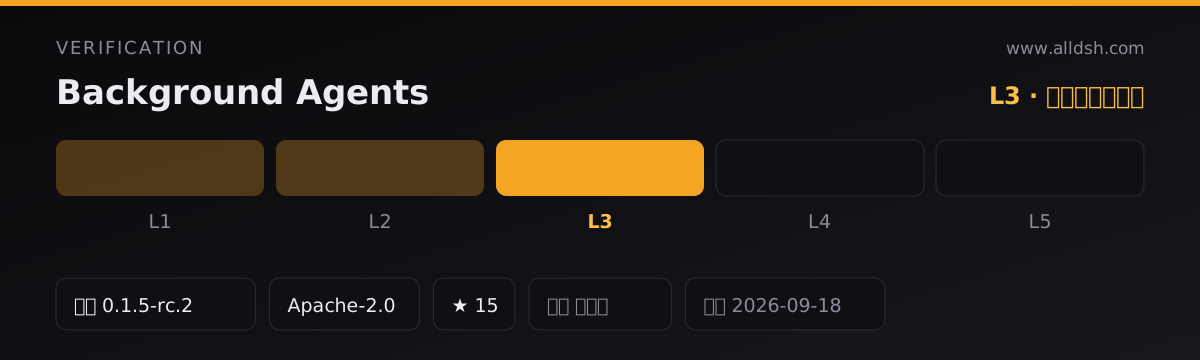
dsh-background-agents——包名 dsh-background-agents,版本 0.9.7,Apache-2.0,TypeScript——自我描述为「interactive long-session background agents plus persistent multi-agent team rooms for DeepSeek Harness」。它的 README 把这件工作定义为一次升级:把 DSH 原本「fire-and-forget background jobs」变成「two coordinated surfaces」,也就是围绕子代理的五个引导工具,以及从 v0.5.0 起加入的持久化团队房间(team rooms)。
包对 dsh 声明了什么:
dsh.bundle.patch指向./cordis.patch.yml,因此安装是通过 profile bundle 追加一行插件行;provider是唯一必填的配置项。dsh.client声明了一个 web 客户端半体,注入六个客户端包(session controller、sidebar、slots、primitives、locale、web)——侧边栏面板是浏览器侧的界面,不属于宿主工具集。dshWorkshop把它归类为type: plugin,集成协议harness-profile,生命周期为activation: restart-profile、dispose: supported,安装是事务式的、失败策略为generation-rollback,权限恰好三项:session:append、subagent:spawn、tools:register。- 同一个 workshop 块中,install、failureIsolation、hotReload、remove 四项证据全部为
null——这四项都没有公布验证证据。
会装进环境的东西:files 列出编译产物 lib/index.js(宿主)与 lib/client.js(web 包)、类型声明、src、cordis patch、各语言 README、ARCHITECTURE.md、THIRD_PARTY_NOTICES.md 与许可证。仓库把构建产物一并提交,所以 README 说 git 安装不需要构建步骤。运行时依赖只有 zod ^3.24.0,其余都是 peer:harness 各包,外加 @deepseek-ai/cordis ^4.0.2 与 @deepseek-ai/schemastery ^3.18.2。README 记录了三条安装通道——git 引用、npm 已发布版本、pnpm pack 打出的 tarball——卸载则是移除该包或移除 profile 里的那一行。
这里的 durable 和 background 到底指什么
这是本插件的核心主张,值得逐句引用而不是转述:
- “start a durable child agent that keeps working while you keep talking”
- “Steer live conversations and coordinate a team across sessions; everything survives restarts through the harness’s own storage.”
- “
background_agentstarts a durable, continuable child on the official subagent seam” - “Everything reconstructs from the durable log — no separate database.”
- 以及同一节里给出的边界条件:“Children are process-local continuable sessions of the deployment.”
状态存在哪里:每一个 background-agent 事实都追加到父会话日志里,作为仅入日志的 background-agents/fact 记录,带上信封的 ignorable: true 标记;进度行与房间投递是真实的、模型可见的 user/message 记录;持久化的「settled」事实来自 harness 自带的 subagent-settled 通知。团队房间另有一份状态不落在会话日志里:共享时间线以仅入日志的 team-room/fact 事件镜像到 team_rooms 存储域,“SQLite or JSONL — zero extra services”;而每一条投递到房间的消息,仍然是该成员自己日志里一条持久的 user/message。backgroundAgents projection 对这个通道做折叠,使得 “the dashboard value and bg_list facts reconstruct on every reopen without parsing human-readable notice text”。
源文档没有说、而读者会默认以为的部分:没有任何一句话描述当浏览器关闭、机器休眠、会话结束或 DSH 进程重启时,子代理正在进行的那一轮会怎样。唯一相关的一句——“process-local continuable sessions of the deployment”——恰恰不是「什么都在跑的时候它还在继续干活」的承诺。源文档支持的结论更窄、但也确实有用:代理的身份、事实、状态与历史是持久的,可以从会话日志与存储域重建,且可继续的子代理可以接收后续轮次。请把「survives restarts」理解为对已存储状态的陈述,而不是对不中断执行的承诺。
启动、观察、发消息与中断
README 的用法示例就是一次调用加一个标签,然后是列出、发消息、停止:
background_agent启动 “a durable, continuable child”;可选参数有label、tool_filter、persona、max_depth,以及childProvider/childModel路由覆盖。bg_list报告 “status of your agents (or the descendant tree withrecursive: true)”,树形结果带parentId/depth。bg_message按 agent id “deliver a later turn to a child”。它同时也是唤醒通道:“The idle sweep archives quiet children andbg_messagewakes them back up.”bg_result取回子代理最近一次助手输出文本,受resultMaxChars(默认 4000)截断并标注truncated;如果只有推理文本可用,回退结果会带textSource: 'reasoning'标记。bg_stop对当前轮 “requests interruption”。安全边界的表述很明确,这不是杀进程:stop “requests interruption and never kills processes”,而 “teardown belongs to the continuation manager”。
进度默认自动回报:autoReport: true 在每轮子代理结束后注入一条节流的进度行(reportThrottleMs 15000 毫秒,reportSummaryMaxChars 300),投递方式 reportDelivery: quiet 是追加到父会话的下一次模型请求,wakeup 则在父会话空闲时开启一轮父轮次。安静的子代理由清扫任务归档(idleSweepIntervalMs 60000,idleTimeoutMinutes 120);把 autoArchive: false 设为关闭后 “parks quiet watchers instead”。
侧边栏面板被描述为提供 “live status, jump, message, stop, result peek, per-agent cost/status totals, JSON export/copy”。它是可选的:兼容性表写的是宿主工具在所有平台可用,而侧边栏与团队房间属于 “optional Web sidebar panel and team rooms via the storage-domain capability”,README 也明确 “the five bg_* tools work without it”。源文档给出的细节就到此为止——除了这句话,没有更细的布局或截图说明。
并发上限、文件冲突与共享工作区
README 唯一点名的并发上限是 maxBackgroundAgents,默认 4,定义为 “Hard cap on non-archived background agents per parent session”。有两点限定很重要:
- 它是 “a shared budget across every continuable direct child of the session, including ones the built-in
subagenttool started”——也就是说内置subagent工具和本插件共用同样的四个名额。 - 团队房间另有一套上限:整个 profile 内
maxRooms为 16,maxMembersPerRoom为 8,maxRoomsPerMember为 4,busRetention200、timelineRetention500、taskRetention50,maxMessageChars4000(超过的消息 “rejected above, never truncated”)。
关于文件与工作区冲突,源文档什么都没说。README 从未提到文件锁、按代理隔离的 worktree、子代理工作区沙箱,或代理之间的写入冲突解决。由于子代理是 “process-local continuable sessions of the deployment”,它们很可能共享同一份部署的文件系统视图——但源文档并未这样陈述,也没有描述串行化,更没有记录两个子代理写同一路径时会发生什么。如果你打算让多个代理同时改同一份工作树,请把这段行为视为未文档化,并按 harness 自身的工具与审批层来决定,而不是从这份 README 推断。
权限:子代理能做什么,审批是否仍然生效
- workshop 清单恰好声明三项权限:
session:append、subagent:spawn、tools:register。 - 除非用
childProvider/childModel覆盖,子代理继承父会话的模型路由——README 的 Model 一行写的是 “Any (children inherit the parent’s route;childProvider/childModeloverride)”。 tool_filter“only restricts”:它 “removes tools from the child’s view — never grants new ones”,名字还要对照allowedChildTools白名单校验,白名单为空或缺失表示不限制名字。- 插件自身的数据是纯本地的:房间落在 SQLite 或 JSONL,README 的表述是 “No separate database, no network.” 唯一会拉起外部进程的功能是可选跨生态桥:一个面向 OpenAI Agents SDK、CrewAI 之类运行时的 “newline-delimited JSON-RPC 2.0 bridge over stdio”。它 “Disabled by default (fail-closed)”,需要同时打开
inbound.enabled并给出inbound.command;命令无法启动时桥保持休眠并记日志。README 明确说它是 JSON-RPC 直连的最小集合,“not the official ACP wire protocol”。 - 审批:README 唯一记录的审批行为属于团队房间——“
room_transfer_taskroutes through the official approval seam and fails closed when no answerer grants it”。至于后台子代理自己的普通工具审批,在无人值守时是否仍然弹出、排队还是自动拒绝,README 没有说明,也没有列出子代理可以持有哪些工具。子代理能否写磁盘、能否访问网络,同样没有在这份文档里重申;那取决于 harness 对该会话的工具集与策略,应到那里确认,而不是从本插件推断。
运行要求
- Node:
engines.node为^22.19.0 || >=24.0.0,README 复述了同一区间。 - Harness:2026-09-11 针对 tag
dsh-v0.1.5-rc.2验证,dev 与运行时 pin 均为0.1.5-rc.2。harness 各包的 peer 区间(peerDependencies中并同样写在 README)是>=0.1.2-rc.1 <0.2.0 || >=0.1.5-alpha.1 <0.2.0。README 专门解释了第二段这个别扭的写法:“prerelease-tuple rule: the first arm alone does not match0.1.5-alpha.1”,并把更早的一条记录标为已被取代——曾经声称验证过0.1.3-alpha.1,但 “that prerelease falls outside both peer arms”。 - subagent 主干:“The plugin needs the subagent spine already mounted (any profile built on
@deepseek-ai/dsh-basehas it).” - 持久化:“Team rooms mount wherever the storage domain is composed (
@deepseek-ai/dsh-storage-domain); the fivebg_*tools work without it.” 如果该存储域打开耗时超过roomOpenTimeoutMs(15000 毫秒),房间操作会以store-unavailable直接失败并报错,而不是一直挂着。 - 配置:
provider“must name a continuable-capable provider (prepareContinuable); a missing provider makesbackground_agentfail until it appears.” 其余可调项都是经过校验的 SchemasteryConfig字段,在cordis.yml中修改,“never in code”。 - 激活方式:
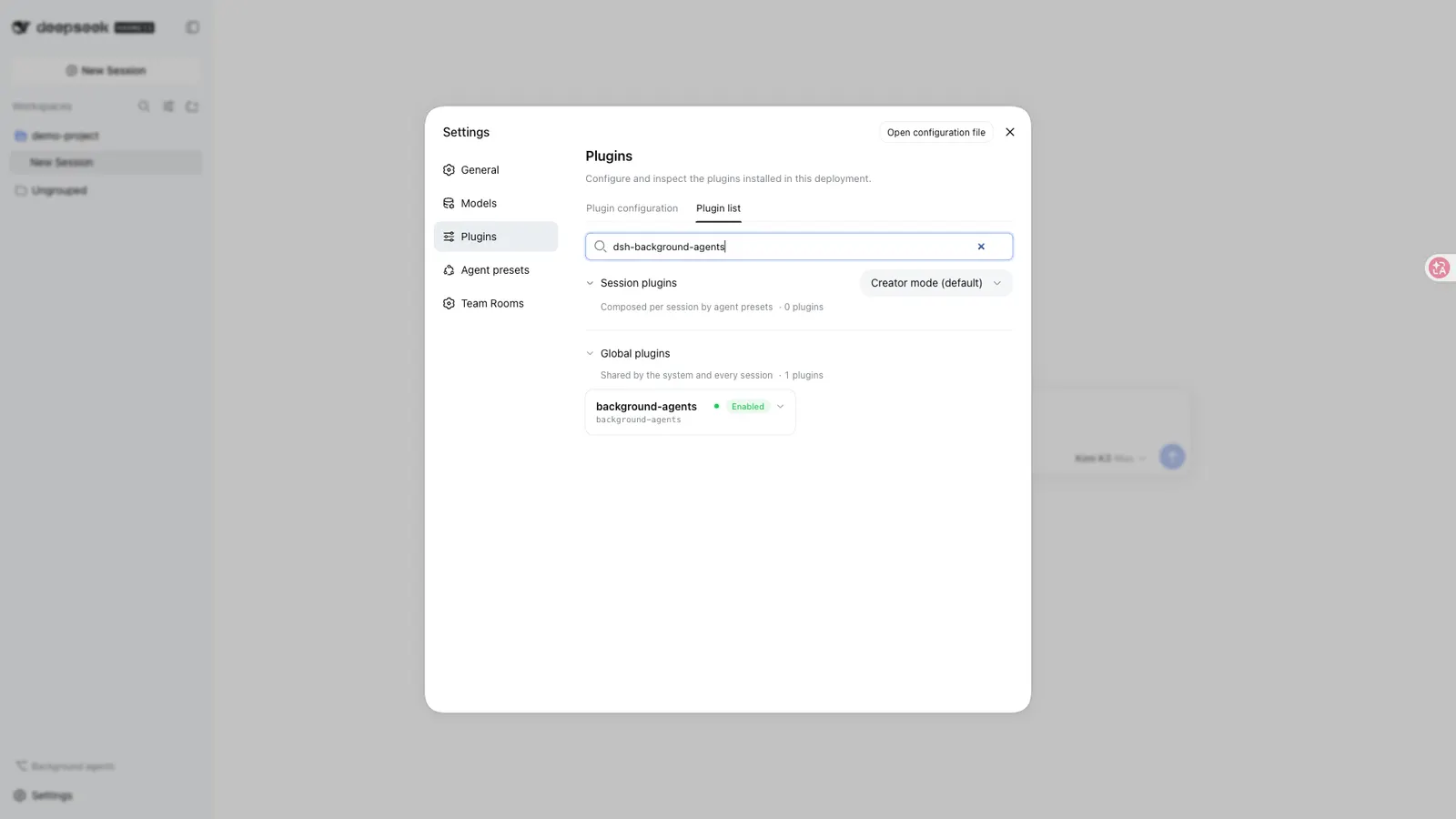
lifecycle.activation是restart-profile,快速开始也要求重启后再核对插件行,例如用dsh --profile web --dump-config | grep -A4 'id: background-agents'。
已知限制、失败与恢复行为
README 自己的 “Known limitations” 清单:
- “Team rooms require the storage domain to be composed; without
@deepseek-ai/dsh-storage-domain, the/roomcommand androom_*tools are disabled (the fivebg_*tools still load).” - “
providermust name a continuable-capable provider (prepareContinuable); a missing provider makesbackground_agentfail until it appears.” - “
maxBackgroundAgentsis a shared budget across every continuable direct child of the session, including ones the built-insubagenttool started.” - “One-shot children are never listed or messaged —
bg_listkeeps continuable rows only.” - “Children are process-local: the schedule seam owns ‘when’, this plugin owns steering a live conversation.”
- “Cost metrics are raw token/duration totals, not currency: the harness exposes no per-model pricing table to the plugin or the browser, so the cost panel and export never convert tokens to money (they show
—when the adapter reports no token accounting).”
明确的非目标:“Not in scope: scheduled triggering (the schedule seam exists), cross-machine/remote agents, and any change to the official subagent activation contract.”
失败与恢复行为也有交代。在 Session.append 早于 ignorable 标记的宿主上,插件会在首次追加前先探测,随后 “fact appends are skipped with a one-time warning — the durable store, the notices, and the tools keep working, and the projections degrade to an empty fact fold.” allowUnmarkedFacts 默认为 false,强行打开是 “dangerous: unmarked facts make sessions unresumable elsewhere”。而当目录本身不可用时,“bg_list returns an explicit unrecoverable marker — it never fabricates an empty list.” 这些工具也坦白自己是补充而非替代:bg_* 是内置 subagent、send_message、interrupt_agent 与子侧 report 工具的 “session-scoped companions”,两者可以同时挂载,而核心工具缺的正是 “bg_list, bg_result, idle archiving, and the per-parent folded panel projection”。
什么时候用它、什么时候不要用
当工作本质是「一段你想持续引导的长会话」时用它:启动一个子代理,不盯着这一轮,收节流进度,稍后再给它一条新指令,方向不对就中断。核心 subagent 工具没有的那几件东西——bg_list、bg_result、空闲归档、按父会话折叠的面板——是加装它的具体理由;如果多个会话需要共享消息总线、任务板和时间线,团队房间则是另一个理由。
如果你想的是定时调度,不要用它:README 说「when」归 schedule seam 管,并把「scheduled triggering」列为范围外,指向另一个自动化插件。也不要把它用于跨机器或远程代理——子代理是进程本地的,远程代理明确在范围之外。更不要指望它保证「harness 已停、机器已休眠时代理仍在计算」:源文档从头到尾没有这样的说法。
有一个重叠值得如实说明:本目录里还有 agent-teams,它同样构建持久可继续的子代理并支持直接消息,但它的重心是一个「队长」把目标拆成带依赖关系的任务,并在成员空闲时唤醒它们认领就绪工作。dsh-background-agents 的重心则是按会话引导长生命周期子代理,并额外自带团队房间(消息总线、共享任务板、共享时间线),存放在自己的 team_rooms 存储域中。两者都可以考虑;要选的是协调模型,而不是谁更强。
FAQ
关掉浏览器或退出 harness 之后,后台代理还会继续跑吗?
README 没有这样说,本页也不会这样声称。它说代理是 “durable”,说 “everything survives restarts through the harness’s own storage”,同时也说 “Children are process-local continuable sessions of the deployment.” 站得住的读法是:代理的身份、事实、状态与历史是持久的,可从日志与存储域重建,并且可继续的子代理可以接收后续轮次。至于浏览器关闭、机器休眠或 DSH 进程不在时,正在跑的那一轮是否继续推进,文档没有写。
没人看着的时候,后台代理的审批还会被执行吗?
README 只记录了一种审批行为,而且很具体:room_transfer_task “routes through the official approval seam and fails closed when no answerer grants it”。至于后台子代理自己的普通工具审批,在父会话空闲、无人值守时究竟是弹出、排队还是自动拒绝,README 一个字也没有说。两个方向的假设都不要下。
两个后台代理同时改同一批文件会怎样?
未文档化。README 没有描述任何锁、worktree 隔离或冲突处理,也没有按代理划分工作区。它唯一点名的共享限制是 maxBackgroundAgents 名额。请把「同一工作树上的并发写入」当成需要你通过 harness 的工具与审批层自行控制的行为。
在无法写入 ignorable 标记的旧版 harness 上会怎样?
插件会在首次追加前探测到这种情况,随后跳过事实追加并只警告一次。README 的说法是:“durable store, the notices, and the tools keep working, and the projections degrade to an empty fact fold”——而当目录本身不可用时,bg_list 会返回明确的 unrecoverable 标记,而不是一份空清单。allowUnmarkedFacts 可以强行写入事实,但 README 警告说未标记的事实 “make sessions unresumable elsewhere”。
插件会给出代理的花费吗?
它给的是 token 与时长,不是钱。每个代理的 metrics 记录 token、轮次墙钟时间与错误标记;README 说得很直接:harness 不向插件或浏览器暴露按模型的价目表,因此 “the cost panel and export never convert tokens to money (they show — when the adapter reports no token accounting)”。本页不引用任何费用或配额数字。