What this plugin is
dsh-background-agents — package dsh-background-agents, version 0.9.7, Apache-2.0, TypeScript — describes itself as “interactive long-session background agents plus persistent multi-agent team rooms for DeepSeek Harness”. Its README frames the change as upgrading DSH’s “fire-and-forget background jobs into two coordinated surfaces”: five steering tools around child agents, and, from v0.5.0, persistent team rooms.
What the package declares to dsh:
dsh.bundle.patchpoints at./cordis.patch.yml, so installation adds a plugin row through a profile bundle.provideris the single required config field.dsh.clientdeclares a web client half injecting six client packages (session controller, sidebar, slots, primitives, locale, web) — the sidebar panel is a browser-side surface, not part of the host tool set.dshWorkshopclassifies it astype: plugin, integration protocolharness-profile, lifecycleactivation: restart-profilewithdispose: supported, a transactional install whose failure policy isgeneration-rollback, and exactly three permissions:session:append,subagent:spawn,tools:register.- The same workshop block records
nullfor install, failureIsolation, hotReload and remove evidence — no verification evidence is published for any of the four.
What gets installed: files ships the compiled lib/index.js (host) and lib/client.js (web bundle), type declarations, src, the cordis patch, the READMEs, ARCHITECTURE.md, THIRD_PARTY_NOTICES.md and the licence. The repository commits its build output, so the README says git installs need no build step. zod ^3.24.0 is the only runtime dependency; the harness packages are peers, alongside @deepseek-ai/cordis ^4.0.2 and @deepseek-ai/schemastery ^3.18.2. Three install channels are documented — a git ref, the published npm package, and a pnpm pack tarball — plus uninstall by removing the package or the profile row.
What durable and background actually mean here
This is the plugin’s central claim, so it is worth quoting rather than paraphrasing:
- “start a durable child agent that keeps working while you keep talking”
- “Steer live conversations and coordinate a team across sessions; everything survives restarts through the harness’s own storage.”
- “
background_agentstarts a durable, continuable child on the official subagent seam” - “Everything reconstructs from the durable log — no separate database.”
- And the boundary condition stated in the same README section: “Children are process-local continuable sessions of the deployment.”
Where the state lives: every background-agent fact is appended to the parent session log as a log-only background-agents/fact record carrying the envelope’s ignorable: true marker; progress lines and room deliveries are real, model-visible user/message records; the durable “settled” fact is the harness’s own subagent-settled notice. Team rooms keep their shared state somewhere else as well: the shared timeline mirrors as log-only team-room/fact events in the team_rooms storage domain, “SQLite or JSONL — zero extra services”, while every delivered room message is still a durable user/message in the member’s own log. The backgroundAgents projection folds that channel so that “the dashboard value and bg_list facts reconstruct on every reopen without parsing human-readable notice text”.
What the source does not say, and a reader will assume it: there is no sentence describing what happens to a child’s in-flight turn when the browser is closed, when the machine sleeps, when the session ends, or when the DSH process is restarted. The one statement that bears on it — “process-local continuable sessions of the deployment” — is the opposite of a promise that work keeps progressing while nothing is running. What is supported is narrower and still useful: agent identity, facts, status and history are durable and reconstructable from the session log and the storage domain, and a continuable child can be given later turns. Read “survives restarts” as a claim about stored state, not about uninterrupted execution.
Starting, watching, messaging and stopping an agent
The README’s usage sketch is a single call with a prompt and a label, then list, message, stop:
background_agentstarts “a durable, continuable child”; optional arguments arelabel,tool_filter,personaandmax_depth, plus achildProvider/childModelroute override.bg_listreports the “status of your agents (or the descendant tree withrecursive: true)”, the tree carryingparentId/depth.bg_messagedelivers “a later turn to a child by agent id”. It is also the wake-up path: “The idle sweep archives quiet children andbg_messagewakes them back up.”bg_resultfetches the child’s latest assistant output text, capped byresultMaxChars(default 4000) and flaggedtruncated; when only reasoning text is available the fallback is flaggedtextSource: 'reasoning'.bg_stop“requests interruption” of the current turn. The security section is explicit that this is not a kill: stop “requests interruption and never kills processes”, and “teardown belongs to the continuation manager”.
Progress is automatic by default: autoReport: true injects one throttled progress line after each child turn (reportThrottleMs 15000 ms, reportSummaryMaxChars 300), with reportDelivery: quiet appending it to the next model request or wakeup starting a parent turn when the parent is idle. Quiet children are archived by a sweep (idleSweepIntervalMs 60000, idleTimeoutMinutes 120); setting autoArchive: false “parks quiet watchers instead”.
The sidebar panel is documented as showing “live status, jump, message, stop, result peek, per-agent cost/status totals, JSON export/copy”. It is optional: the compatibility table lists host tools on all platforms and the “optional Web sidebar panel and team rooms via the storage-domain capability”, and the README notes that “the five bg_* tools work without it”. That is the level of detail the source gives — there is no layout or screenshot description beyond this sentence.
Concurrency, collisions and the shared workspace
The only concurrency ceiling the README names is maxBackgroundAgents, default 4, described as the “Hard cap on non-archived background agents per parent session”. Two qualifications matter:
- It is “a shared budget across every continuable direct child of the session, including ones the built-in
subagenttool started” — the built-in tool and this plugin draw on the same four slots. - Team rooms carry their own caps:
maxRooms16 across the profile,maxMembersPerRoom8,maxRoomsPerMember4,busRetention200,timelineRetention500,taskRetention50, andmaxMessageChars4000 (messages above it are “rejected above, never truncated”).
Nothing is said about file or workspace collisions. The README never mentions file locking, per-agent worktrees, sandboxed child workspaces, or conflict resolution between agents editing the same paths. Because children are “process-local continuable sessions of the deployment”, they plausibly share the deployment’s filesystem view — but the source does not state that, does not describe serialisation, and does not document what happens when two children write the same file. If you intend to run several agents against one working tree, treat that behaviour as undocumented and decide it from the harness’s own tool and approval layer, not from this README.
Permissions, tools and approvals
- The workshop manifest declares exactly three permissions:
session:append,subagent:spawn,tools:register. - Children inherit the parent’s model route unless
childProvider/childModeloverride it — the README’s Model row is “Any (children inherit the parent’s route;childProvider/childModeloverride)”. tool_filter“only restricts”: it “removes tools from the child’s view — never grants new ones”, and names are validated against theallowedChildToolsallowlist, where empty or absent means no name limit.- The plugin’s own data story is local: rooms live in SQLite or JSONL, and the README states “No separate database, no network.” The one process-spawning feature is the optional cross-ecosystem bridge, a “newline-delimited JSON-RPC 2.0 bridge over stdio” for runtimes such as the OpenAI Agents SDK or CrewAI. It is “Disabled by default (fail-closed)”, needs both
inbound.enabledand aninbound.command, and an unspawnable command leaves the bridge dormant and logged. The README calls it a JSON-RPC direct-connect minimal set, “not the official ACP wire protocol”. - Approvals: the only approval behaviour documented is for team rooms — “
room_transfer_taskroutes through the official approval seam and fails closed when no answerer grants it”. The README does not say whether a background child’s ordinary tool approvals are still surfaced and enforced when nobody is watching, and it does not enumerate which tools a child may hold. Whether a child can write to disk or reach the network is likewise not restated here; that depends on the harness’s own session tool set and policy, so it should be checked there rather than inferred from this plugin.
Requirements
- Node:
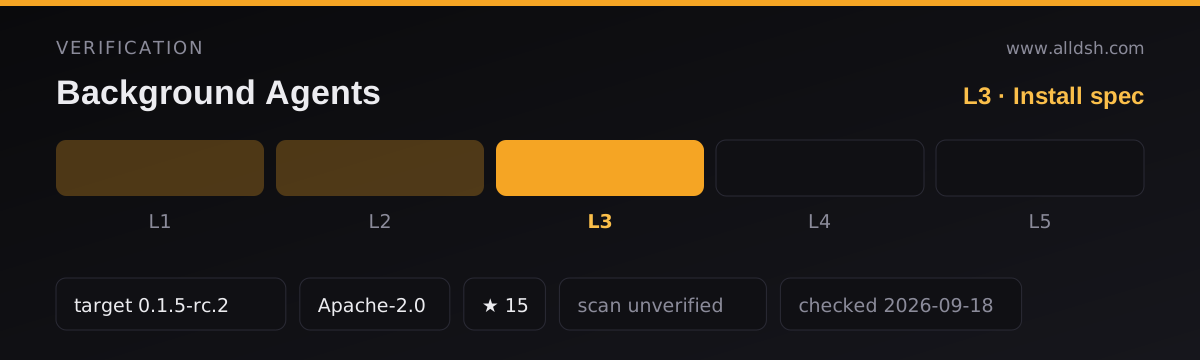
engines.nodeis^22.19.0 || >=24.0.0, and the README repeats the same range. - Harness: verified 2026-09-11 against the tag
dsh-v0.1.5-rc.2, with dev and runtime pins on0.1.5-rc.2. The peer ranges (inpeerDependenciesand repeated in the README) are>=0.1.2-rc.1 <0.2.0 || >=0.1.5-alpha.1 <0.2.0for the harness packages. The README explains the awkward second arm — “prerelease-tuple rule: the first arm alone does not match0.1.5-alpha.1” — and marks an earlier note as superseded, since a claimed0.1.3-alpha.1verification “falls outside both peer arms”. - Subagent spine: “The plugin needs the subagent spine already mounted (any profile built on
@deepseek-ai/dsh-basehas it).” - Persistence: “Team rooms mount wherever the storage domain is composed (
@deepseek-ai/dsh-storage-domain); the fivebg_*tools work without it.” If that domain’s open exceedsroomOpenTimeoutMs(15000 ms), room operations fail loud withstore-unavailablerather than hanging. - Config:
provider“must name a continuable-capable provider (prepareContinuable); a missing provider makesbackground_agentfail until it appears.” Every other tunable is a validated SchemasteryConfigfield changed incordis.yml, “never in code”. - Activation:
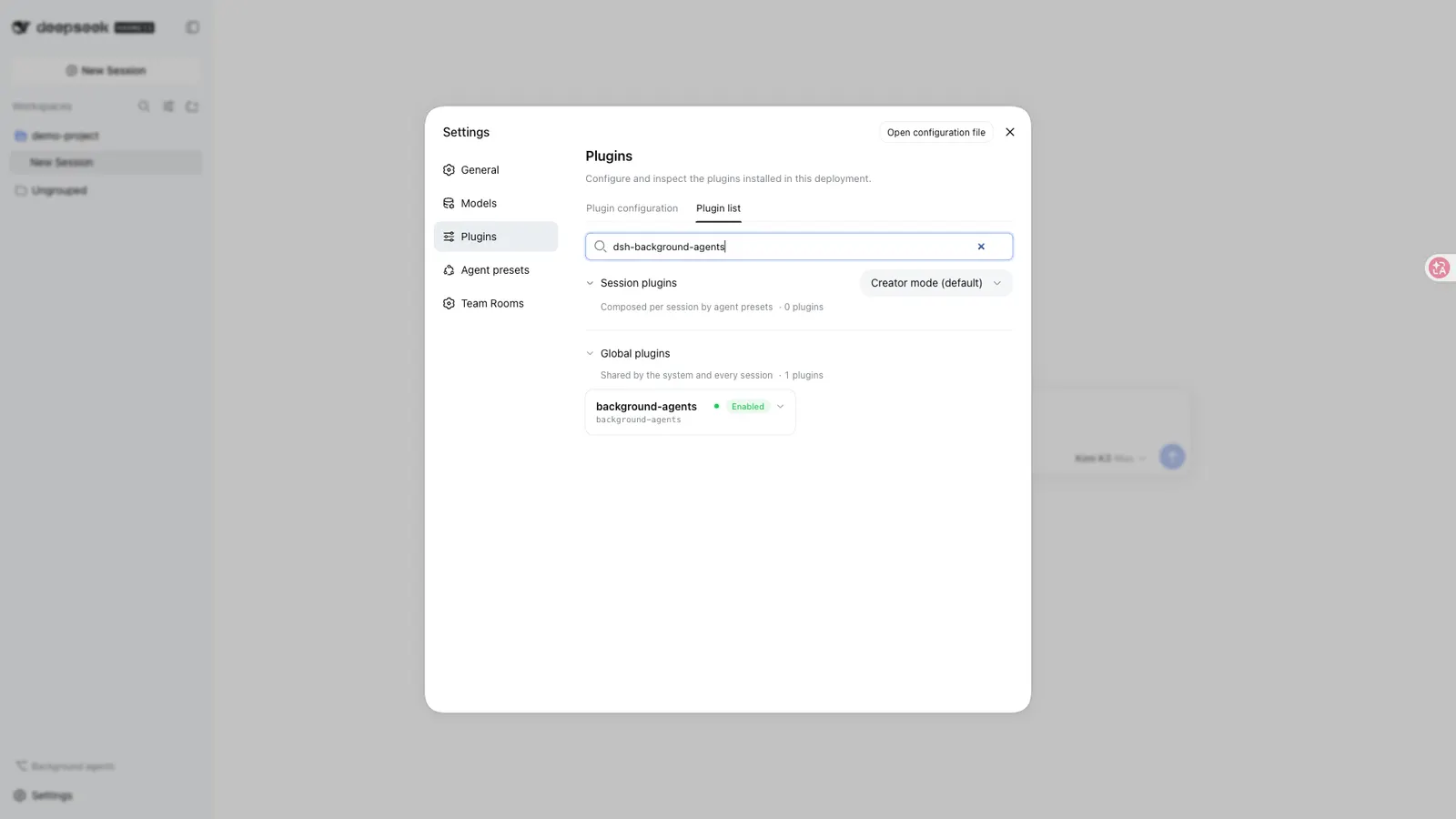
lifecycle.activationisrestart-profile, and the quick start tells you to restart and then verify the row, for example withdsh --profile web --dump-config | grep -A4 'id: background-agents'.
Known limits, failure and recovery
The README’s own “Known limitations” list:
- “Team rooms require the storage domain to be composed; without
@deepseek-ai/dsh-storage-domain, the/roomcommand androom_*tools are disabled (the fivebg_*tools still load).” - “
providermust name a continuable-capable provider (prepareContinuable); a missing provider makesbackground_agentfail until it appears.” - “
maxBackgroundAgentsis a shared budget across every continuable direct child of the session, including ones the built-insubagenttool started.” - “One-shot children are never listed or messaged —
bg_listkeeps continuable rows only.” - “Children are process-local: the schedule seam owns ‘when’, this plugin owns steering a live conversation.”
- “Cost metrics are raw token/duration totals, not currency: the harness exposes no per-model pricing table to the plugin or the browser, so the cost panel and export never convert tokens to money (they show
—when the adapter reports no token accounting).”
Explicit non-goals: “Not in scope: scheduled triggering (the schedule seam exists), cross-machine/remote agents, and any change to the official subagent activation contract.”
Failure and recovery behaviour is documented too. On hosts whose Session.append predates the ignorable marker, the plugin probes before its first append and then “fact appends are skipped with a one-time warning — the durable store, the notices, and the tools keep working, and the projections degrade to an empty fact fold.” allowUnmarkedFacts defaults to false and forcing it is “dangerous: unmarked facts make sessions unresumable elsewhere”. “When the catalog itself is unavailable, bg_list returns an explicit unrecoverable marker — it never fabricates an empty list.” The tools are also honest about being companions rather than replacements: bg_* are the “session-scoped companions” of the built-in subagent, send_message, interrupt_agent and child-side report tools, both can be mounted together, and what the core tools lack is “bg_list, bg_result, idle archiving, and the per-parent folded panel projection”.
When to use it — and when not to
Use it when the work is one long-lived conversation you want to keep steering: start a child, walk away from the turn, get throttled progress, send it another instruction later, and interrupt it when the direction is wrong. The parts the core subagent tools do not have — bg_list, bg_result, idle archiving and the folded per-parent panel — are the concrete reason to add it, and team rooms are the reason to add it if several sessions need a shared bus, task board and timeline.
Do not reach for it if what you want is scheduling: the README says the schedule seam owns “when” and lists scheduled triggering as out of scope, pointing at a separate automation plugin for that. Do not use it for cross-machine or remote agents — children are process-local, and remote agents are explicitly out of scope. And do not install it expecting a guarantee that agents keep computing while the harness is down or the machine is asleep; that is not stated anywhere in the source.
One overlap worth noting honestly: the directory also lists agent-teams, which likewise builds durable continuable sub-agents and direct messaging, but centres on a captain that splits a goal into dependency-aware tasks and wakes idle members to claim ready work. dsh-background-agents centres instead on per-session steering of long-lived children, and adds its own team rooms (message bus, shared task board, shared timeline) stored in the team_rooms storage domain. Both can be considered; the choice is which coordination model you want, not which one is more capable.
FAQ
Do background agents keep running when I close the browser or shut down the harness?
The README does not say that, and this listing will not claim it. It says agents are “durable” and that “everything survives restarts through the harness’s own storage”, and it also says “Children are process-local continuable sessions of the deployment.” The supported reading is that agent identity, facts, status and history are durable and reconstruct from the log and the storage domain, and that a continuable child can be given later turns. Whether an in-flight turn keeps progressing while the browser is closed, the machine sleeps or the DSH process is gone is not documented.
Are approvals still enforced on a background agent while nobody is watching?
Only one approval behaviour is documented, and it is specific: room_transfer_task “routes through the official approval seam and fails closed when no answerer grants it”. For a background child’s ordinary tool approvals, the README says nothing about whether they are surfaced, queued or auto-denied when the parent is idle and no human is present. Do not assume either answer.
What happens if two background agents edit the same files?
Undocumented. The README describes no locking, worktree isolation, or conflict handling, and no per-agent workspace. The only shared limit it names is the maxBackgroundAgents budget. Treat concurrent writes to one working tree as behaviour you must control yourself through the harness’s tool and approval layer.
What happens on an older harness that cannot stamp the ignorable marker?
The plugin detects it before the first append and then skips fact appends with a one-time warning. The README says the “durable store, the notices, and the tools keep working, and the projections degrade to an empty fact fold” — and when the catalog itself is unavailable, bg_list returns an explicit unrecoverable marker instead of an empty list. allowUnmarkedFacts can force the facts through, but the README warns that unmarked facts “make sessions unresumable elsewhere”.
Does the plugin report what an agent costs?
It reports tokens and durations, not money. Per-agent metrics capture tokens, turn wall time and an error flag; the README states plainly that the harness exposes no per-model pricing table, so “the cost panel and export never convert tokens to money (they show — when the adapter reports no token accounting)”. No cost or quota figure is quoted on this page.