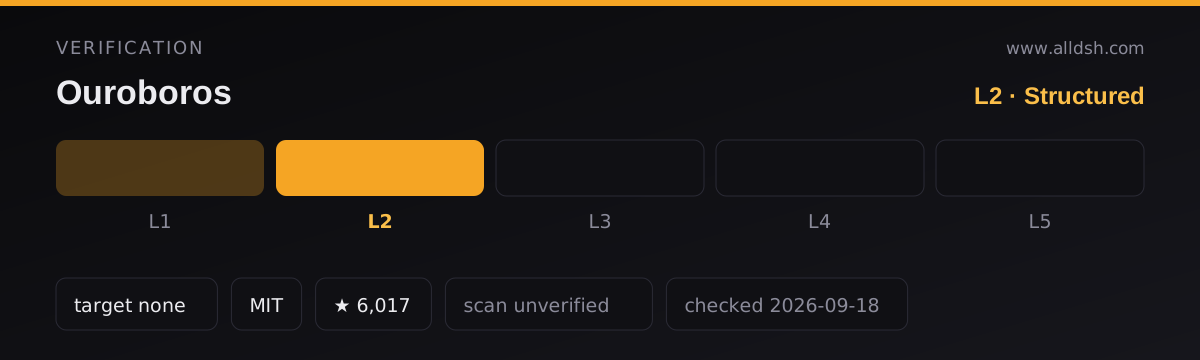
What Ouroboros actually is
Start with the correction that matters: this is not a skill-only or manifest-less repository. It is a Python package — ouroboros-ai on PyPI, with a linked pyproject.toml and a src/ouroboros/ tree — and it ships three surfaces at once: a CLI named ouroboros, an MCP server/client, and a terminal UI. Its README calls it an “Agent OS” for AI coding: a local-first runtime layer that turns non-deterministic agent work into a “replayable, observable, policy-bound execution contract”.
The project places itself as the OS core of a three-repo stack. Ouro-labs/ourocode is a terminal shell, Ouro-labs/ouroboros-plugins holds user-level domain workflows, and Q00/ouroboros — this repository — owns Seed, Ledger, Runtime, MCP and the safety boundaries. Only the core matters for installing the plugin this listing points at.
Two command forms exist and the README keeps them apart: ooo <cmd> is the in-agent skill form, while ouroboros is the CLI. ooo setup is the one-time configuration step inside a host; ouroboros init start is the plain-terminal entry point. They are not interchangeable.
The DSH plugin lives inside this repository
The install: command above does not install the Python package into DeepSeek Harness. It targets integrations/dsh-plugin, a subdirectory of the same repo, which the README calls the dsh-ouroboros plugin. Once installed, ooo interview and ooo auto are typed directly in the DSH chat, and the same ouroboros_interview / ouroboros_auto tools run natively inside it, Socratic questions included.
That direction — DSH as host, Ouroboros surfacing inside it — is worth stating plainly, because the same README documents the reverse as well. Pointing Ouroboros’s own pipeline at DeepSeek models with --llm-backend dsh (or the OUROBOROS_LLM_BACKEND=dsh variable) drives DeepSeek Harness’s ACP server under the hood. The README says the dsh backend needs more than that one variable, and puts those extra requirements in its DeepSeek Harness guide rather than on the front page.
The loop, in the project’s own terms
The stated diagnosis is unusual and specific: most AI coding fails at the input, not the output, and the bottleneck is human clarity rather than model capability. The workflow that follows is spec-first — interview, crystallize, execute, evaluate, evolve.
- Interview — Socratic questioning. The interviewer asks and never builds; its stated job is to expose hidden assumptions.
- Crystallize — the answers become an immutable Seed specification carrying acceptance criteria, ontology and constraints.
- Execute — by Double Diamond decomposition: Discover, Define, Design, Deliver.
- Evaluate — a three-stage gate: Mechanical (listed as free,
$0), then Semantic, then Multi-Model Consensus. - Evolve — a Wonder/Reflect cycle feeds evaluation output back as the next generation’s input until the ontology stops changing.
Two numeric gates carry most of the design. The ambiguity threshold is ≤ 0.2, computed as Ambiguity = 1 - Σ(clarity_i × weight_i), with per-dimension scores weighted at 40/30/30 (goal, constraint, success) for greenfield work and with a fourth context dimension at 15% for brownfield. A score above 0.2 blocks Seed generation; passing force explicitly is what gets past it, and the README frames the gate as “a default worth arguing with, not a lock.” Convergence stops the loop at ontology similarity ≥ 0.95 (0.5 × name overlap + 0.3 × type match + 0.2 × exact match), with a hard cap of 30 generations and detectors for stagnation, oscillation and repetitive feedback.
Around that loop the README also documents a PAL Router (1× / 10× / 30× cost tiers with auto-escalation and auto-downgrade), drift measurement (goal 50% + constraint 30% + ontology 20%, threshold ≤ 0.3), 9 highlighted agents out of 21 loaded on demand, and ooo ralph — a persistent evolution loop whose steps are stateless because an EventStore reconstructs the lineage across restarts.
Requirements
- Python 3.12–3.14 for core and non-LiteLLM installs. Any install that carries LiteLLM (
[litellm],[all], or source--extra all) is limited to Python 3.12–3.13; the README’s current examples use 3.13. - An isolated launcher is required for host registration —
pipxoruvx --isolated --python '>=3.12'. The README says setup exits without changing runtime configuration when neither is available, and several host paths needuv/uvxonPATH. git, plusghfor the publish path (a Seed can be published as GitHub Epic/Task issues) and for Copilot’s live model discovery.- Native Windows is experimental. The PowerShell installer installs Git and uv through winget when they are missing and lets uv fetch its own Python, but the README states plainly that native Windows is experimental and that Codex CLI needs WSL 2. macOS, Linux and WSL 2 install from a
curl … | bashone-liner. - One explicit version floor: when installing as an MCP server, use 0.51.1 or later, because earlier versions can fail at startup when an existing environment shadows the
[mcp]profile. - License: MIT.
The README also documents Homebrew through a self-hosted tap (q00/tap), which it says is not yet in homebrew-core.
The trust surface
The installer is a curl … | bash one-liner (or a PowerShell irm … | iex), so it deserves a read before it runs. What the README states that it does:
- It writes host agent configuration files. For Kiro it writes
OUROBOROS_RUNTIME=kirointo~/.kiro/settings/mcp.json; for Copilot it registers the MCP server in~/.copilot/mcp-config.json. The README is explicit that these setup-managed locations are trusted and that a project.envis untrusted input — this key is ignored there. - It installs per-host artefacts, each in the shape that host expects: rules and skills for Codex, skills for Hermes, a plugin plus an
AGENTS.mdfor OpenCode, and bridges for Pi and GJC.ouroboros setup refreshre-installs into whichever hosts the machine actually has. ouroboros uninstallis documented as removing all configuration, MCP registration and data.
What the README does not state: telemetry, credential storage, or any list of outbound endpoints. Read that as unstated, not as a guarantee in either direction. The README also makes no sandboxing claim about the code the loop generates or executes.
Known limits and internal inconsistencies
- The host count does not match the host list. The README says setup installs into “whichever of the thirteen you have installed”, then names fourteen: Claude Code, Codex CLI, GitHub Copilot CLI, OpenCode, Hermes, Gemini, Kiro CLI, Pi CLI, OMP CLI, Zcode, Goose, GJC, Antigravity CLI and Grok Build CLI. The count is inconsistent; the named list is the safer thing to reproduce.
- Not every
ooocommand has a CLI equivalent. The README saysevaluate,evolve,unstuck,ralphandpublishare reached through agent skills, runtime rules or MCP tools rather than a directouroboros <subcommand>. - The name collides, and the README addresses it twice. A separate, unaffiliated project by Anton Razzhigaev also uses the name Ouroboros — an agent that rewrites its own architecture; the README states there is no shared code and that this project locks a specification instead. It separately disclaims any affiliation with cryptocurrency, token or trading communities using the name.
- The demo numbers are not benchmarks. Figures such as “12 hidden assumptions exposed” or a final ambiguity of 0.15 come from terminal and screen recordings illustrating the flow. The README presents them as demonstrations, and this listing does not treat them as measured results.
- Activity figures are live badges. The README’s star and activity images are generated from GitHub data with caching that “may delay updates”; the prose states no number, so none is claimed here.
- The README also notes reserved-command wrinkles in Claude Code (
/resume,/run,/status,/help,/config), which is host-specific friction rather than a general limit.
When to use it — and when not to
Use it when the problem is the request rather than the code: a vague brief, a feature whose scope keeps moving, a change where “looks good” is not verification, or work where paying interview time is cheaper than paying rework time. It is also a reasonable fit when you want one spec-first loop across more than one agent host, since the MCP surface is what those hosts share — and the plugin is the shortest path to it from DeepSeek Harness.
Do not reach for it when the task is small and already unambiguous. The interview gate and the three-stage evaluation are deliberate friction, and the README’s own framing is that they exist to prevent expensive rework, not to speed up trivia. Do not use it as a trust story either: it writes your host configuration files, the installer is a shell one-liner, and the README makes no sandboxing, telemetry or endpoint statements you could lean on. If you need this working on native Windows today, treat Windows as experimental per the README and prefer WSL 2.
And keep the naming straight: ooo is the in-agent skill form, ouroboros is the CLI, and a different project shares the name.
FAQ
Is Ouroboros just a set of agent skills, or a real package?
A real package. It is ouroboros-ai on PyPI, with a linked pyproject.toml and a src/ouroboros/ tree, and it ships a CLI (ouroboros), an MCP server/client and a terminal UI. The ooo commands are the in-agent skill form layered on top, not the whole product.
What exactly does this listing’s install command add to DeepSeek Harness?
It targets integrations/dsh-plugin, a subdirectory of the Ouroboros repository that the README calls the dsh-ouroboros plugin — not the Python package, and not the rest of the repo. After installing it you can type ooo interview or ooo auto in the DSH chat, where the ouroboros_interview and ouroboros_auto tools run natively.
Does it work in both directions with DeepSeek Harness?
The README documents both. The plugin direction puts Ouroboros’s interview tool inside a DSH chat. The other direction points Ouroboros’s own pipeline at DeepSeek models with --llm-backend dsh or OUROBOROS_LLM_BACKEND=dsh, which drives the harness’s ACP server under the hood. The README says the extra requirements for that backend live in its DeepSeek Harness guide, not on the front page.
How many agent hosts does it support?
The README’s prose says thirteen and its list names fourteen, so treat the count as inconsistent. The named hosts are Claude Code, Codex CLI, GitHub Copilot CLI, OpenCode, Hermes, Gemini, Kiro CLI, Pi CLI, OMP CLI, Zcode, Goose, GJC, Antigravity CLI and Grok Build CLI. Setup installs only into the hosts it actually detects on your machine.
Does it send telemetry or store credentials, and does it need an API key?
The README does not address telemetry, credential storage or outbound endpoints, so this listing cannot claim either way. It also states no API-key requirement. What it does state is a Python version floor, a requirement for an isolated launcher such as pipx or uvx, and model configuration through ooo setup and ooo config.