What a team is here
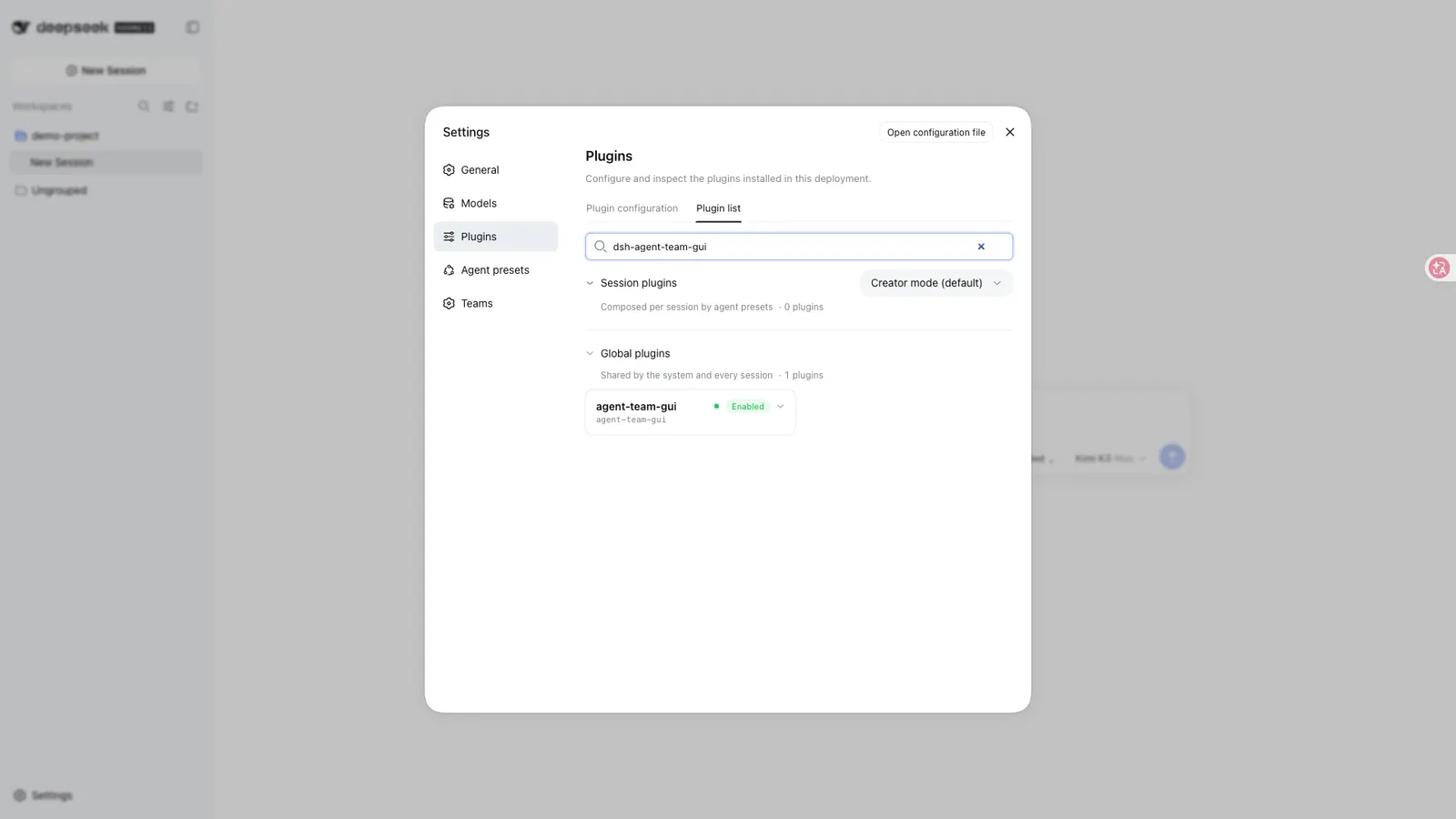
DSH Agent Team GUI (dsh-agent-team-gui, currently v1.1.0 on GitHub Releases) makes a multi-model team a durable product object, not a one-off dispatch form. You define members once under Settings → Teams → Member library — name, role prompt, primary and optional fallback provider/model route, per-member maxTokens, and a least-privilege tool allow/deny list — then assemble those members into named teams in Settings → Teams. Teams, versions, recipes and run history persist across projects and conversations and survive refresh, cold Host startup and live reconnect.
This is the second multi-agent team plugin in AllDSH; it is not a skin on NanmiCoder’s Agent Teams. Agent Teams turns the current session into a captain that re-creates a roster and DAG from natural language each run. This plugin stores the team definition first: activation policy, fixed order (or dynamic DAG), concurrency, quality gate, and handoff limits all live on the saved team. Recipes export one team plus its members without credentials, so a workflow can be shared as a local JSON file and re-imported after route remapping.
The package is TypeScript and ships a Web client half (dsh.client.platform: web) that injects six @deepseek-ai/dsh-client-* entrypoints, plus a Host-side service exported as AgentTeamService with Zod schemas and in-process definition/dispatch/version/recipe/run APIs. Treat those APIs as developer-preview while DSH itself is pre-stable.
Orchestration, modes, and Run Center
With Fixed order off, a bounded tool-free planner child on the active conversation’s route assigns focused work and returns a validated acyclic plan. Ready DAG nodes run up to maxConcurrency; dependants receive only bounded structured handoffs (default 16,000 chars per summary; configurable 1,000–32,000). A fixed order is an explicit serial override and skips DAG planning. Activation is Always, Smart (planner may skip trivial work), or Manual; member selection is All members or an Adaptive subset. Execution is serial or bounded parallel; context is spawn, fork, or serial-only chain.
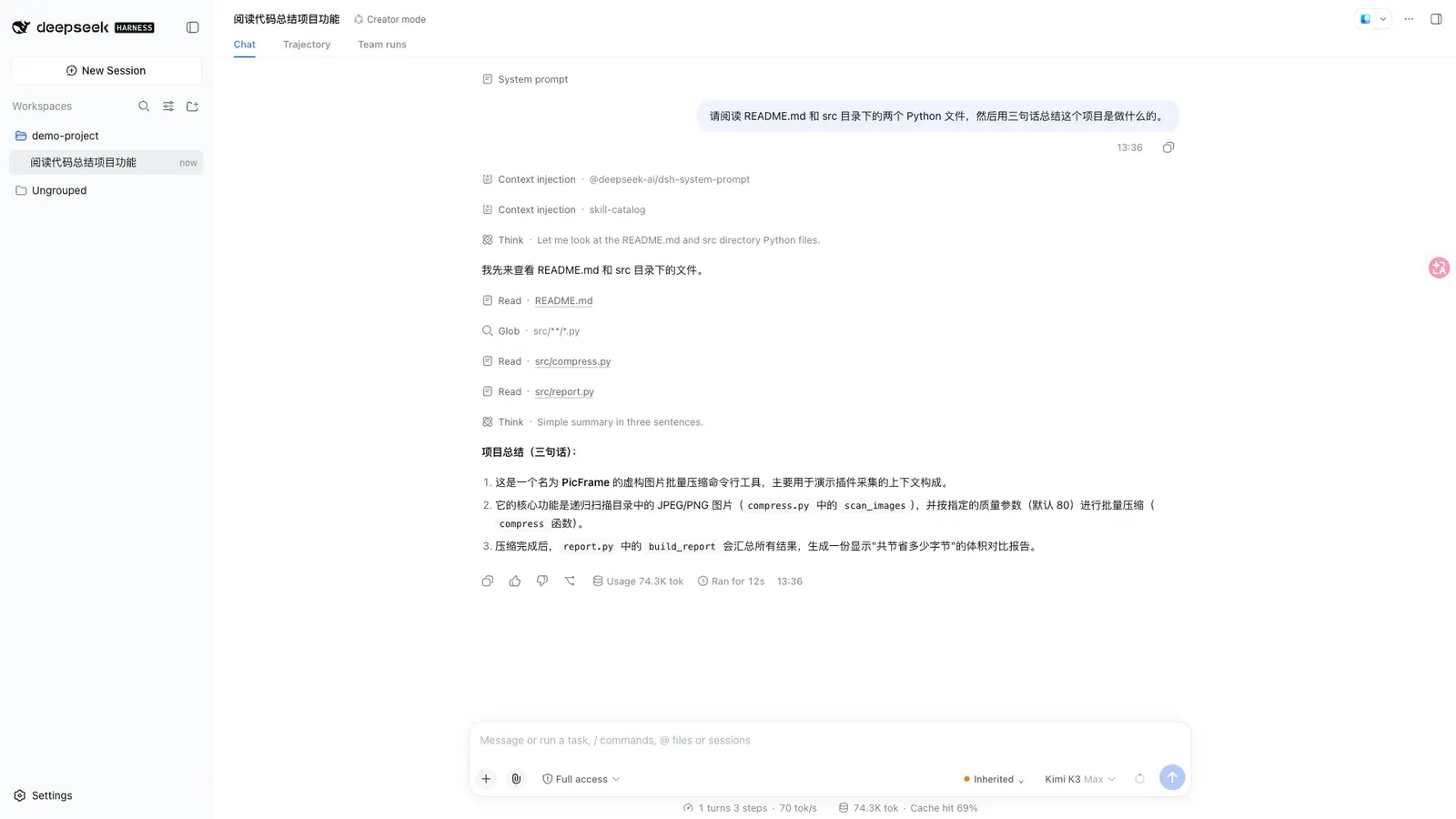
Beside the composer, conversation mode is one of three durable states: Team (this conversation always uses a named team), Solo (persistent opt-out even when the project has a default), or Inherited (follow the project default). A separate one-shot Next message choice is crash-safe and consumed exactly once. An empty or temporarily unavailable catalog never silently deletes a saved selection.
Every execution is written before planning starts. Team runs / Run Center exposes foreground vs background phase, elapsed time, child IDs, full outputs, bounded handoffs, stop, linked whole-team or single-member retries, export and retention-safe clear. Retry replays the original assignments and DAG as an immutable linked run; it does not invent a new workflow. If a child settles with stopReason: "error" after delivering non-empty plain text, the member still counts as Completed with a protocol-delivery warning; empty output, timeouts, max-tokens and other non-completed reasons remain failures.
An optional quality gate names one reviewer, one repair owner, explicit criteria and 0..2 repair rounds. A rejection can rerun only that repair owner, then the named reviewer — it cannot spawn arbitrary agents or recurse. Background runs share a cancel hook with DSH Jobs when that optional peer is present; without it the plugin falls back to process-local background execution and Host restart reconciles unfinished durable state as Interrupted. Soft retention defaults are off (historyMaxRuns: 0, historyMaxAgeDays: 0, versionMaxPerSquad: 0), so upgrading does not silently delete history.
Token usage reuses DSH’s official tokenUsage projection in four buckets — uncached input, cache read, cache write, output — attributed separately to planner, member, review and repair. Coverage is explicitly full, partial or unavailable; before a provider reports a sample the UI says Metering rather than inventing zeros or prices. Tokens are not money.
Safety bounds put exclusive role and no-delegation contracts ahead of user content excerpts. Delegated sessions cannot dispatch another team; nested DSH subagent tools — including renamed registrations — are denied inside team children. One durable claim binds automatic and model-tool dispatch to the latest human message, so repeated tool calls cannot create hundreds of duplicate teams.
Versions, recipes, and definition backup
Each saved team version is an immutable snapshot of every referenced member definition. Restore is preview-first and warns when a shared member would change another team. Recipes contain one team and its members and never carry provider credentials; import supports Copy or Merge, a conflict preview, and separate primary/fallback route remapping. Definition backup exports agents and teams; import is preview-first with Merge or Replace, and Replace reports deletions, dangling mode/default cleanup and affected teams before confirmation. Multi-table writes are serialized with compensating rollback on validation, cancellation or storage failure.
First run, in outline
The repository ships a full-stack delivery recipe (planner → implementation engineer → quality reviewer). The documented first-run path is: import the local recipe JSON under Recipes & data; map your-provider / your-model placeholders to routes already configured in your DSH profile; for the walkthrough only, force activation to Always and member selection to All members; pick an empty scratch project, select the team beside the composer with Always use team; send a small bounded task; then open Team runs to inspect plan, member outputs, review and actual Token coverage before treating the work as complete. The README is explicit that the walkthrough does not claim fixed latency or savings.
Install path: release tarball, not Git prepare
The package has a prepare script that runs the full TypeScript build, and a prepack that does the same. Git install (github:toolclub/dsh-agent-team-gui#v1.1.0) therefore triggers that build and, on pnpm 10+, requires authorizing the exact package key under allowBuilds in the Web profile’s pnpm-workspace.yaml. Local checkout installs should run pnpm install --frozen-lockfile, pnpm run preflight, then dsh plugin --profile web add -w ..
The recommended path is the compiled release tarball, which already ships Host and client bundles:
dsh plugin --profile web add -w https://github.com/toolclub/dsh-agent-team-gui/releases/download/v1.1.0/dsh-agent-team-gui-1.1.0.tgz
dsh --profile web
Restart an already-running DSH Web process after install or upgrade, then refresh the browser and open Settings → Teams. There is no npm package named dsh-agent-team-gui on the public registry (404 as of 2026-09-16); do not try npm install or name-based add. After upgrade from older Harness lines, v1.1.0 is the release that fixes source.subscribe load failures, migrates reconnect and Session APIs, moves RPC to the authenticated /api/agentTeamGui route (handshake v5), and keeps existing definitions and run stores. Verify with dsh --profile web --dump-config that both the dsh-agent-team-gui bundle and the agent-team-gui Host row are present. Uninstall with dsh plugin --profile web remove dsh-agent-team-gui; that does not drop durable plugin tables.
Requirements
- DeepSeek Harness Web profile only — Settings UI and the plugin bundle are web-platform; there is no headless Settings surface.
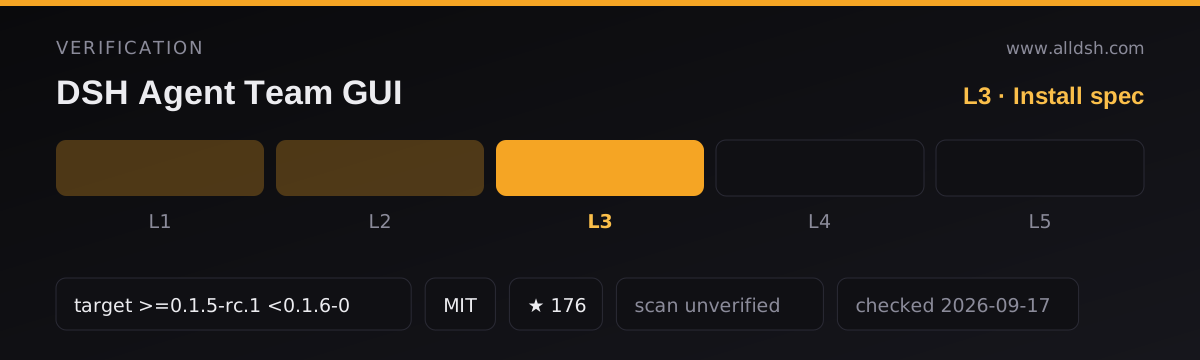
- Declared DSH compatibility
>=0.1.5-rc.1 <0.1.6-0; CI and the v1.1.0 release notes verify against 0.1.5-rc.1 (CLI may show that while internal packages resolve to0.1.5-rc.2). Both DSH and this plugin are pre-stable — pin versions. - Node
^22.19.0 || >=24.0.0perengines; the README also states Node 23 is not supported. pnpm is the declared package manager (pnpm@9.15.4in the manifest). - At least one configured provider/model route in DSH. Credentials stay in DSH; recipes and exports never copy them.
- Runtime dependencies:
reactandzod. Peer packages are the usual@deepseek-ai/*set for the Web profile;@deepseek-ai/dsh-jobsis optional. - RPC uses
/api/agentTeamGuibehind DSH’s browser-session cookie auth and Host/Origin checks. URL recipe fetching is disabled. Report vulnerabilities via SECURITY.md, not a public issue with secrets. - CI for this project runs Node 22.19 and Node 24, a fresh DSH
0.1.5-rc.1Web profile, browser keyboard/accessibility/reconnect journeys, exact Git revision installation, and the community plugin doctor — claims from the repository’s own README, not from AllDSH.
Known limits
- Web profile only. No CLI/headless team editor; other in-process plugins can still call the exported
AgentTeamService. - Soft Token budget is not a kill switch. It stops later scheduling; it cannot interrupt a running provider at the exact threshold. Per-member
maxTokensis the hard provider bound. - Model-tool trigger (
dispatch_to_squad) is best-effort because DSH exposes notoolChoice; guaranteed normal-send mode is Host-driven and durable-message-idempotent. - Remote recipe URLs are disabled. Import is local JSON only, intentionally avoiding an unprotected SSRF surface.
- Storage is durable and local, and includes role prompts, route names, tasks, outputs and Token usage — protect
$DSH_HOME. Uninstalling the package does not drop the plugin tables. - Legacy runs without a stored plan cannot be faithfully retried and are rejected with an explanation; old v0.4 definitions remain readable but must satisfy v0.5 write limits when edited.
- No third-party security audit is on record; the SECURITY.md path is private reporting, not a published scan.
Versus Agent Teams (NanmiCoder)
Both plugins orchestrate multi-agent work inside Harness Web. Prefer Agent Teams when you want the live conversation to be the captain: ad-hoc goal text, plan-then-Approve staging, continuable members, and a slash command — with no reusable team product object. Prefer this plugin when the team is a saved configuration you reuse across projects: per-member model and tool policy, recipes without credentials, version snapshots, Run Center with official Token buckets, retries that replay the original DAG, and an optional named quality gate. They solve different product shapes; neither README claims to replace the other.
Settings, in brief
Member fields: name and role prompt (durable identity and exclusive work scope); primary provider/model (an existing DSH route; credentials stay in DSH); optional fallback route for retry-once; hard per-attempt maxTokens; tool allow/deny for registered DSH tools (recursive team/subagent tools remain denied).
Team fields: members plus a collaboration note; fixed order (leave off for dynamic DAG); execution/context (spawn, fork, or serial-only chain); activation/selection; foreground synthesis vs observable background run; planner context window and a bounded planner Token ceiling; resilience (continue, stop, or retry-once with timeout and fallback); maximum concurrency and a soft provider-reported team Token budget; handoff summary ceiling; quality gate (named reviewer, repair owner, criteria, ≤2 repair rounds). Host defaults live in a single agent-team-gui profile row (defaultProvider: spawn, defaultExecutionMode: serial, defaultContextMode: spawn, retention zeros).
When to use it
Use it when the same planner → implementer → reviewer shape repeats across projects and you want each seat on its own model route with visible token attribution. Start from the shipped full-stack delivery recipe, remap your-provider / your-model placeholders, set activation to Always and All members for a first run, then dial back to Smart/Adaptive once you trust the plan quality. It fits code-review loops, multi-angle research, and long background deliveries that need stop/retry without re-prompting the whole team.
Do not install it if you only need one captain for one throwaway goal (Agent Teams already covers that), if you need a hard enforced cost ceiling rather than soft scheduling limits, or if you must run without a Web profile.
What this page does not claim
No benchmark, latency or savings figure is asserted here; the repository’s walkthrough GIFs use synthetic demo data. Stars (175) and forks (5) are directory curation as of 2026-09-16, not a guarantee of maintenance velocity. Security status is unverified by AllDSH and unaudited by any third party named in the sources. The listing’s dshTarget is the verbatim declared range from the README and release notes, not an independent compatibility test by this directory.