What it actually is
The published package is dsh-memento, version 0.5.12, Apache-2.0, by PerryLink. The README frames it as “a capability seam, not another memory warehouse”: rather than bolting a second memory system next to the harness, it supplies a typed ctx.memory service, a local SQLite provider, and the consumers of that service — a memory tool and a frozen snapshot injected into the system prompt. The package ships the built output plus docs and tests: index.mjs, lib/, client/, bin/, cordis.patch.yml, five language READMEs, three protocol/adapters/upstream documents, the JSON Schema directory and the conformance case set.
One honest caveat about the word “seam” before anything else. The harness does not yet define an official ctx.memory; the README calls this plugin “the community rehearsal of the DSH memory protocol — a candidate shape for an official ctx.memory seam”, and says its own publication is an argument for the shape an official seam should adopt. So the service is real and other plugins can talk to it through the plugin’s own ctx.memoryAdapters registry — but if you read “built on the harness’s own memory capability” as “the harness already had one and this consumes it”, that is not what the source says. What it buys you is a documented, typed contract with a schema, migration rules and a distributable conformance suite, instead of a private table only this plugin understands.
What it does
- Two tools.
memoryperformsadd/replace/remove/consolidate/query, with Save/Skip guidance;memory_recallreturns bounded memory matches plus matches from recent session history. - A
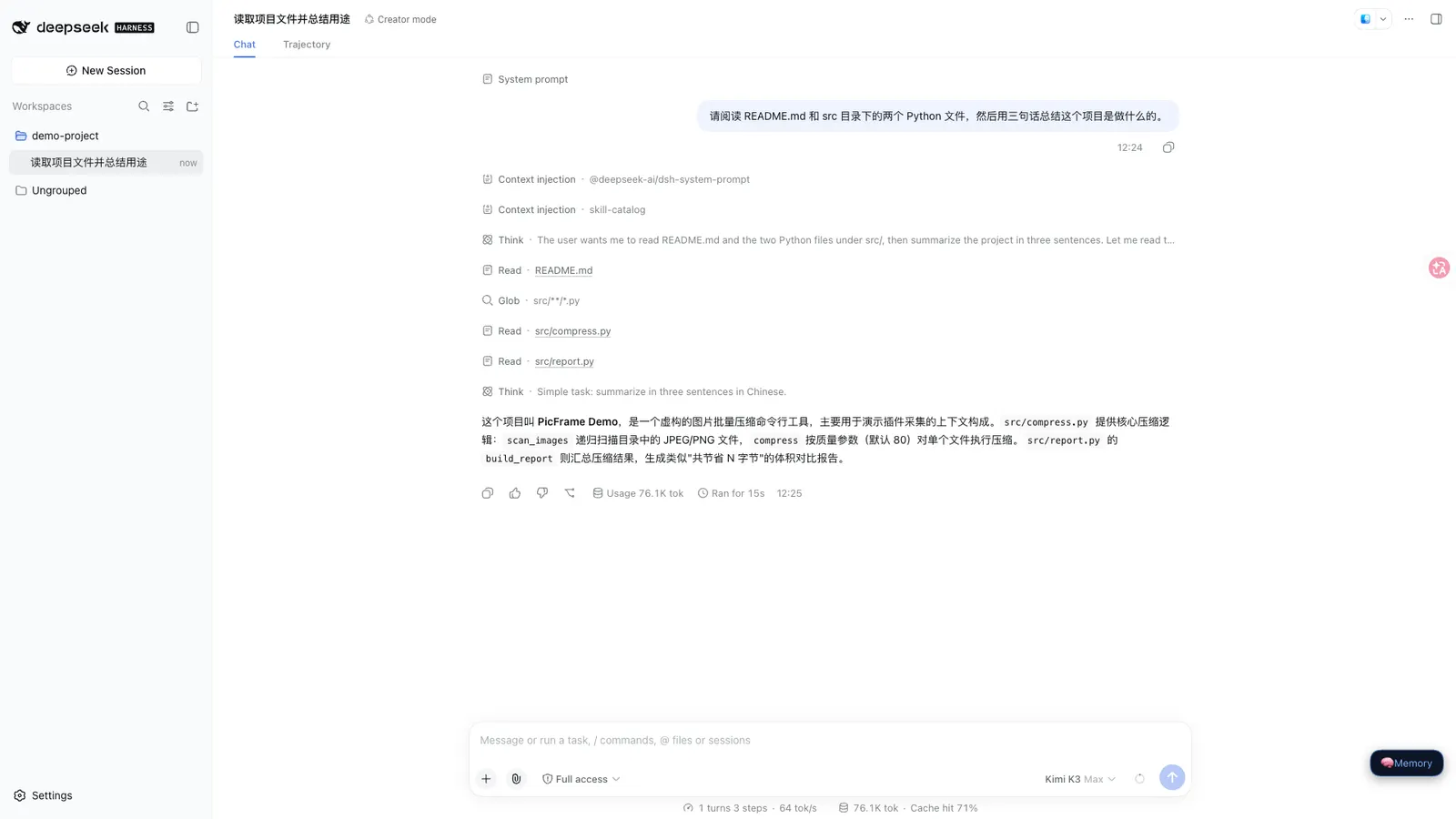
/memorycommand withlist,query,add,remove,consolidate,proposals,budgets,audit,export,import <path>andadapters. - A read-only web panel — a client drawer with a floating entry button that browses entries, searches, shows budget bars and an audit tail.
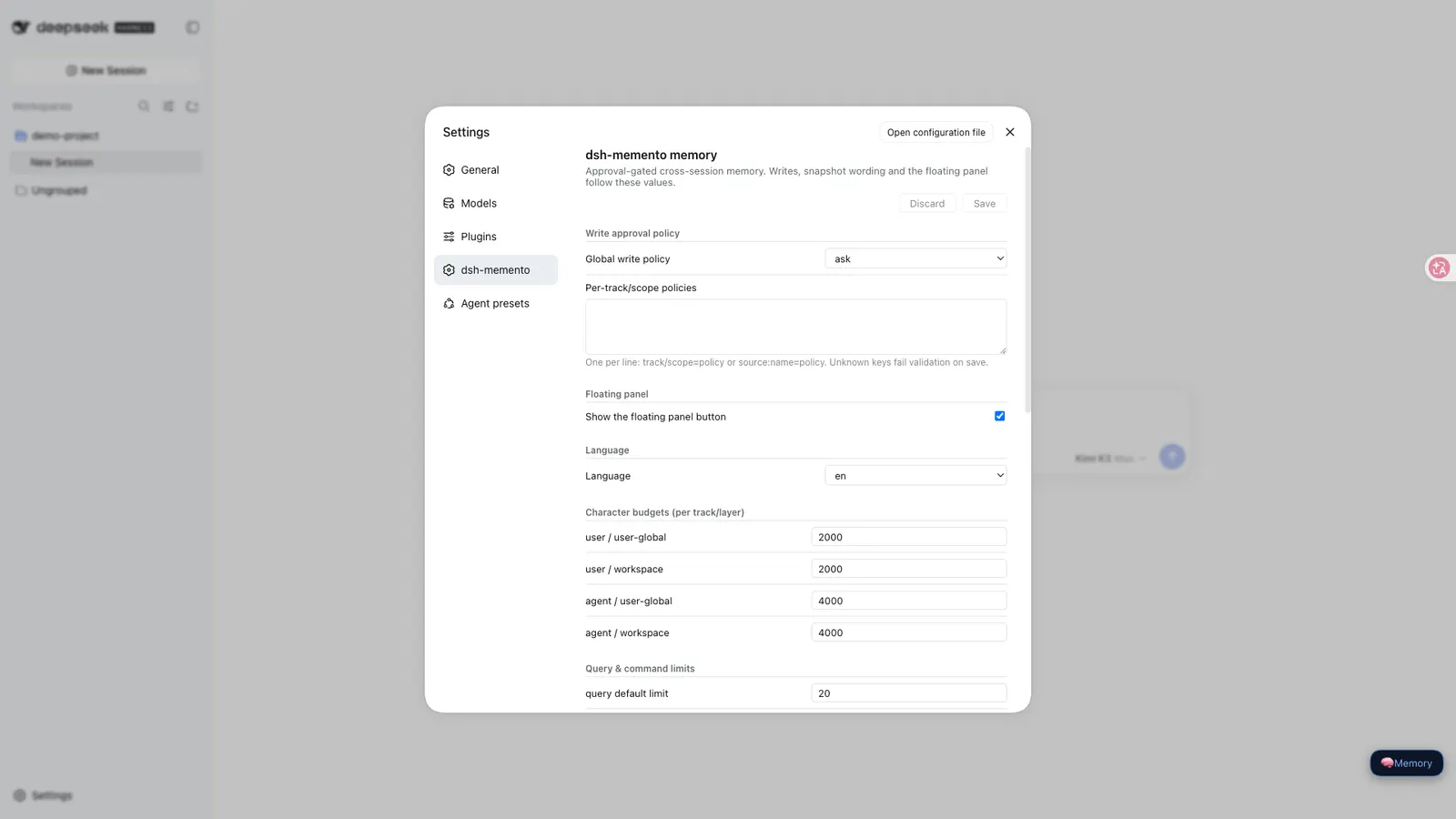
- A settings section in the DSH settings sidebar, where every field except
enabledcan be edited without touching files. The README marks each field live or reload-required;snapshotOrderis the only reload case. - A read-only MCP server,
dsh-memento-mcp, so external MCP clients such as Claude or Codex can search the store over stdio JSON-RPC without a harness. It opens the databasereadOnly: true, runs no migrations, and returns empty results when the database is missing. - Adapter registry.
ctx.memoryAdapterslets third-party memory plugins register a reversible data converter; built-ins covermem0collections, Hermesmemory.mdandCLAUDE.md-style markdown. The README is explicit that adapters convert and never extract — rawmessagesarrays are rejected rather than summarised.
“Bounded” is a real mechanism
Bounds are per track and per layer, in characters, enforced inside the service: budgets.user.userGlobal and budgets.user.workspace default to 2000 each, budgets.agent.userGlobal and budgets.agent.workspace to 4000 each. A store that is full fails with a structured error carrying usage and limit — the README says it is “never truncated, never auto-compacted”. That is the whole bound: there is no age-based expiry and no entry-count ceiling in the source. The numeric caps that do exist are per-call or per-view, not storage caps — maxEntriesPerQuery (20, hard-capped at 1000), commandListLimit (50), panelEntriesLimit (200), recall.snippetCap (5) and recall.snippetChars (300) — and auditRetentionDays defaults to 0, meaning audit rows are kept forever.
The layers, and what approval gates
The layer model is two tracks × two layers × a per-agent key. The user track holds facts about the user; the agent track holds environment facts and conventions. Each splits into a user-global layer and a workspace layer, isolated per agentPreset, with the workspace layer keyed by the session working directory (case-insensitive on Windows). So “layered” means scoping and separate budgets, not separate storage engines.
Approval is where the source is most specific, and also where the marketing needs trimming. Every write path — add, replace, remove, seed — is forced through the approval waterfall inside the service, not in the tool layer, which the README calls out as the lesson learned from Hermes: “a gate enforced only in the tool layer is bypassable by late tool injection”. replace, remove and consolidate carry the full text of the entries they change in the approval payload, so you are approving what you can see. A denied write still leaves a *-denied audit row.
But gating is not mandatory, and the README does not pretend otherwise. writePolicy defaults to ask and can be set to auto or off, and it is described as model-invisible configuration. ask also fails closed when no UI or ACP answerer is composed — writes simply fail rather than proceeding. Read the hard part of the claim as “no model path can route around the service’s gate”, not as “a human approves every write”.
Recall and the frozen snapshot
The layers decide what exists; recall decides what reaches the model. The snapshot is the second consumer of the service: a section injected into the system prompt, ordered at snapshotOrder (default −50, i.e. after harness identity and before persona). It is frozen once per session at first prompt assembly and never changes mid-session. The README’s stronger formulation is “model-visible ⟺ logged”: the injected snapshot lands verbatim in system/message, so a stored session log shows exactly what the model was given. That is the determinism on offer — the same session is not silently re-fed a rewritten memory section halfway through, and the memory text in a log is not a paraphrase.
memory_recall is narrower than the name suggests: it scans session history (8 sessions by default) for snippets (5 per session, 300 characters) inside a 30-day recency window, on top of bounded memory matches. Semantic recall is off by default. Turning retrieval.vector on enables vector recall only “when an embedding provider is available” and the README states plainly that it uses a fake hash embedding — otherwise it degrades to substring. Substring matching runs on case-insensitive instr rather than FTS5, which the README says is deliberate and correct for CJK.
Requirements, and where the data lives
- Node
^22.19.0 || >=24.0.0, from bothenginesand the README’s compatibility table. - Harness: the README verifies against DeepSeek Harness
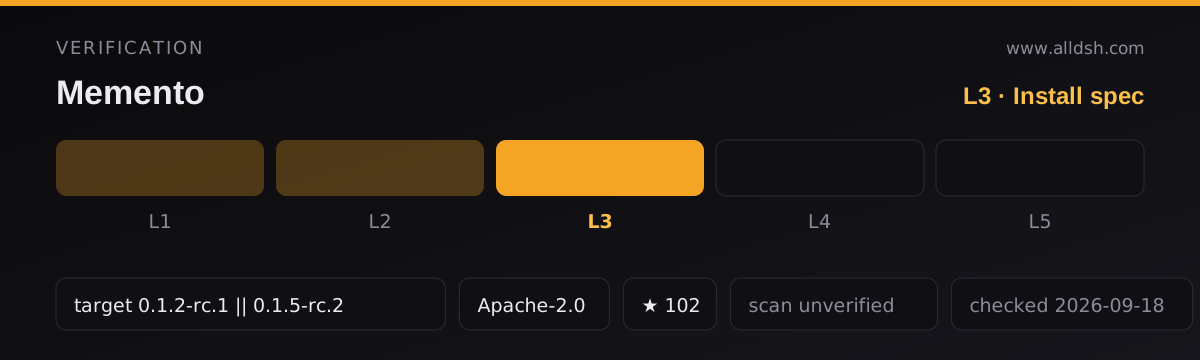
dsh-v0.1.5-rc.2(adapted 2026-09-09, verified 2026-09-11 against the rc.2 master checkout with a full gate chain and a profile install smoke). The workshop manifest declares compatibility with["0.1.2-rc.1", "0.1.5-rc.2"]. Peer dependencies pin@deepseek-ai/cordis^4.0.2,@deepseek-ai/schemastery^3.18.2, and>=0.1.2-rc.1 <0.2.0 || >=0.1.5-alpha.1 <0.2.0fordsh-session,dsh-settingsanddsh-tools. - Native modules: none. The README says “pure host; no native code, no network”, and
lib/is zero-DSH-dependency, built on node: builtins only. - External services: none. The optional settings panel needs the DSH settings service mounted; without it, everything falls back to the composed cordis config.
- Platforms: Windows, macOS and Linux. The host half is pure Node; the optional client half is declared for the web platform with
immediately: true.
Storage is local SQLite through node:sqlite in WAL mode, at $DSH_HOME/dsh-memento/memory.db by default, overridable via dbPath (absolute, or relative to $DSH_HOME; the README notes a ~/.dsh fallback on Windows). The file mode is 0600. The declared permissions are harness:tool, filesystem:read, filesystem:write, plus network:none / subprocess:none / shell:none / python:none / credentials:none — a local database, zero network, zero credentials, and nothing in the source says the plugin sends memory anywhere.
Scope is per home directory, not per project: one store holds every track and layer, sessions share it, and the README warns that two processes sharing one $DSH_HOME write the same file under SQLite locking with last-writer-wins. You inspect it with /memory list, query, budgets, audit and the web panel, /memory export writes it out, and import <path> reads it back in through the approval-gated seed path. Deleting is a manual act: uninstalling the plugin keeps the database and the session logs.
Known limitations (the source’s own list)
- Session events are declared but not emitted as of rc.2.
memory/added|updated|removed|recalled|snapshotare merge-declared, but rc.2 has no registration surface for out-of-repo event types; emission turns on once a harness build registers them. - The
askpolicy needs an answerer. With no UI or ACP answerer composed, writes fail closed. - No FTS5 indexing. Substring search runs on case-insensitive
instr, correct for CJK but not a full-text index. - Schema stability. The protocol has migration rules with loud version checks, and the README’s own advice is to pin a version when you depend on the snapshot format. Treat the store contract as still moving.
- Deliberately refused: hidden auto-summarisation into model-private state — compaction summaries become pending proposals that wait for a human approve or dismiss — plus warehouse and vector-store ambitions, and any write without a human-visible approval or audit trail.
- Not a benchmark. The sources publish no accuracy, recall or quality measurement, and none is claimed here.
When to use it — and when not to
Use it if you want memory that survives sessions but stays legible: entries you can list, export, audit and budget, a hard failure instead of a silent truncation, and a snapshot you can find verbatim in the session log afterwards. It suits people who care more about knowing what the model was told than about how clever the retrieval is.
Do not reach for it expecting a knowledge engine. There is no vector store, no graph, no decay, no deduplication beyond the protocol’s idempotent conditional writes, and no FTS5. The README says this outright: “no retrieval engineering: small-corpus substring search”. If your corpus is large or your recall needs are semantic, the honest default here is a substring scan with an optional fake-hash embedding path.
Versus dsh-mnemon, the other memory plugin in this directory. The two are not variants of one thing. Mnemon is a standalone Go binary you install on the host (~/.mnemon, four-graph knowledge store, intent-aware recall, importance decay, automatic deduplication, optional Ollama or OpenAI-compatible embeddings) and dsh-mnemon is a DSH plugin that layers DSH’s runtime memory, managed project documents and Mnemon’s spaces into a supervised three-tier system. Dsh-memento needs no host binary and no external embedding server: it is a DSH plugin exposing a typed memory service with a local SQLite store, and its differentiators are the approval gate, the audit reconstruction and the per-track-per-layer budgets rather than retrieval quality. Its own README frames the comparison the same way — against dsh-mnemon it claims “protocol + gate + audit, not another store”. Another practical difference: dsh-memento additionally exposes the same store to outside MCP clients read-only.
Install shape. dshWorkshop describes a transactional profile-bundle install with generation rollback, hot-reload activation and supported dispose, and states that it does not touch the current profile before activation. Anything that reads the database directly should copy the read-only posture of the bundled MCP server rather than writing to it. The README also asks you to ignore two legacy names: the plugin is dsh-memento, not dsh-recall (confusable with dsh-external/Recall) and not the deleted dsh-memory.
FAQ
Do I have to approve every memory write by hand?
No, and the vendor does not claim otherwise. The default policy is ask, but writePolicy accepts auto or off, and per-track/per-scope or per-source overrides are available through writePolicies. What cannot be reconfigured away is where the gate sits: all four write paths are forced through the approval waterfall inside the service rather than in the tool layer, so no model path bypasses it. Note that ask fails closed when no answerer is composed.
Does the memory text ever leave my machine?
The plugin declares network:none and the README states zero network and zero credentials, storing everything in a local 0600 SQLite file. Neither source claims the memory is private or encrypted. One inference is yours to make, not the source’s: the injected snapshot lands verbatim in system/message, meaning memory content is part of what is sent to whichever model your harness session uses — if that model is remote, the content goes with it.
How do I see or delete what it stored?
/memory list, query, budgets and audit cover inspection, the web panel browses entries read-only, and /memory export / import <path> move the data. There is no documented delete-everything switch. Uninstalling keeps the database and session logs, so removal is a manual step on the filesystem.
Is the storage format stable enough to build on?
The protocol carries migration rules with loud version checks, and the plugin’s own advice is to pin a version if you depend on the snapshot or store format. Treat 0.5.12 as a version you pin rather than float.
Where is the memory in the session log?
The README’s formulation is “model-visible ⟺ logged”: the snapshot lands verbatim in system/message, and each write is reconstructable from the approval/asked plus approval/decided pair and the plugin’s own audit table. A denied write still leaves a *-denied audit row.