What it does
dsh-mnemon gives a DSH host a memory system with three tiers by default: Runtime context (preferences, working agreements, facts needed on the next turn), searchable Documents (designs, investigations, procedures, handoffs), and Memory Spaces — named, provider-backed scopes for durable facts, decisions, entities and relationships. All three surface in the DSH sidebar, and the same data is reachable from conversation tools and a headless profile.
The architectural claim is composition: memory Sources feed a Strategy, and a Core validates the Strategy’s proposal, asks Sources for bounded projections, and compiles one immutable View that the DSH Host pins to the executing turn. A View carries context and the scoped routes/actions the model may use next — the README is explicit that it is not another database or a frontend page. The same public contracts serve the bundled plugins and external repositories, so contributors can replace a part without rebuilding the memory system.
What the Starter installs
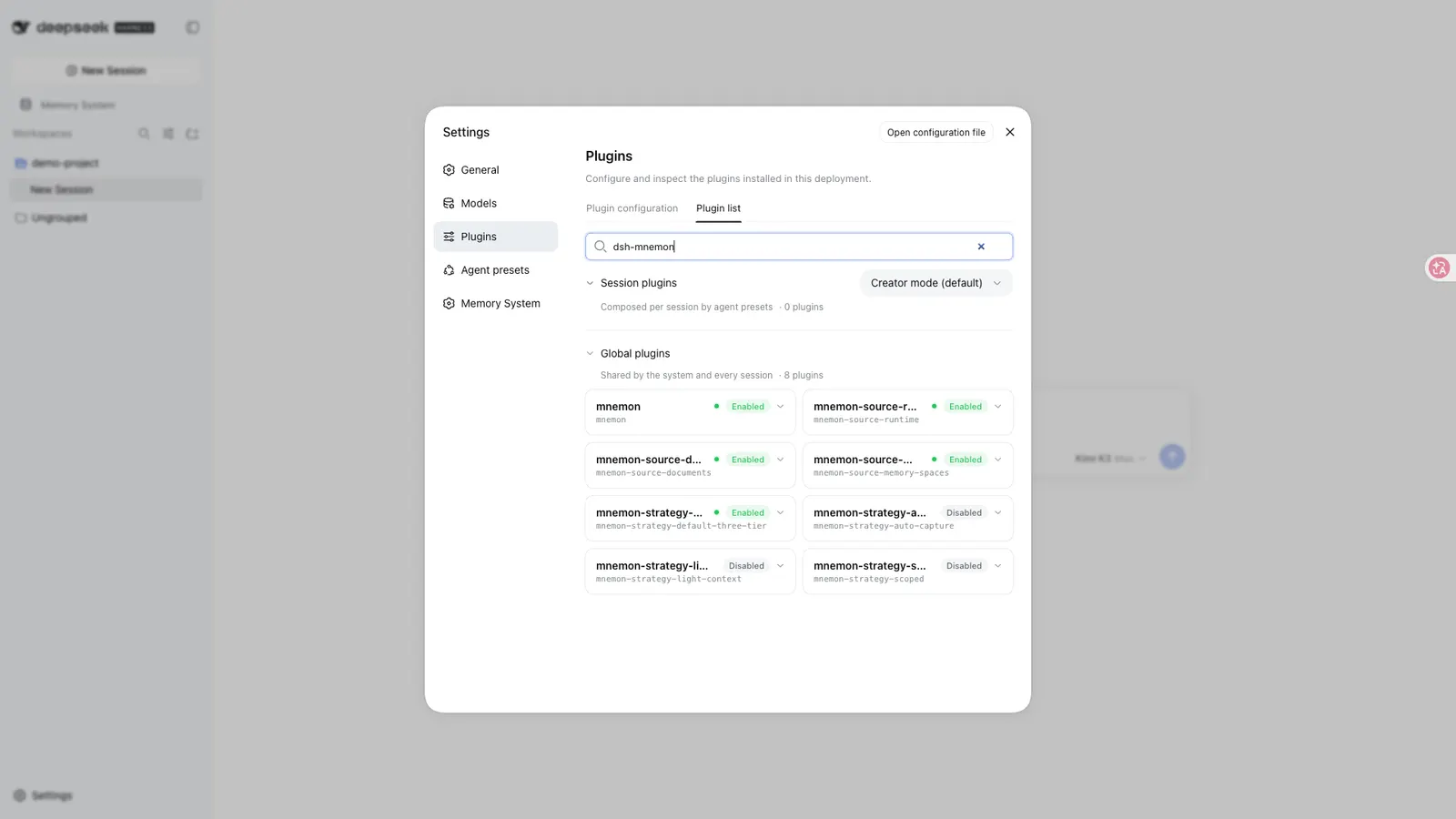
The npm package is a pinned, tested combination of separately versioned packages: 3 Sources, 1 default Strategy, 3 optional Strategy contributions and 9 Providers.
- Sources —
source-runtime(USER/MEMORY projection, revisions, local hot storage),source-documents(Markdown, search, revisions, archiving) andsource-memory-spaces(durable evidence plus Source-owned Provider children). All three are enabled by default. - Strategies —
default-three-tieris selected;auto-capture,light-contextandscopedship but are off. The README says the three occupy different slots of the default Strategy, can coexist, and still produce one View — and it is unusually candid about what they are not: capture is in-turn guidance, not an autonomous recorder; a projection ceiling is not token accounting or delta injection; scoped selection does not create storage. - Providers for Memory Spaces — Mnemon Native (default, local), OpenViking, Honcho, Mem0, Hindsight, Holographic, RetainDB, ByteRover and Supermemory. Third-party services stay disabled until explicitly configured, and graph, deletion, exact-write and enumeration capabilities remain backend-specific.
One thing to know up front: Mnemon Native needs a separately installed mnemon CLI. Installing the npm Starter installs neither that binary nor any third-party backend service.
Behaviour worth understanding
-
Automatic idle review uses bounded spawn checkpoints, a five-minute minimum interval and a 20-attempt limit per loaded session, and it can be disabled independently. Published Agent Teams tool conflicts pause review before any child starts; failed runs keep committed receipt metadata and are never replayed automatically.
-
Storage scopes — global, workspace, centralized workspace, custom — are explicit. Direct retrieval does not spawn a Mnemon task agent; Agent Query, semantic writes and maintenance may use the configured model.
-
The README’s Data and trust section states that Runtime and Documents are local and Native is local by default; that disabling participation does not erase memory and switching storage scope does not migrate it; and that saved Provider credentials stay on the Host and are excluded from Mnemon Packs — though Packs still contain private memory and need protection. Source and Strategy plugins are trusted in-process JavaScript, not sandboxed code.
-
Upgrading from v0.4 retains the existing configuration, data and workflow, and the three optional Strategy enhancements surface under Settings → Memory System. The README notes that no View tab and no generic memory-plugin manager are added — the sidebar pages stay the interface.
Extending it
The public contracts are the product. dsh-mnemon/extension-sdk defines and installs a Source or Strategy on its own Cordis Fiber; the owning Strategy’s SDK covers additive contributions; dsh-mnemon-source-memory-spaces/provider-sdk is the driver kit for a new Memory Spaces backend. Your repository owns its manifest, dependencies, implementation, tests and build, and DSH’s Profile/Loader installs and mounts the package.
The README draws three decisions apart that are easy to blur: installing code, activating a contribution and choosing the complete Strategy are distinct decisions. A Git or Notion integration can become a new Source through the SDK, but that is not implied support for every existing DSH memory plugin.
Requirements
- Node
>=20, per the packageengines. (The repo’s own development docs ask for^22.19.0 || >=24.0.0and pnpm 10.13.1 — that is for hacking on the plugin, not for installing it.) - Harness — the README pins “the current development baseline is DSH
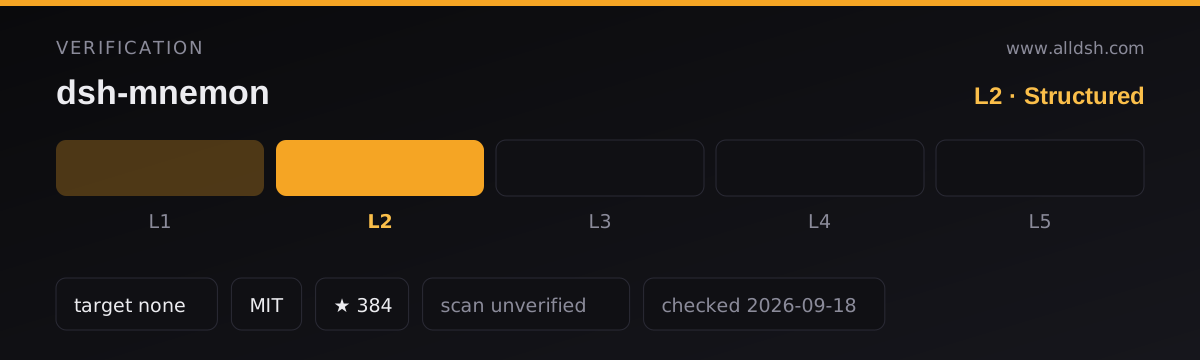
0.1.5-rc.1(npmlatest)”. Read that literally: it is the version the authors develop and verify against, not a compatibility declaration. No README section and no manifest field enumerates supported harness releases. The two dsh peer ranges —^0.1.0-rc.6 || ^0.1.1-rc.1 || ^0.1.2-alpha.1 || ^0.1.5-rc.1for the client UI and protocol packages — suggest a wider intent, but a peer range is not a test matrix. That distinction is exactly why this listing carries verification L2 rather than L3. - The web client injects five
@deepseek-ai/dsh-client-*packages and declaresreact/react-dom^18.2.0as peer dependencies (not marked optional). A headless profile is documented —dsh plugin --profile headless add dsh-mnemon— and the repo has averify:headlessscript behind it. - Runtime dependencies beyond the fifteen
dsh-mnemon-*packages are small:fflate,schemastery,zod. - No install-time lifecycle scripts. The only publish hook is
prepublishOnly, which runs on the author’s machine at release time, not on yours at install time. - Telemetry and a permission model are not documented. The Data and trust section covers data locality but says nothing about telemetry — assume undocumented rather than safe.
- Existing sessions from older DSH generations whose “source summary requires notice form” need the bundled
dsh-mnemon-repair-sessioncopy repair before use; the README warns to follow its recovery guide before replacing any artifact.
Known limits
- It is infrastructure, not an automatic memory manager: beyond the bounded idle review, nothing captures, prunes or compacts on its own, and the Strategy contributions are guidance mechanisms by the README’s own wording. A projection ceiling is not token accounting — if what you need is token-level context metering, that is a different job.
- Long-term recall quality depends on the Provider you configure; with no Provider selected, a Memory Space has no backend. Provider capabilities (graph, deletion, exact write, enumeration) differ per backend.
- The authors state plainly that tests of mechanics are not claims of LLM accuracy or live cloud-Provider conformance.
- A Mnemon Pack still contains private memory even though Provider credentials are excluded — the README says Packs need protection, so treat exports as sensitive files.
- Disabling a Provider may clear local catalog metadata; the remote data remains the provider’s concern, not the plugin’s.
- Model-generated plugins are not automatically installed, and Mnemon does not scan arbitrary installed plugins — extension is explicit. That is good for trust, but it means there is no auto-discovery of third-party memory plugins.
When to use it — and when not to
Use it when you want a memory system you can take apart: three sensible defaults today, a documented contract for swapping a Source, Strategy or Provider tomorrow, and both a sidebar UI and a headless path. The local-first default keeps everything on the host until you opt into a third-party backend.
Do not install it expecting zero-setup long-term memory — the default Native backend still requires the external mnemon CLI, and third-party providers each need accounts, credentials and configuration. And if you run a harness release newer than 0.1.5-rc.1 and need the author to have verified that combination, be aware that no such declaration exists yet.
Install
dsh plugin --profile web add dsh-mnemonFor a headless host, the README’s variant is dsh plugin --profile headless add dsh-mnemon. After installing, open Memory System → Status in the sidebar, add a Runtime memory, and create a Memory Space with an explicitly selected Provider. Run mnemon --version first if you plan to use the default Native backend — the plugin does not bring that binary along.