What it does
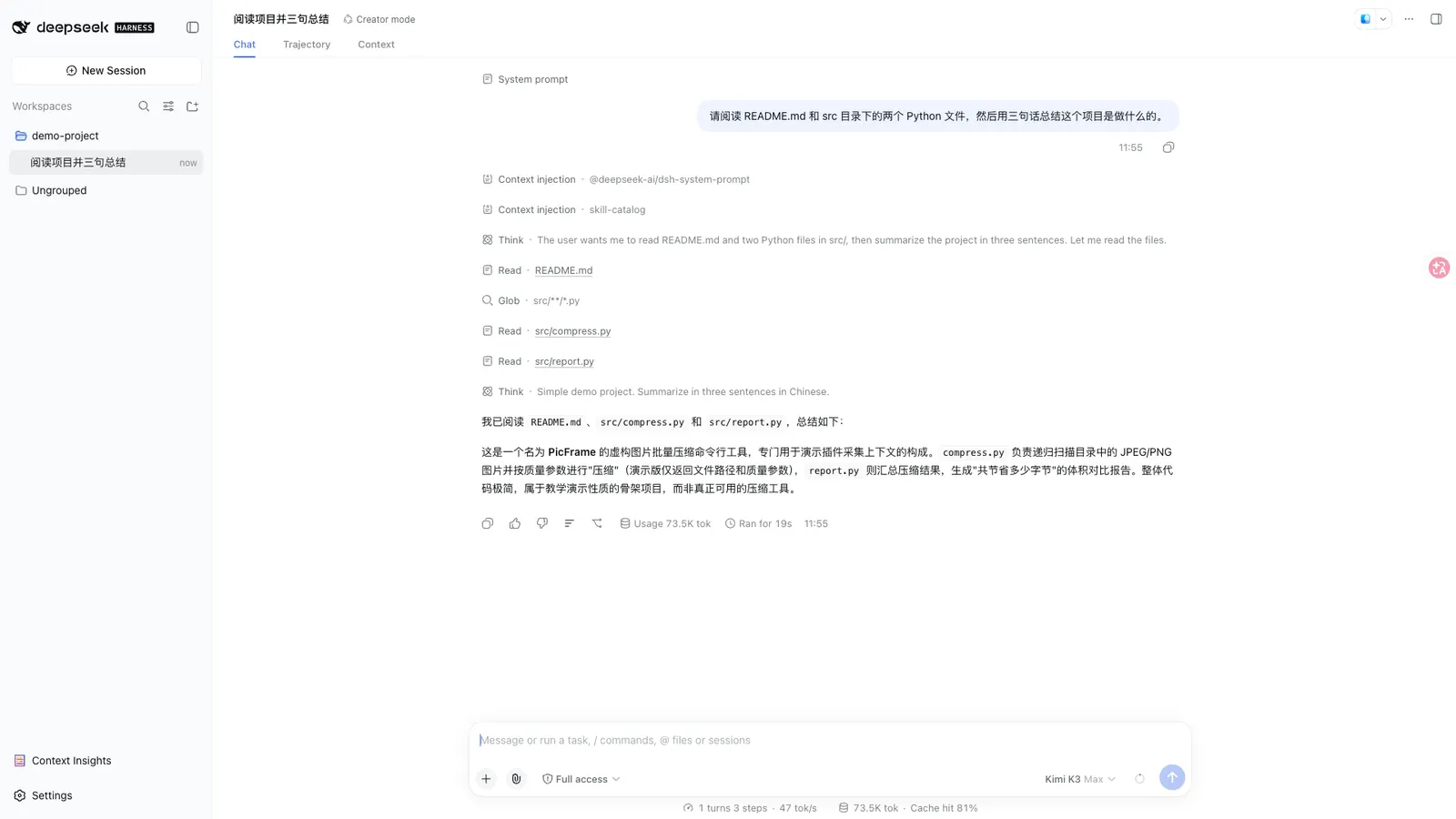
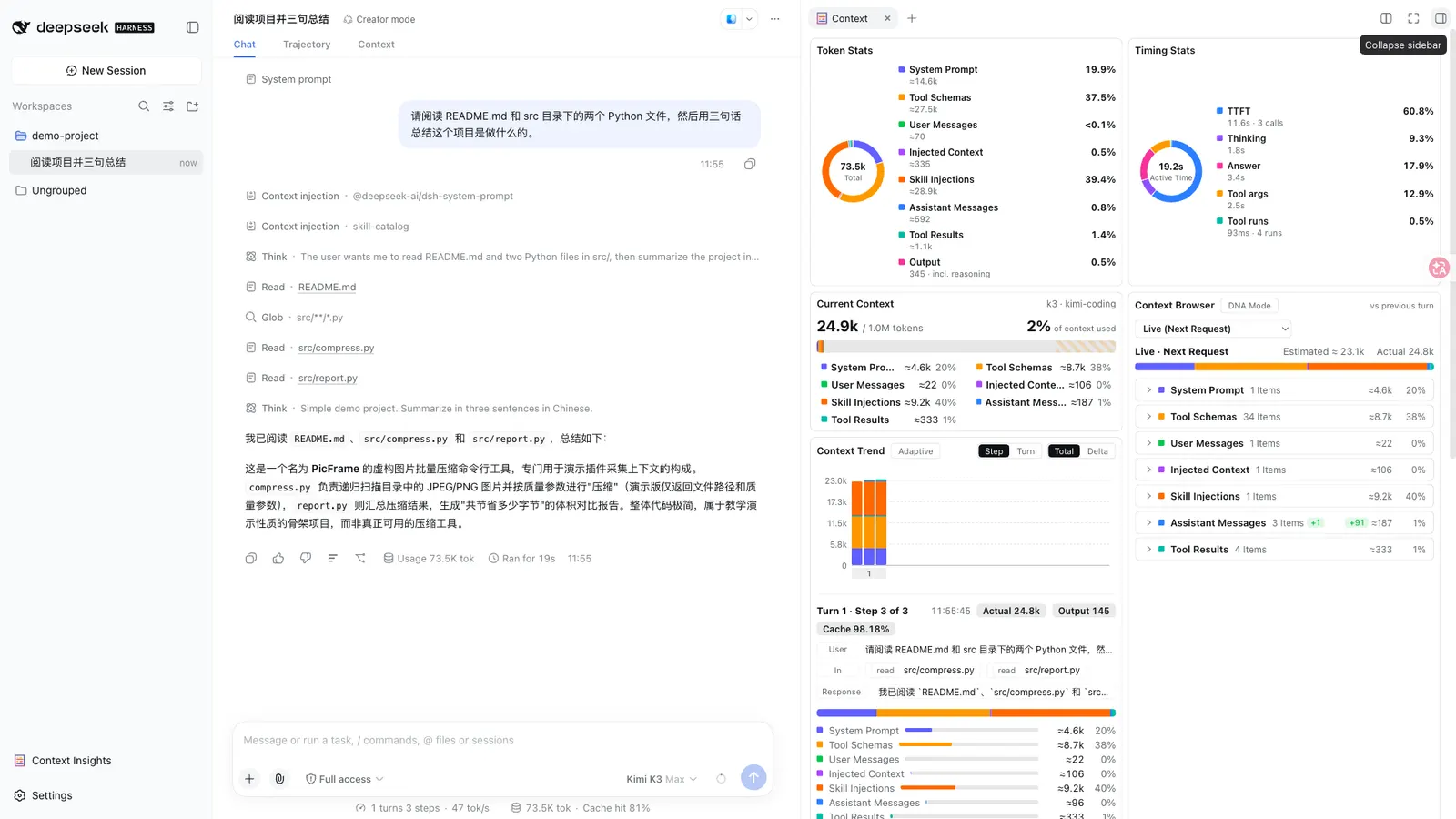
DSH Context answers the question a long session eventually raises: what is actually in the window right now, where did it come from, and how did it get there. It adds a Context tab to every session, a matching right-sidebar panel, and a /context command, all reading the same data.
One distinction matters more than any single card: it observes, it does not manage. Its own README calls the plugin “full context lifecycle management”, and its package.json description says “context insight and management” — but nothing in either source says the plugin modifies, trims, compacts or prunes the window, rewrites prompts, or changes model behaviour. Read “management” there as loose README wording, not as a mechanism the sources describe.
The three surfaces
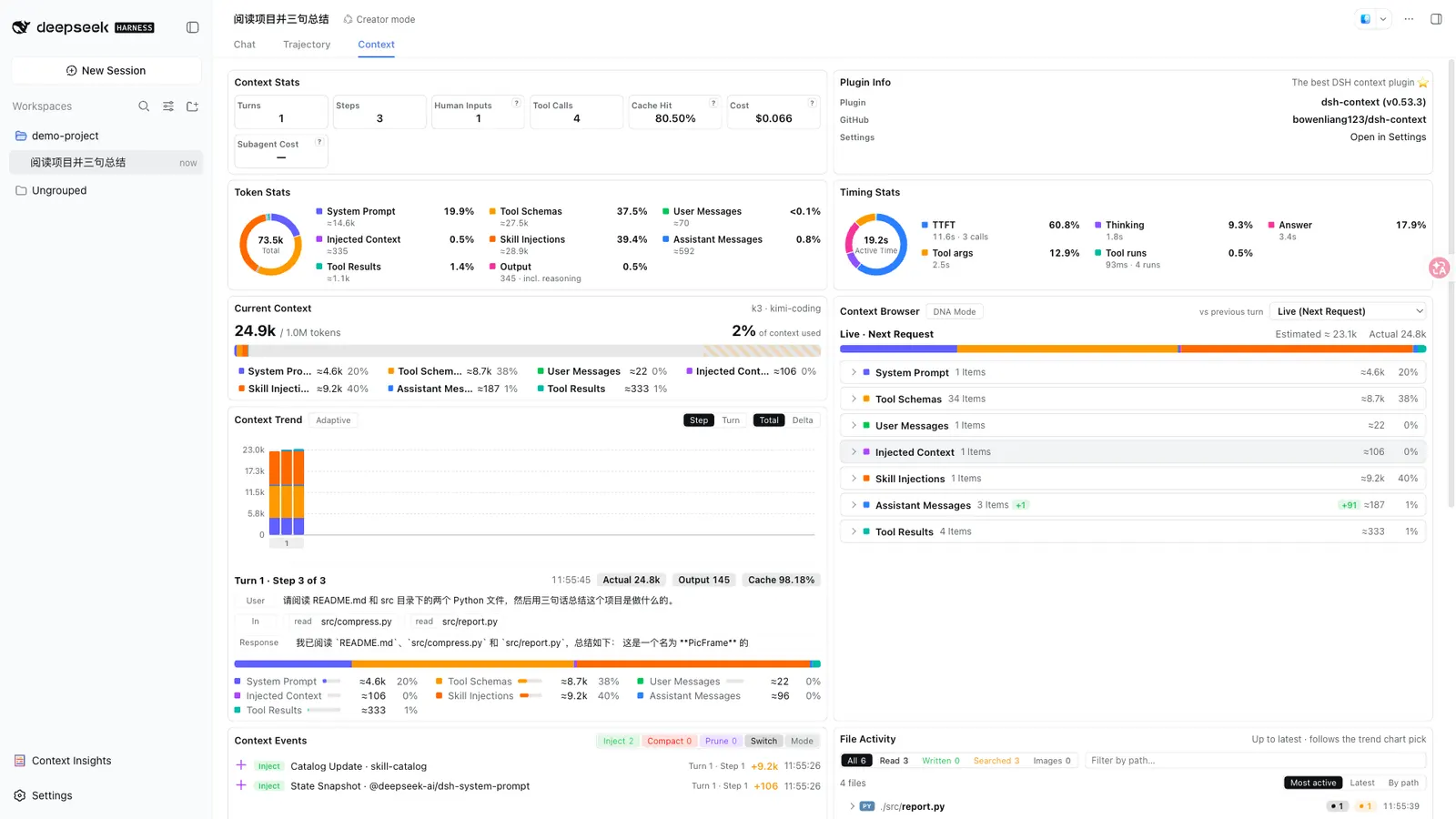
- Context tab — the full dashboard, available in every session: stats, composition, per-request trend, events, file activity and the agent network.
- Context panel — the same dashboard as a right-sidebar tab on harness
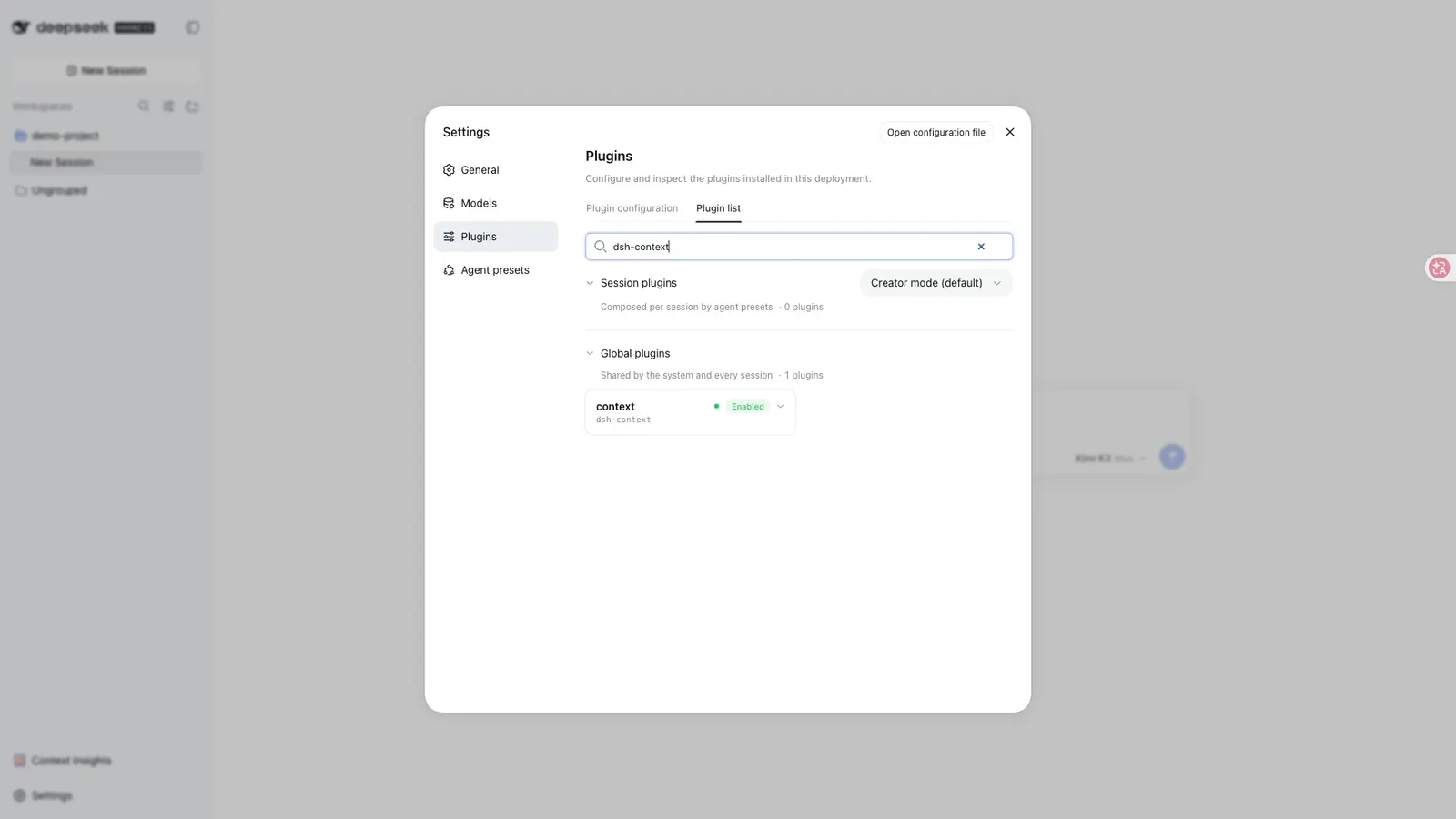
0.1.5-rc.1and later. You pick Context on the sidebar’s guide page and the panel opens beside the chat. /contextcommand — a centered dialog with the current composition card and the context browser, so you can look without leaving the chat.- Settings → Plugins → Plugin configuration holds per-user defaults: trend granularity (Step/Turn), trend mode (Total/Delta) and the File Activity sort order. In-chart toggles stay per-view and do not overwrite the stored preference.
The cards, and what each one shows
- Context Stats — turns, steps, human inputs, live tool calls, the session’s cache-hit rate, plus a cost estimated from models.dev list prices, with DeepSeek peak/off-peak awareness.
- Token Stats — where the billed tokens went, split by composition (system, tools, messages and so on), closing with the provider-exact output total.
- Timing — how active time split across model calls, tool runs and overhead.
- Current Context — what is in the window right now, as a six-colour stacked bar against the model’s full window, with hatching for free headroom.
- Context Trend — one stacked bar per model request, with a plain-language step brief, compaction and prune marks pinned to the bar where they happened, and hover or click for a pinned breakdown.
- Context Browser — what any retained request was assembled from: six collapsible categories drilled down to the actual prompt text, tool JSON schemas, message content, reasoning, tool arguments and tool outputs.
- Context Events — every injection, compaction, prune, model switch and plan-mode toggle, labelled with its producer, net token delta, turn/step and time.
- File Activity — one row per touched file, with read/written/searched/image counts, estimated line deltas, and click-through to the exact tool result.
- Agent Network — the current agent, its parents and every subagent on one map, each ring scaled to its window occupancy.
Estimates, not measurements
This is the heart of an honest reading of the plugin, and the card UI is built around it:
- Category breakdowns use dsh’s own fixed-density heuristic — the same one behind the built-in token meter.
- Headline occupancy comes from the official token-meter projections (
contextPressure/contextBreakdown), so the figures match the context ring above the composer. - The Trend card shows provider-reported actuals — Actual Prompt / Output / Cache — next to the estimates, not instead of them.
- Line deltas in File Activity are estimated, and tool-source chips are best-effort. Steps older than a compaction are reconstructed from the removed-message archive, and the card itself says when a step’s makeup is only approximate.
Treat every number as a well-grounded approximation. Only the provider-reported fields are exact.
Requirements
- Node
^22.19.0 || >=24.0.0, per the package’senginesfield. - Harness — the README says it works on
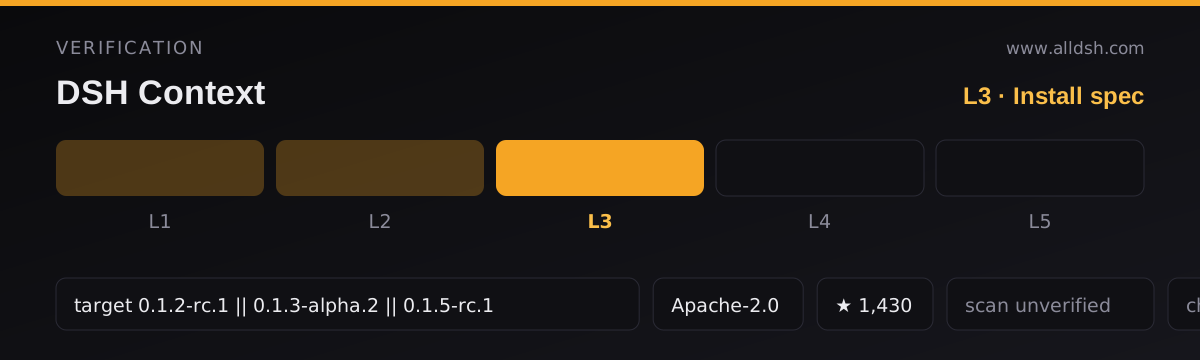
@deepseek-ai/dsh0.1.2-rc.1and later, across several session-log generations. The manifest is stricter: it maps exactly three releases as compatible —0.1.2-rc.1,0.1.3-alpha.2and0.1.5-rc.1. Do not assume compatibility with a release outside that list. - The README points to a
docs/compatibility.mdper-release matrix; that file is not among the sources here, so its contents cannot be summarised. - Runtime dependencies are thin:
zodis the only one. React and the UI primitives are declared as optional peer dependencies. - The package ships a
dshblock declaring abundlepatch (a Cordis composition patch) plus a web client that injects six client packages. The client platform is declared asweb— a headless or CLI-only mode is not described. - The README states no permission model, file-read/write behaviour, network access or telemetry. Assume these are undocumented rather than assume they are safe.
Known limits
- It cannot change the window, so it cannot fix a session that is filling up. Reading the cards is the whole of its capability.
- Cost is estimated from list prices and is not a bill. The sources do not claim the plugin reduces cost.
- Exact token or context measurement is not on offer; the estimates can diverge from provider actuals.
- Post-compaction reconstruction is explicitly approximate.
- The right-sidebar panel, and the file preview it opens, require harness
0.1.5-rc.1and later; on an older harness the file name opens on your system instead. - The README carries a star badge and asks for stars, but no star figure is verifiable from the sources here, so none is quoted.
When to use it — and when not to
Use it when a session has grown long and you need to know what is taking up the space, or when you are debugging why a prompt looks the way it does. The Context Browser is the part with no obvious substitute: it lets you read the actual system prompt, tool schemas and tool outputs that a specific request was assembled from. File Activity and Agent Network are useful on their own for auditing what an agent did and how a subagent tree is shaped.
Do not install it expecting it to manage, trim or shrink anything. If you want a smaller window, this plugin will show you the problem and stop there — changing the window is outside everything the sources describe. Be cautious about reading its numbers as measurements where an exact figure matters; use the provider-reported actuals for that and treat the rest as guidance.
FAQ
Does DSH Context manage or optimise my context window?
No, not in any way the sources describe. It reads and displays context data. Nothing in the README or the package manifest says it modifies, trims, compacts or prunes the window, changes prompts, or alters model behaviour. The word “management” appears in the README’s tagline and the package description, but no mechanism behind it is documented.
Are the token numbers exact?
Mostly not. Category breakdowns use dsh’s own fixed-density heuristic, occupancy comes from the official token-meter projections, file line deltas are estimated, and tool-source chips are best-effort. Provider-reported Actual Prompt / Output / Cache figures are shown alongside the estimates on the pinned trend details, and the Token Stats card pairs its estimated composition shares with the provider-exact billed total. Steps older than a compaction are reconstructed from the removed-message archive and marked as approximate.
Which harness versions are supported?
The README says 0.1.2-rc.1 and later. The package manifest is more specific and lists exactly three compatible releases: 0.1.2-rc.1, 0.1.3-alpha.2 and 0.1.5-rc.1. Compatibility beyond that list is not established by either source, and the compatibility document the README links to is not available here.
Does it need React and the harness UI packages?
For the web UI, yes — the client injects six client packages — five @deepseek-ai/dsh-client-* bundles plus @deepseek-ai/dsh-api-remotes, and React plus the UI primitives are declared as peer dependencies. Both of those peers are marked optional, which is worth understanding before you rely on the client half rendering. The only ordinary runtime dependency is zod.
Can I use it in a headless or CLI-only setup?
The sources do not describe one. The manifest declares the client platform as web, and every surface it documents — the Context tab, the right-sidebar panel, the /context dialog and the settings card — is browser UI.