What deepseek-design actually is
It is not one program. The repository is the distribution and contribution entry point for a suite of three separately published npm packages built by iPolloWork for DeepSeek Harness: deepseek-idesign (websites, app prototypes, posters, information cards, data reports, magazines and other non-slide work), deepseek-ippt (presentations and slide decks) and deepseek-ivideo (motion, product demos, data stories, short video).
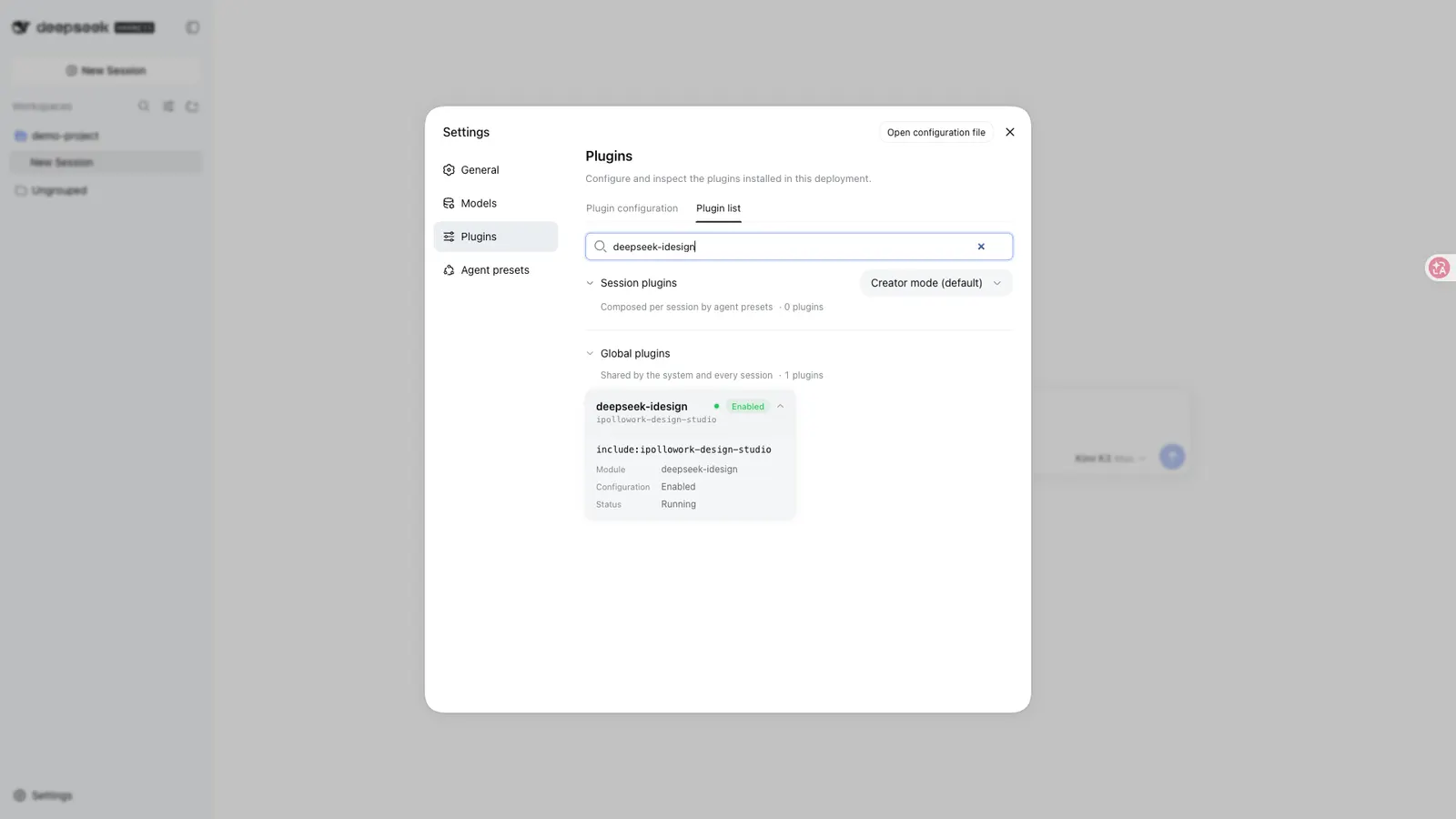
The frontmatter above names deepseek-idesign, so that is the package this page is really about. The other two are documented here because the README presents all three as one creative system: they share the iPolloWork Studio contract and template protocol while keeping their project directories isolated. They can be installed alone or together, and the README states that installing one package never downloads the other two. This repository is not a standalone app and not a library you import — no root manifest is published here.
How you install it
Installation goes through the harness’s own plugin manager. The README’s quick start gives two lines, and its structure is worth reading field by field, since every field except the package name is fixed. The first is the npx @deepseek-ai/dsh launcher, then the plugin subcommand, then its fixed flags --profile and web, then the verb add, then the package name; the second line is the same launcher followed by web. Written as a template, that is:
npx @deepseek-ai/dsh plugin --profile <profile> add <package>
npx @deepseek-ai/dsh web
<profile> and <package> are placeholders, not literals: the README writes the profile as the concrete value web, and the package field takes exactly one name for the Design-only install — deepseek-idesign — or all three with the PPT and Video names appended: deepseek-idesign deepseek-ippt deepseek-ivideo. Two more notes come from the README itself. If the dsh command is already installed you can replace npx @deepseek-ai/dsh with dsh throughout, and the Web UI is served at http://127.0.0.1:3080 by default. Updating and removing are the same line with the verb add swapped for update or remove.
What it produces, and what a day with it looks like
The output is ordinary files in your own workspace, not a closed canvas or a flattened screenshot: the README says Harness creates or updates the HTML, CSS, design tokens and project metadata in the current workspace, and calls them “real, editable project files”. Design projects live under design/<sessionId>/, PPT projects under design/<sessionId>-ippt/, and Video projects under video/<sessionId>/.
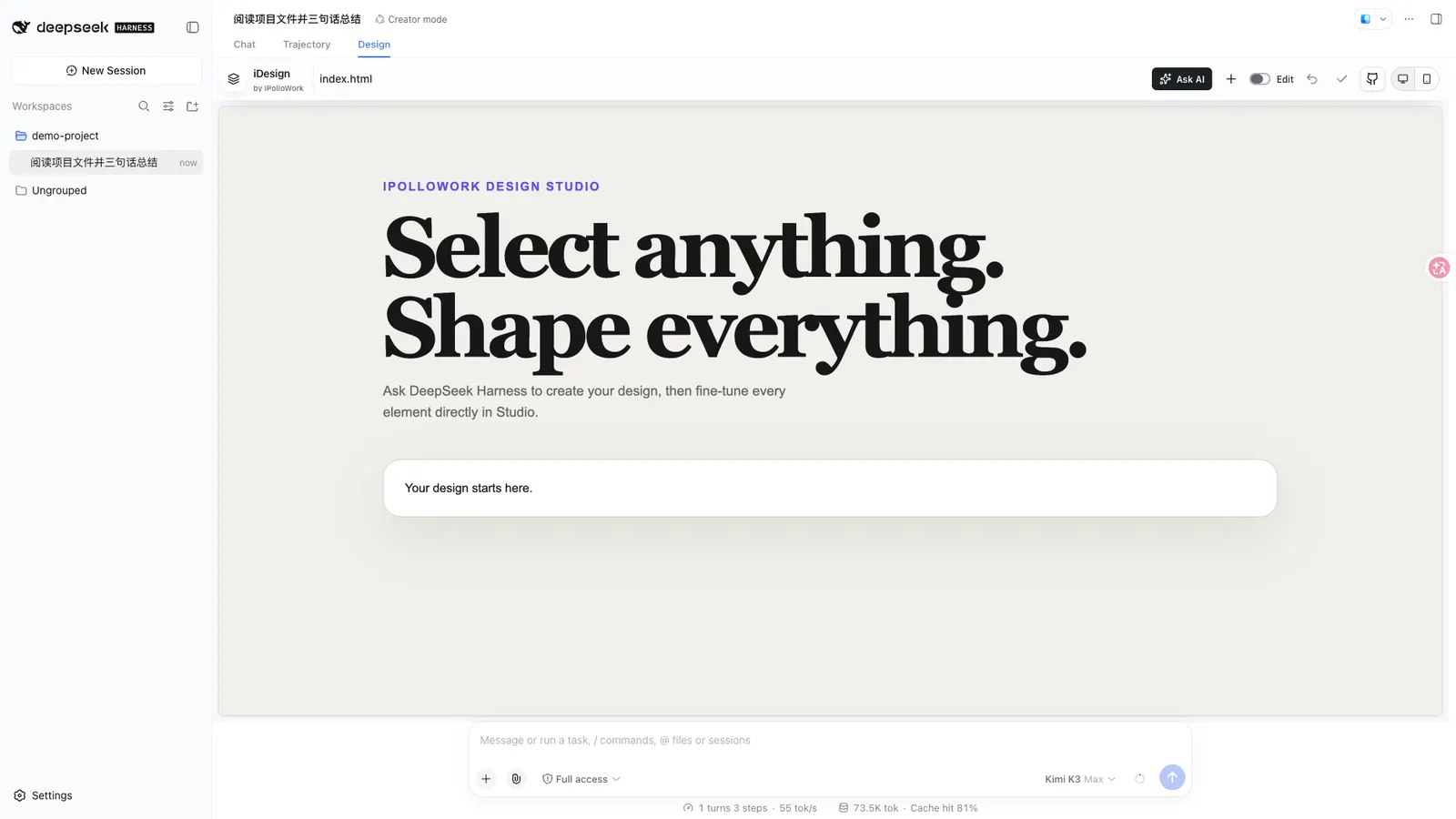
The loop is: describe the brief; let the AI generate; open the Design, PPT or Video view beside the conversation to preview; adjust elements directly on the canvas by changing text, typography, colour, size, spacing, background, links and media; or select a single element and use Ask AI for a focused change. The + beside the edit toggle opens the matching template catalog, and you can also ask the AI to start from the blank project. Everything returns to the current workspace, so later turns can still read and edit it.
AI generation, templates, and “the market”
AI generation here means the harness’s own model doing the work. The README describes Harness as “the AI engine that understands a brief, creates content, and edits workspace files”, and says the plugins reuse the active conversation, model, workspace and permission system. So there is no second model behind this, and no separate key: whatever account and model your harness session already uses is what will write your design. The README states no additional account, login or API key, and does not say the plugins call any model endpoint of their own.
The Chinese README calls this a 模板市场; the English text says “curated template catalogs”. Either way it is a curated catalog reached from the + button beside the edit toggle — not a hosted storefront you browse on the web. Design and PPT have separate entry points on purpose, so the README says slide templates never pollute the general design catalog. The only template count the README gives is 28 Video templates; it states none for Design or PPT, so treat any specific number you see elsewhere as unverified.
Requirements
- Node.js
^22.19.0or>=24.0.0. - A current DeepSeek Harness release, plus pnpm for its plugin manager.
- No account, login or credential is mentioned anywhere in the README.
DeepSeek Harness is still a developer preview, and the README warns that it may introduce compatibility-breaking changes, so use the latest version. The README does not state a minimum harness version number, an operating system, or any runtime network requirement beyond the installation itself.
Security and data boundaries
The README makes five concrete claims worth repeating, because a design tool that edits your files deserves this scrutiny:
- Access is limited to workspaces registered by DeepSeek Harness, and reads and writes are restricted to paths below the workspace’s
design/directory. - The Studio iframe uses a random per-process token to reach host interfaces and checks for same-origin messages.
- Writes carry version-conflict checks and use atomic replacement, so a newer file is not silently overwritten.
- Template changes are staged and validated in an isolated directory before atomically replacing the project; a failure restores the original project.
- Ask AI only fills in a draft in the current conversation and never sends it for you.
Installing these packages does not install or launch the iPolloWork desktop app, and each package loads only its own Studio. On telemetry the README says nothing at all — neither that it collects data nor that it does not — and it likewise states no runtime network access. Read that as “unstated”, not as “none”.
When to use it — and when not to
Reach for it when you want a design you can keep editing: if you already generate pages, posters or decks through conversation with a harness, and you are tired of iterating by rewriting prompts when what you actually want is to select one heading and adjust its text or change a single colour.
Think twice in a few cases. It does not replace the harness and is not a separate chatbot, so it is an addition to a working DSH setup, not a way to get one — and it depends entirely on the harness’s model for anything the AI does. It also inherits the preview-stage instability the README warns about. If you need a permissive open-source licence, note the licence section below before committing. And if you want to contribute, remember the repository’s warning: do not edit the generated artifacts under packages/ directly; changes belong in source/ and the README.
Licensing, provenance and unstated terms
The README is explicit about two things and silent about the rest. It says the project uses the same iPolloWork Source Available License as the main iPolloWork repository — source-available, and not the same thing as a permissive open-source licence — and that third-party components and previously licensed portions retain their respective licences.
What it does not say matters just as much for a design and template product. The README says nothing about the licence of the individual templates or design assets the catalog offers: not that they are free, not that they may be used commercially, and not whether they carry terms separate from the code. It also says nothing about the provenance or vetting of catalog content. iPolloWork is described as the single source of truth for product code, and this repository as the distribution and contribution entry point; accepted pull requests here are imported into iPolloWork as a reviewable upstream PR, and all three plugins are rebuilt from shared Studio sources after that merge. That is the described provenance of the code — it is not a statement about template licences.
FAQ
Is deepseek-design a skill, a plugin, or a standalone app?
It is three installable DeepSeek Harness plugins — deepseek-idesign, deepseek-ippt and deepseek-ivideo — published from one repository by iPolloWork. They are installed through the harness’s plugin manager, they add Design, PPT and Video views to the conversation interface, and the README states that installing them does not install or launch the iPolloWork desktop app.
Does “AI generation” need my own API key or account?
No separate key is mentioned. The README says the plugins reuse the harness’s active conversation, model, workspace and permission system, and describes Harness itself as the AI engine. Whatever model your harness session already runs on is what generates the design; the README documents no independent model account or credential.
Where do the templates come from, and are they vetted?
They come from the plugins’ own curated catalogs, reached from the + button beside the edit toggle, with Design and PPT kept separate. The README claims no review, scanning or vetting of template content, and says nothing about where individual templates originate. It also says nothing about their licence.
Does it read or write outside my workspace?
The README limits access to workspaces already registered by DeepSeek Harness and restricts reads and writes to paths below the workspace’s design/ directory. It states no telemetry. It also says nothing about runtime network access, so “no outbound traffic” is not something the source supports.
Can it export presentations?
The README says presentations from deepseek-ippt can be exported to PDF or PPTX, and that the separate video pack exports video. It claims no office-document export for the Design plugin, and no accuracy or quality benchmark is stated anywhere.