What it is
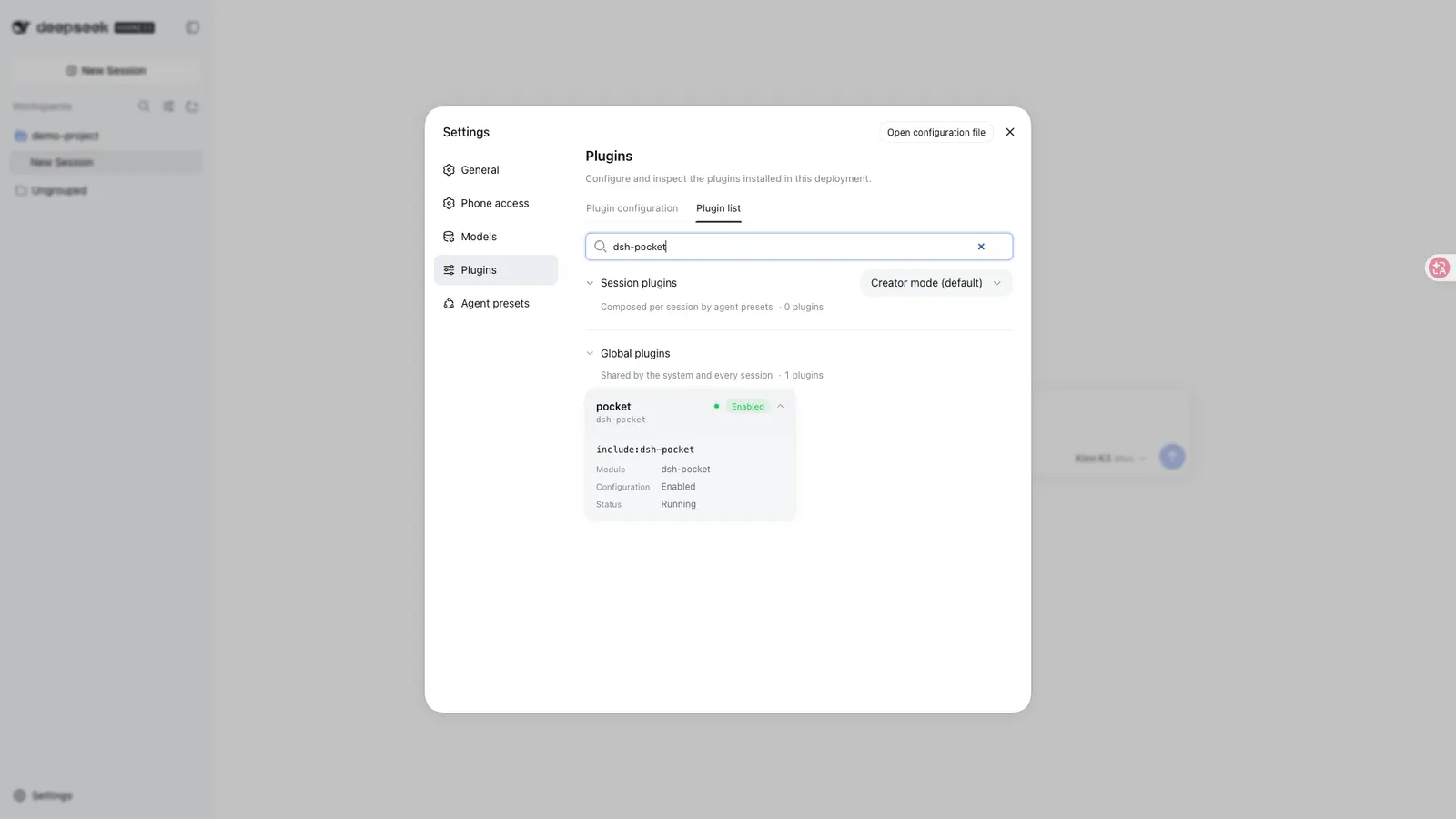
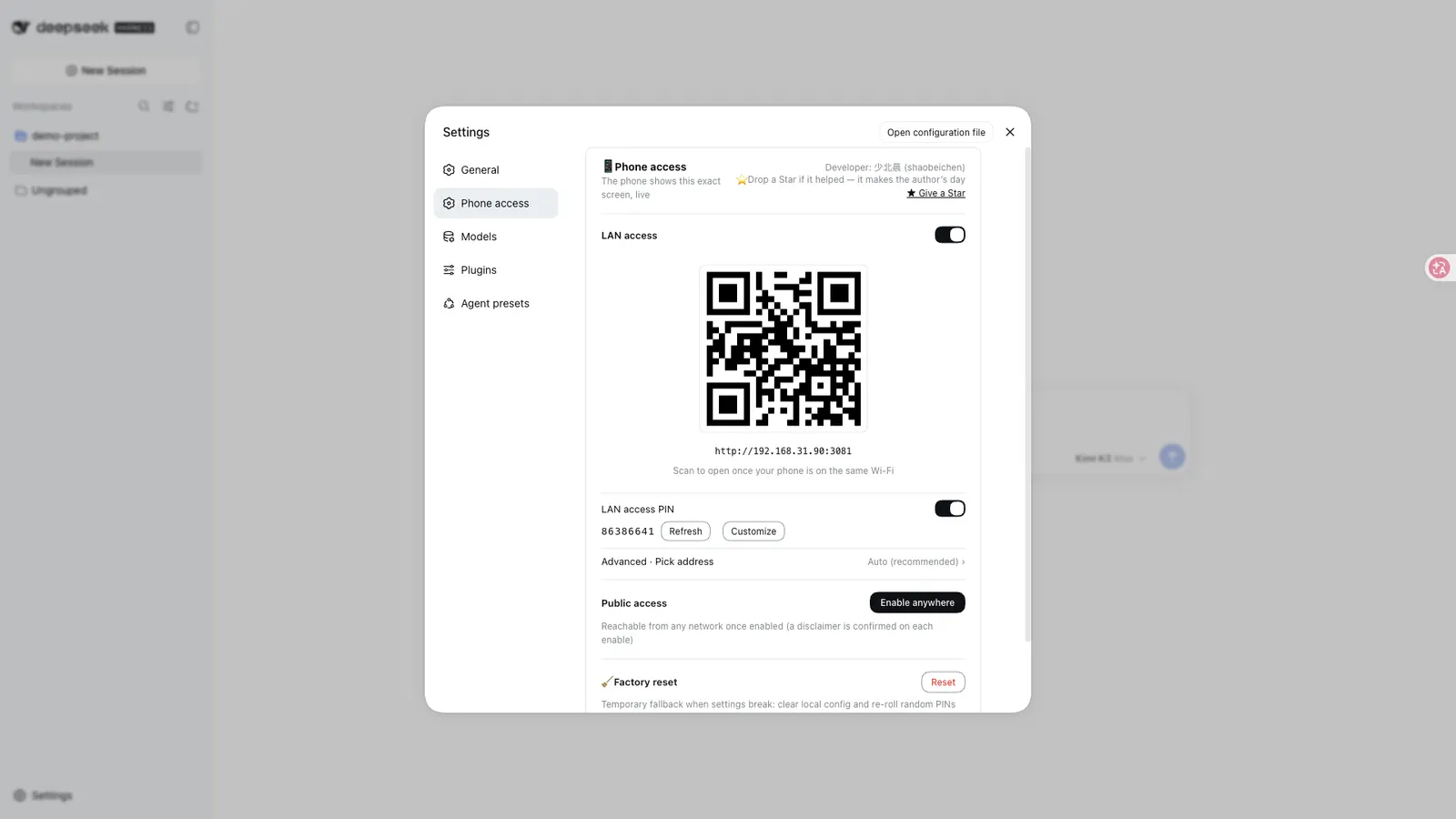
DSH Pocket turns the dsh web interface already running on your computer into something your phone can open. You install it as a plugin, restart dsh web, and a “手机访问” (phone access) entry appears in Settings — beside the general and model settings. From there you scan a QR code, and the phone shows the same live interface, over your local network or, if you opt in, from anywhere. The README’s own framing: your phone sees the same screen as your computer, synchronised in real time, so you can send prompts, watch output and approve actions while you are away from the machine.
A distinction worth holding onto: this is not a second harness and not a rewrite. It is a reverse proxy plus a narrow-screen layout, both sitting in front of the DSH process you already run.
Package identity and what gets installed
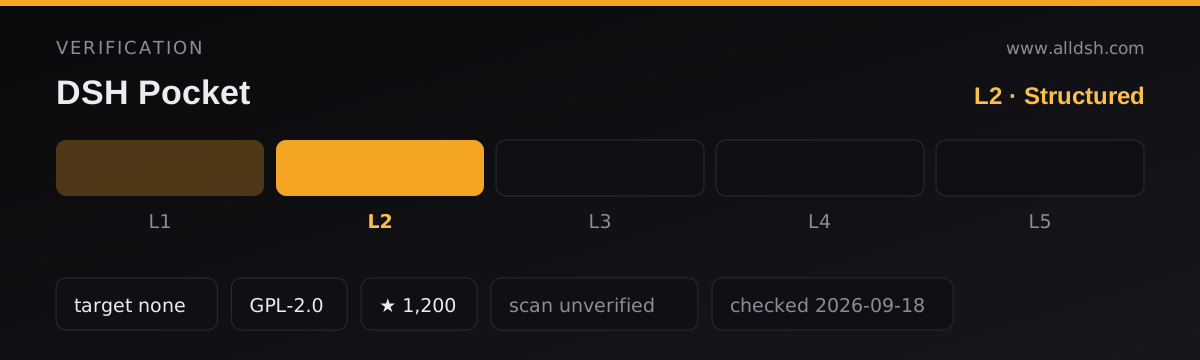
The npm package is dsh-pocket, version 2.10.6, licence GPL-2.0 (the README notes that modified versions must also be released under GPL and keep the copyright notice, commercial use included). It is published as a client plugin for the web platform, and package.json declares dsh.bundle.patch pointing at ./cordis.patch.yml, so the package ships a composition patch as well as code. Its client half declares injections into five DSH client packages: connection, UI slots, UI layout, locale and session-log export.
The published tarball contains bin, lib, client, cordis.patch.yml, README.md and LICENSE. Runtime dependencies are only qrcode and qrcode-terminal; @deepseek-ai/cordis ^4.0.1 is a peer dependency. The README calls this a single-package install — no separate core and adapter to install — and states that no account and no server of your own are required. There is also a CLI mode, dsh-pocket, shipped in bin.
How the phone gets the interface
The README describes one access model with two entrances. The proxy rewrites Host and Origin to loopback and passes HTTP plus WebSocket through unchanged, which is why streaming output scrolls on the phone while it is being produced on the computer, and why input works in both directions. A heartbeat exists to survive router NAT and power-saving disconnects, with automatic reconnect.
The phone experience is the same web interface, delivered to a narrow screen. What the README documents is a drawer layout ported from dsh-web-mobile (MIT): sidebar as a drawer, session full width, status-bar safe area, and touch optimisation. There is no native application and no reduced mobile-only view described.
One feature is conditional: the mobile “file browsing” entry requires the host to provide an explorer panel (a dsh-web-ui component). When the official DSH does not include it, the README says the entry is hidden rather than left as a button that does nothing.
LAN mode, public mode, and what public mode really needs
LAN: enable the phone-access page, scan the LAN QR code, and open the link. The plugin detects your local IP automatically, including taking the Windows physical adapter IP under WSL. LAN access is on by default and can be switched off, which invalidates the LAN QR code and link immediately; the README states public access is unaffected by that switch.
Public: you press “开启公网访问”. Every time, a safety disclaimer appears first and must be acknowledged before the tunnel starts — the README says the server enforces this check. Then a Cloudflare tunnel is established: on first use the plugin downloads cloudflared (a Tsinghua mirror first on macOS and Linux, official GitHub on Windows, roughly 50 MB and slower because it is single-threaded). Only then does a public QR code appear.
So remote access is not peer-to-peer and does not come from the plugin alone. It runs over Cloudflare Tunnel, and the README credits cloudflared as the basis. Practical consequences a reader should not have to infer: the default quick-tunnel address is randomly assigned and changes on every restart, so a bookmark will not survive; and a fixed public address is optional and requires a Cloudflare account, your own domain, and a Tunnel Token, pasted into the settings page in “named tunnel” mode, with the tunnel’s public hostname pointed at http://127.0.0.1:3081.
The security model
Authentication is an 8-character password, not a device pairing handshake. The README does not describe a per-device enrolment flow, certificates, or mutual authentication. Public access always requires the password; LAN access has its own independent 8-character password, which is on by default and can be switched off entirely, after which scanning the LAN code connects without a password and only devices on the same network can reach it.
What the README states about password lifetime: the public password changes every time public access is turned on by default; if you set a custom 8-character password (upper- and lower-case letters or digits), it stops rotating. The LAN password can be refreshed from the settings page or customised the same way. The login state is bound to the dsh web process — one entry lasts until that process restarts or updates, at which point the phone must enter the password once more.
Rate limiting, quoted in substance: the same IP is locked for 60 seconds after 5 consecutive wrong attempts, with a brief global lock when failures cross a threshold, to blunt distributed scanning from rotating IPs; a correct password resets the counter. Public exposure is guarded by a fail-closed rule (issue #66): apart from loopback and private LAN addresses, any unfamiliar domain is treated as public and forced to present the public password — so, in the README’s words, there is no “change the domain to bypass the password” hole. The README also says the disclaimer checkbox is mandatory and server-enforced.
Revocation is credential-level, not device-level. The README lists no way to revoke one phone while leaving another signed in. Its own remedy for sharing access is to hand over the main password or a ?token=<main password> link and then press “refresh” in the settings page afterwards. A temporary visitor PIN existed but was removed in 2.6.x because revoking it crashed, and the README says it is not supported.
Storage: the README says the public password lives on the machine at $DSH_HOME/dsh-pocket/token, the LAN password at $DSH_HOME/dsh-pocket/token-lan, and switches plus customisation flags at $DSH_HOME/dsh-pocket/settings.json. In named-tunnel mode the Tunnel Token is stored only locally in that settings.json, readable only on the machine, and is not echoed back in the settings page.
Requirements
From package.json: engines.node is >=22, and @deepseek-ai/cordis ^4.0.1 is a peer dependency. The plugin also needs a running dsh web; the README’s prerequisite section says that if the terminal reports dsh: command not found, install the harness globally first. Nothing states a minimum harness version, so this listing carries no dshTarget field — with no author declaration to record, the catalogue leaves it unset rather than guessing.
Operating system: the README gives macOS, Linux (including servers) and Windows instructions, and specifically calls out WSL behaviour; it never names a single supported platform list. Network prerequisites are concrete: for LAN, phone and computer on the same network, with Tailscale/VPN setups sometimes picking an unreachable address that you may have to select manually from a dropdown. For public mode, outbound connectivity the tunnel can actually use — enterprise and campus firewalls blocking outbound traffic are named as a cause of failure, and the README’s fallback is to tether the computer to the phone’s hotspot and use LAN mode instead. Local proxies and VPN tools, especially Clash-style TUN mode, are named as the most common cause of error 1033 from the tunnel.
Ports and lifecycle: the proxy listens on 3081 by default, configurable via "proxyPort" in settings.json; EADDRINUSE means an old process still holds it. After installing or updating the plugin you must restart dsh web — the README is emphatic that a running process keeps loading old code. Use the -w flag when installing under pnpm 9 workspaces, and --latest when crossing a major version.
Known limits
- No fixed address by default. The quick tunnel’s public URL changes on every restart; old links are void. A stable address is the named-tunnel mode described above, which brings its own account, domain and token requirements.
- Password rotation depends on the mode. Custom passwords stop rotating, and in named-tunnel mode the README says the public password does not rotate automatically at all, recommending you manage it with a custom password.
- LAN password can be disabled. With it off, the README’s only stated protection is “devices on the same network can access it” — network isolation, not authentication.
- No temporary guest access. The visitor PIN was removed in 2.6.x; the README says it is not currently supported and offers the share-then-refresh workaround instead.
- Tunnel setup can fail. On Linux servers with no reachable CDN source,
cloudflaredcannot be auto-downloaded (issue #45); the README’s remedy is a manual install plus a"cloudflaredPath"setting. - Proxies break tunnels. TUN-mode proxies intercept and cut the tunnel edge connections; the README’s escalation ladder is to disable TUN mode, then quit the proxy entirely, then add direct rules, then fall back to a hotspot.
- Desktop advanced mode is unsupported. In DSH Desktop’s advanced mode the phone cannot obtain the layout service and gets a blank page (the README says an explicit explanation layer is shown); compatibility mode plus a restart is required. Desktop also manages its own update and restart, so those two plugin buttons are disabled there.
- Restart semantics. Pressing “restart dsh web” in-page leaves a detached background process; the README documents where its log lands and how to kill it.
- The README does not discuss latency figures, background or sleep behaviour on iOS or Android, or a list of features that are unavailable on mobile beyond the conditional file-browser entry. Treat “real-time” as the README’s description of the streaming path, not as a measured latency guarantee.
When to use it — and when not to
Use it when the harness genuinely lives on a computer you leave behind — a desktop at home or in an office — and you want to check on or steer a running task, send a prompt, or approve an action from a phone, without configuring remote desktop or SSH. LAN mode is the low-friction case: same Wi-Fi, one scan, nothing exposed beyond the network. Public mode is the case the project is designed for, but treat it as opt-in exposure with a known dependency on Cloudflare’s tunnel infrastructure.
Do not use it as a security boundary or a zero-trust gateway. There is no device pairing and no per-device revocation, and what the password protects is an endpoint that can execute code on your computer. The README says this directly: public access means exposing a code-executing DSH to the internet, so use a strong password, close it when you are done, and do not use it on classified networks. If you are behind a company or restricted network, the README asks you to confirm compliance before enabling public access, and notes the disclaimer appears every time. And if you need to give someone short-lived access, know that the temporary-PIN path is gone and that revoking means rotating the password everyone else also uses.
FAQ
Is this a native mobile app?
No. What the phone opens is the same web interface served from your computer, restyled for narrow screens — the drawer layout, safe-area handling and touch tuning the README credits to dsh-web-mobile. The README describes no native client and no separate reduced mobile view.
Can someone get in with just the QR code?
No, the QR code only carries the address. Public access always requires the 8-character password, and LAN access requires its own password by default. LAN access becomes password-free only if you switch that specific toggle off, and the README frames what remains then as protection by network isolation alone.
Can I revoke access for one phone without affecting the others?
There is no per-device revocation in the README. Revocation is credential-level: refresh the password in the settings page and the old password stops working; if you have set a custom password, rotation stops, so you must change it yourself. The README’s documented way to share access temporarily is to send the main password or a ?token=<main password> link and refresh afterwards.
Does my password or session data leave my computer?
The README places the passwords and the Tunnel Token in local files under $DSH_HOME and the login check runs in the local dsh web process rather than on a remote server. It does not describe sending credentials anywhere else. However, once public access is on, traffic to and from your phone passes through a Cloudflare tunnel, and the README makes no encryption or inspection claim about that path.
Do I need a Cloudflare account, a domain, or my own server?
It depends on the mode. The default quick tunnel needs no Cloudflare account and no server of your own, but the address is assigned by Cloudflare and changes on restart. A fixed address needs a Cloudflare account, your own domain, and a Tunnel Token. The README states no account requirement for the plugin itself.