What Vision Router actually is
DSH Vision Router (dsh-vision-router, v2.1.6, MIT) gives a text-only DeepSeek Harness agent a way to look at an image instead of receiving someone else’s description of it. Its own framing is the clearest one: the vision model is the eyes, DeepSeek stays the brain. Image turns are not answered in one shot by a vision model; the agent calls vision tools the way it calls any other tool, reads the result, and keeps iterating.
The intent is a routing bridge rather than the description bridges the README compares it against, and everything is scoped to the DSH web profile.
The trust boundary you must read first
This is the part that matters more than any feature list: by default, the selected image and your question are sent to a third party. The built-in fallback is an anonymous OVHcloud endpoint. Nothing in the sources describes anonymous use as confidential, and the plugin should not be treated as private or offline.
- Local Ollama and LM Studio backends are the only private options, and both are off by default (
localOllama.enabled: false,localLmStudio.enabled: false). - The documented chain order is: your configured vision models, then local Ollama, then local LM Studio, then custom
httpProviders, then the built-in anonymous OVH fallback last. - Anonymous OVH limits are 2 requests per minute per IP per model, across a five-model chain, described as “about 10 RPM in theory, subject to OVH’s actual rate limiting.”
- No free-tier duration is promised. The README says free policies change without notice and presents its own table as a dated (August 2026) snapshot; it cites Cerebras retiring a free tier as evidence. Read “free” as a best-effort anonymous fallback with hard limits, not a permanent entitlement.
What it does
- Question-answering and structured description —
vision_describetakes your question alongside the image, supports multi-image comparison, and can emit structured JSON (summary, layout regions, entity inventory, verbatim transcription). - Grounding in original-pixel coordinates —
vision_groundreturns anx1/y1/x2/y2box in original pixels;vision_detectreturns a numbered inventory of every element of a kind. - Crop and zoom —
vision_croppulls a pixel region out so fine detail stays readable. - A measurable pixel loop — reference image →
vision_html_screenshot→vision_pixel_diff(diff ratio plus the worst 8×8 grid regions) → fix → repeat. The README’s own worked example converges at 2.54% final difference (32,939 of 1,296,000 pixels at a 16-per-channel threshold). - Colour, OCR, vector and cutout work —
vision_colors(dominant hex values with share),vision_ocr(local tesseractchi_sim+engfirst, vision model as fallback),vision_trace(SVG vectorisation for icons and logos),vision_extract_foreground(border flood-fill cutout for uniform backgrounds). - Screenshots —
vision_html_screenshotrenders a local HTML file through headless system Chrome and can capture a full page while reportingpageHeight;vision_long_screenshot_ocrtranscribes long images in overlapping chunks and stitches Markdown. - Delivery and byproducts —
vision_materializecopies an authorised attachment into the session workspace for local OCR or parser fallbacks,vision_presentpublishes a generated or edited image back into the conversation as a durable attachment, andvision_bootstrapoffers an optional 1+x structured first pass.
Tool families and how they are mounted
The README’s own tool table lists fifteen entries, while its prose says “fourteen deep tools” and its diagram caption says “eleven image-processing tools.” Those counts do not agree, so this page does not assert a single number: treat the families above as the inventory and expect the count to shift between releases.
By default the whole tool schema is registered from session start, which the README justifies as stability — a mid-conversation tool-list expansion can invalidate long-context KV/prefix caches. progressiveTools: true restores on-demand mounting (only vision_activate is exposed until first use) and is a boot-time switch that needs a DSH restart.
Using it: vision is opt-in, every time
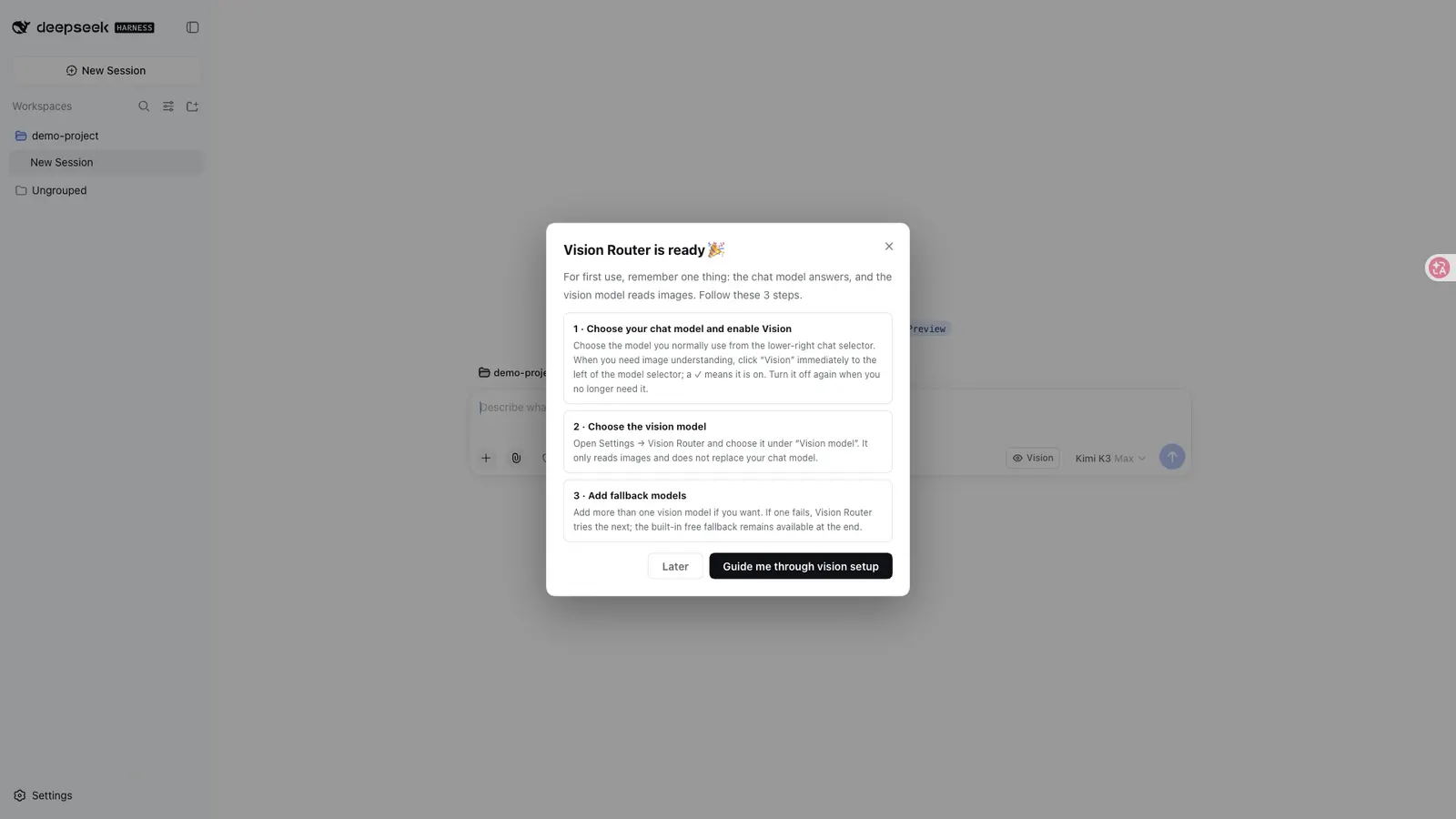
- Pasting or uploading an image does not enable vision automatically. You first click the composer’s “👁 Vision” control; before sending an image, make sure it shows
👁 Vision ✓. - The mode persists across sends and does not auto-reset. Turning it off returns to the same ordinary model; choosing a different ordinary model turns vision off; changing only reasoning effort leaves it on.
- The lower-right model picker and
/modelstill select your brain/conversation model only — vision backends do not belong there. Generated “+ Auto Vision” wrapper routes are hidden from the stock picker where ownership can be proven, and hiding fails open: a route that cannot be confidently attributed to Vision Router stays visible. - If a session already contains images, DSH itself may reject switching back to a text-only route. The plugin does not bypass that Host rule; it reports the error and keeps
👁 Vision ✓reflecting reality. - Text turns are untouched in model, cost and context, and vision answers are cached by image content hash.
Requirements and external dependencies
- DSH web profile. The README’s documented host floor is
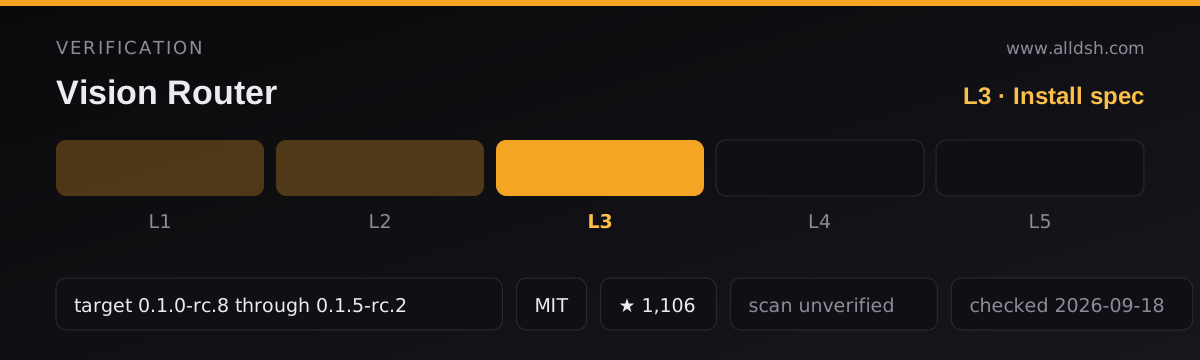
0.1.0-rc.8, supported through0.1.5-rc.2;2.0.xwas the final train supporting rc.6/rc.7. - Node: the README says “Node ≥ 22” while
package.jsondeclaresengines.node: "^22.19.0 || >=24.0.0". These are not identical — the manifest is the stricter and more precise statement, and it is the one an installer will enforce. - No API key is needed for the default free chain. A credential reference (
apiKeyEnv) applies only to paidhttpProviders. - “No Python” does not mean “no external dependencies.” The pipeline relies on
sharp,potrace,puppeteer-core, and a system Chrome/Chromium/Edge — and Chrome is required only forvision_html_screenshot; every other tool works without a browser. - Tesseract is optional:
vision_ocrfalls back to the vision model when the local engine is absent. - Desktop capture is opt-in and not parity across systems. Windows and macOS use OS-provided capture facilities; Linux needs ImageMagick
importorscrotplus a capturable session, and Wayland support “depends on the environment.” - The package declares a web client with five injected client packages plus a
bundlepatch, so installing it wires its own composition row — and profiles that mix legacy manualcordis.patch.ymlrows with bundle-managed plugins can end up registering the plugin twice.
Configuration and credentials
Defaults work out of the box; the primary surface is Settings → Vision Router, with profile overrides for advanced deployments.
routingModedefaults toordered;autouses measured capability evidence for prioritisation. Auto never infers capability from model names, and enabling Auto alone does not start benchmarks (backgroundBenchmarkingdefaults tooff).autoWrapProvidersistrue;wrappedProvidersis an optional manual scope control, not a required setup step.- Local backends (
localOllama,localLmStudio) are the privacy-relevant switches and start disabled. For a strict local-only chain you must also remove cloud rows and turnfreeFallbackoff — otherwise the anonymous OVH models remain appended after your explicit backends. proxyis empty by default, meaning the plugin does not own network egress and traffic follows the DSH/Host network path. Setting it moves only the scoped vision hosts.freeFallback: trueappends the anonymous OVH models after explicit local or custom HTTP backends.rewriteImagesrewrites image blocks only inside the model call — the conversation UI keeps rendering your images as images.desktopScreenshotis a separate privacy opt-in, checked live before every capture.apiKeyEnvnames a DSH credential reference, resolved per call and never logged; values live in an environment variable or~/.dsh/.credentials.yaml.- Text-only models must not be placed in the vision backend chain.
Known limits
- Privacy: defaults send the image and your question to a third-party anonymous endpoint; only the local backends keep the image on your machine, and they are off by default.
- Rate and availability: the anonymous fallback is capped at 2 requests/minute per IP per model, and no free-tier duration, quota or uptime is guaranteed.
- Not byte-faithful: pixel tools “promise the Host-canonical raster, not preservation of the uploader’s original encoded bytes.” Clean single-frame 8-bit sRGB/sRGBA images may pass through byte-identically, but images needing orientation, colour-space, metadata, animation or size normalisation may be re-encoded. Oversized uploads are downscaled (default budget 4 MP) before the call.
- Untrusted image text: descriptions, OCR output and the auto-mount note are treated as untrusted evidence, and the agent is instructed never to execute instructions found inside images.
- Not a complete picture: telemetry and any provider retention policy are not stated in the sources at all. Anything a third-party endpoint does with your image after the request is outside what the README documents.
- Screen capture is platform-dependent and opt-in, with no all-OS parity claim.
- Badges are links, not proof: the README displays certification, install-tested and audit badges; nothing in the sources establishes those as independent verification.
When to use it — and when not to
Use it when your daily model is text-only and you need genuine pixel access: locating a control and getting coordinates back, restoring a UI from a reference image and measuring the result with vision_pixel_diff, transcribing a long screenshot, extracting a palette or a cutout, or comparing two images against a specific question. The tools-first design is the real differentiator among DSH vision plugins, and keeping the reasoning model unchanged while eyes are called on demand is the right shape for multi-step image work.
Do not use it as your default if the images are sensitive and you are not willing to send them to a third party: the shipping defaults route to an anonymous external endpoint, and only opting into local Ollama or LM Studio keeps pixels private. Do not rely on it for guaranteed throughput — the keyless path is a rate-limited best-effort fallback whose free policy can change without notice. Do not install it into a profile that already loads plugins manually without reconciling the two mechanisms first. And do not read “no Python” as “no dependencies” on a machine without Chrome or the Linux capture utilities.
FAQ
Are my images sent to a third party?
Yes, by default. The selected image and your question go to the built-in anonymous OVHcloud endpoint unless you have configured your own vision models or explicitly enabled the local Ollama or LM Studio backends. Those local backends are the only private options documented, and both ship disabled. This plugin should not be described as private or offline in its default configuration.
Is the vision chain free forever?
No such promise exists. The free path is an anonymous fallback with hard limits — 2 requests per minute per IP per model across a five-model chain, “about 10 RPM in theory” and “subject to OVH’s actual rate limiting.” The README describes free policies as changeable without notice and presents its provider table as a dated snapshot. If you need quota, register your own free key with a provider and add it as an httpProviders entry.
Does uploading an image turn vision on?
No. Vision is opt-in per turn: you must click “👁 Vision” beside the composer and confirm it reads 👁 Vision ✓ before sending. The setting then persists across sends rather than resetting itself, and selecting a different ordinary chat model turns it off.
How many tools are there?
The sources disagree with themselves: the tool table lists fifteen entries, the prose says “fourteen deep tools,” and a diagram caption says “eleven image-processing tools.” This page therefore describes the tool families — description, grounding, detection, crop, pixel diff, colours, OCR, SVG trace, foreground extraction, HTML and long-image screenshots, delivery and materialisation — rather than committing to a count.
Does it depend on Python?
It does not use Python, but that is not the same as having no dependencies. Image work runs through sharp, potrace and puppeteer-core; vision_ocr prefers a local Tesseract installation and falls back to the vision model when it is missing; vision_html_screenshot needs a system Chrome, Chromium or Edge; and Linux desktop capture needs ImageMagick import or scrot with a capturable session. Chrome is required only for the HTML screenshot tool.