Vision Toolkit gives a text-only DeepSeek Harness agent a set of visual instruments. The README’s promise is deliberately narrow: the model does not produce a generic caption, it extracts evidence around the task at hand — where the error is, where the button is, what the long chat log actually said. It ships ten tools plus a bundled vision-skills Skill, and it wires both into DSH Profiles, sessions, Settings and Artifacts.
What it is
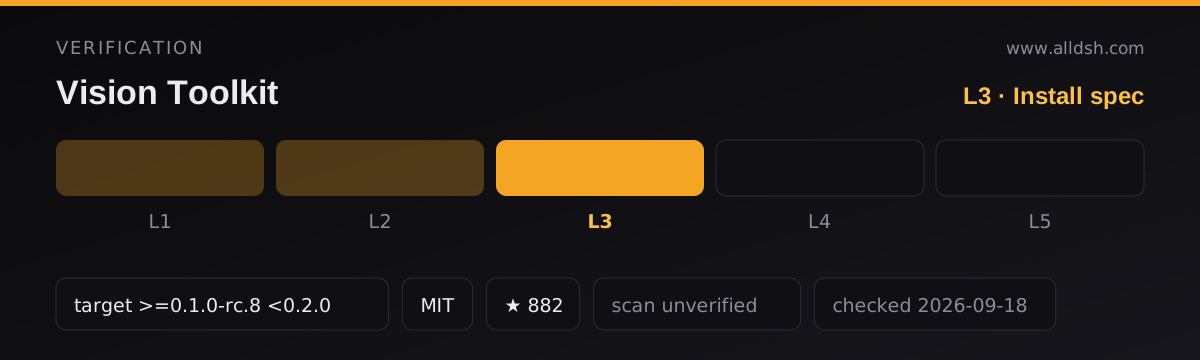
The npm package is @anionex/dsh-vision-toolkit, version 0.1.44, licensed MIT, repository github.com/Anionex/dsh-vision-toolkit, homepage agent-vision.anionex.me. It is the DeepSeek Harness-native integration for a separate upstream project, Anionex/agent-vision-toolkit; the plugin bundles a pinned snapshot of that upstream rather than depending on a checkout.
Three declarations in the package are worth reading before you install it. The dsh.bundle.patch field points at ./cordis.patch.yml, so the package mounts itself into a profile through its own composition patch. The dsh.client.platform field is web with nine injected client modules — the settings surface and the Web UI behaviour only exist in the browser client. The dsh.compatibility.profiles list is web and headless, and the README adds a documented third path, desktop, for DSH Desktop users.
The installed payload is more than JavaScript. The package’s files list ships lib, src, runtime, vendor, patches, assets, docs and examples; vendor carries the upstream snapshot and runtime carries the Python tooling described below. So this is not a thin bridge.
The ten tools, by name
The README states the plugin provides 10 tools that can be called independently or composed into a workflow:
vision_glance— focused answer, description, OCR, or multi-image comparison; the “what is happening in this image?” call.vision_ground— returns original pixel coordinates for a described target, with an optional boxed preview.vision_detect— a numbered inventory of the elements of one kind (buttons, icons, inputs) with coordinates.vision_crop— extracts a region as its own PNG or JPEG.vision_trace— turns a shape into an editable SVG.vision_pixel_diff— compares an implementation against a reference and returns a difference percentage, ranked regions, a heatmap and JSON.vision_long_screenshot_ocr— reads an entire long screenshot and emits Markdown, chunks, a manifest and audit output.vision_extract_foreground— removes the background from a subject, producing a transparent PNG.vision_dominant_colors— returns a palette or ranked candidate colors for an area.vision_html_screenshot— renders a local page at an exact viewport, or captures the full document withfullPage=trueand reportspageHeightin CSS pixels.
Coordinates consistently use original-image pixels in x1,y1,x2,y2 form, which is what lets grounding output feed straight into cropping, tracing or later automation.
The README also documents a bundled Skill, vision-skills, described as the DSH adapter of the upstream vision-tools Skill: its SKILL.md plus five playbooks covering long-screenshot OCR, UI restoration, graphic restoration (PNG or SVG), structure recovery (Mermaid, Graphviz and similar), and GUI operation from screenshots. The adapter records the exact upstream Skill commit, source hashes and its own patch in assets/skill/UPSTREAM.json and patches/vision-tools-dsh.patch. The README is explicit that this Skill is invoked, not automatic: step 3 of the quick start says to paste the image “then invoke /vision-skills”.
Where the vision comes from — and what leaves your machine
This is the section to read first, because the plugin ships no vision model of its own. Every image-understanding call goes to a provider you configure, under your own account and credentials.
The README says to configure the vision provider in Settings → Vision Toolkit and store the API key as a DSH Credential, and that “Settings stores the Credential reference and never reads the saved secret back into the browser.” The supported protocols are stated plainly: “OpenAI Chat Completions-compatible endpoints and Anthropic Messages are supported.” Because it is your endpoint, you choose who sees the image — an aggregator, a first-party API, or a local server. The troubleshooting table names local OpenAI-compatible services (LM Studio, Ollama) and explains that they must be given a /v1-suffixed base URL. The FAQ goes further and says a locally deployed small multimodal side model “can provide the vision capability”. What the source does not say is that anything is local by default: with a cloud provider configured, the image and the question about it are sent off the machine, to that provider.
On what stays local: the README describes deterministic image processing — crop, SVG trace and pixel work — as running locally, and describes the visual capabilities as coming from the packaged, pinned agent-vision-toolkit snapshot. A plugin-owned Python runtime performs that local work, and the README says “the runtime never fetches upstream main in the background.” That is a statement about not pulling upstream code; it is not a statement that image data stays local.
Two credential-adjacent details the source does state: a self-signed-certificate or MITM endpoint is supported by starting the DSH process with VISION_SSL_VERIFY set to a false value — 0, false, off, no, none or disabled, case-insensitively — which the plugin forwards to the isolated Python runtime, while any other value leaves certificate verification on; and a custom Credential name must match the provider configuration or calls fail.
Requirements
- Node:
package.jsondeclaresengines.nodeas^22.19.0 || >=24.0.0. No operating-system constraint appears inpackage.json. - Harness floor: the package declares
dsh.compatibility.dshas>=0.1.0-rc.8 <0.2.0, and enumerates compatible releases from0.1.0-rc.8through0.1.5-rc.1— with0.1.3-alpha.1markedunknownrather than compatible. This listing records thedsh.compatibility.dshdeclaration verbatim asdshTarget. - Profiles:
webandheadlessare declared. The README documents adesktopprofile install path for DSH Desktop and warns that DSH Desktop 2.0.1’s built-in marketplace has known installation issues, making the terminal command the reliable path for now. - Python: the plugin prefers a system Python 3.11+; when none is found it downloads a hash-verified standalone Python (about 35 MB) from a Tencent Cloud mirror on first use, falling back to the GitHub release if the mirror is unreachable, and installs the locked dependencies (Pillow, NumPy, vtracer) from the Tencent Cloud PyPI mirror first, falling back to official PyPI. A normal installation needs no
agent-vision-toolkitcheckout and no local path setting. - Browser binary: Chrome, Chromium or Edge is needed for HTML screenshot rendering; the README states that when Chrome is absent, “Only HTML screenshot rendering is unavailable; the other tools still work.”
- A vision-capable model endpoint: not bundled. This is the requirement people most often miss.
Does it need a vision-capable model in the harness?
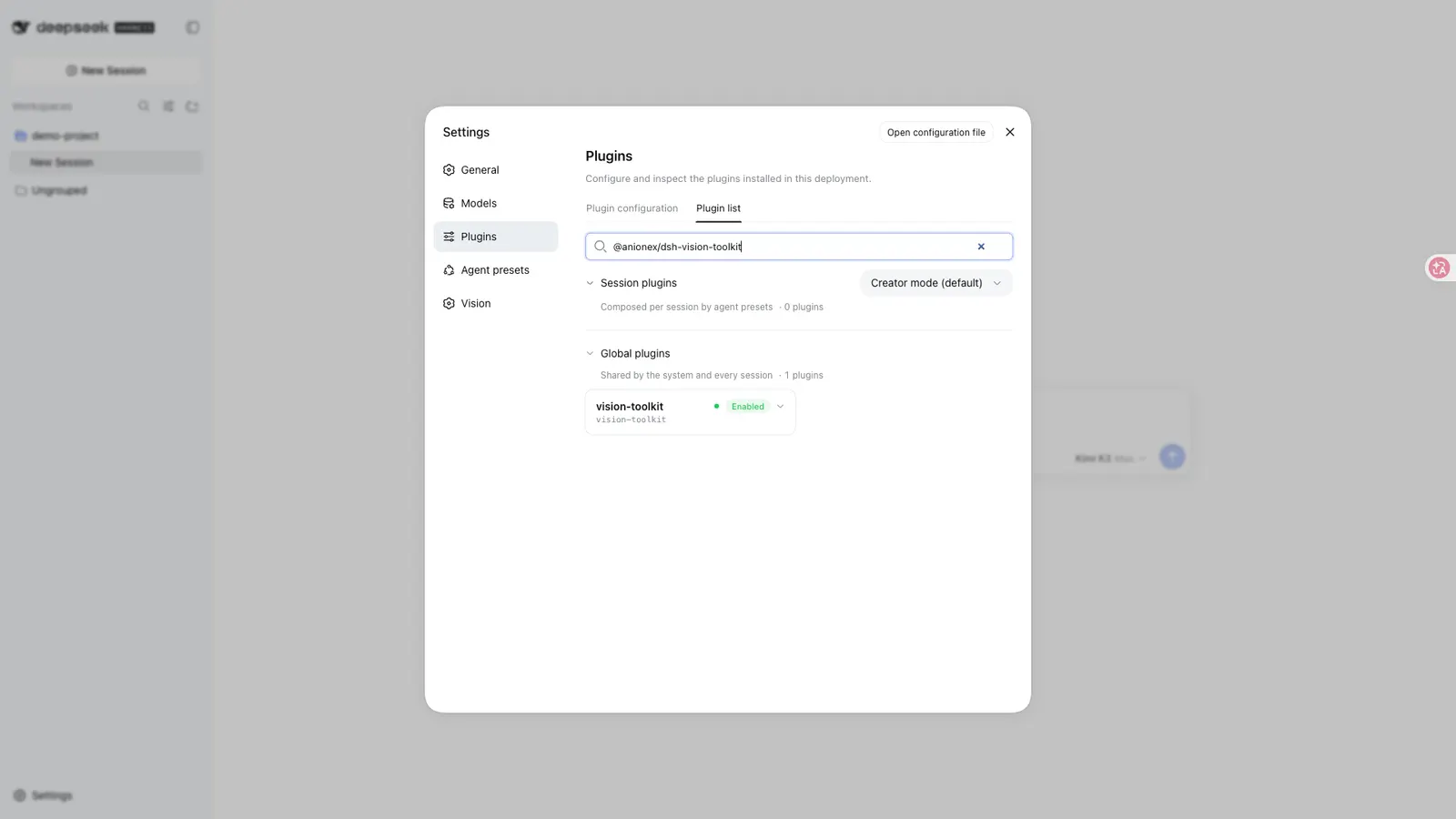
It needs a vision-capable endpoint, not a vision-capable harness model. The plugin is built for routes DSH positively identifies as text-only: for those it registers a sibling <model> (Vision Toolkit) variant, and by default pasting an image in DSH Web switches to that variant. The README’s recent-updates section goes further — since 2026-08-19, “image input (paste, history, read_image) works without manually switching”, and an advanced setting called “Transparent variant routing” can be disabled to restore the explicit variant entries.
So a text-only harness model plus a configured vision provider is the intended combination. What is not supported is having no provider at all: a Settings test is offered to confirm the endpoint is reachable, and the README notes a specific fix — a full image-request test was added because “a successful /models request to a model that still cannot process images” produced false confidence. One honest gap: the source does not describe behaviour for a harness route that already accepts images natively, so do not assume the toolkit is either required or inert in that case.
Known limits
- Image size and pixel caps exist; the README’s guidance is to crop or resize first, and it notes the error identifies whether bytes or decoded pixels caused the rejection.
- Rate limiting is real. The README’s troubleshooting table has an entry for the vision service returning
429and advises waiting out theRetry-Afterinterval or “switch to your own endpoint when you need stable higher volume”. A recent-updates entry says service capacity was expanded “to reduce peak-time429responses” — it does not say they were eliminated, and no quota numbers are published. - Platform asymmetry in storage: a configured absolute shared save root is “currently rejected on Windows because their ownership and access-control lists cannot yet be verified safely”.
- Feature loss is graceful, not silent: without a browser only
vision_html_screenshotis lost; a missing custom Credential is a hard failure. - No accuracy benchmarks. The source makes comparative claims — a focus hint yields “fewer tokens, higher accuracy, and faster responses” — and a speed target for fast UI restoration (“about three minutes” to a first screenshot). It publishes no measured accuracy figures for any tool. It does carry popularity and rating badges — a third-party recommendation, a dshfind score of 94, a Trendshift badge — and a promotional line calling itself the first comprehensive vision-tool plugin. Those are links and self-descriptions rather than evidence, and nothing in the sources establishes them as independent verification.
- Cost is asserted, not itemised. The README’s FAQ says added cost stays small because each inspection sends only the necessary intent and the image and context does not accumulate; no figures accompany that claim.
- Skill invocation is manual:
/vision-skills.
When to use it — and when not to
Use it when the work is genuinely visual and multi-step: reading a long screenshot without losing the text, turning a design or a whiteboard sketch into editable code, locating a control by description, or closing a UI-restoration loop with a pixel diff instead of eyeballing it. The README’s stated audience is exactly these cases, and it is explicit that the second audience is people who want “more than image Q&A”.
Do not install it expecting a self-contained seeing machine. If you will not configure a vision provider with your own account and key, the tools have nothing to call — this is the single most common false assumption about the plugin. Do not install it if your reason is offline or privacy-by-default operation; the source never claims that, and a cloud provider means your images leave the machine. If all you need is one picture described once, the machinery here — a Python runtime, a Skill with five playbooks, ten tools — is heavier than the job.
Compared with vision-router, which is a separate DSH vision plugin, the two differ in shape rather than in goal. Vision Toolkit’s own README presents it as a toolkit: ten named tools plus an adapter of an upstream Skill, called explicitly when a visual task needs them. Vision Router’s README describes itself as a routing bridge that hands an image turn to a vision model, with fourteen deep tools of its own, whole-turn auto-routing, and a built-in keyless fallback chain. Both readmes credit the same upstream lineage — Vision Router’s design-lineage section names Anionex/agent-vision-toolkit and this plugin among its influences. The practical split a reader can draw from the two documents: this plugin is the toolkit-first, configure-your-own-provider option, while the other is the routing-first option that claims a free default chain. Claims about either project should be checked against its own repository, not against the other’s description of it.
Trust notes
- Credentials: stored as DSH Credentials; Settings keeps the reference and does not read the secret back into the browser. The README does not state which on-disk store backs those credentials — it defers to DSH’s Credential mechanism, and this listing cannot say more than that.
- Telemetry and retention: the sources for this listing are the plugin’s README and its
package.json. Neither states whether the plugin sends telemetry, and neither states a data-retention policy. Note the asymmetry: local artifacts persist in your workspace, while whatever a configured cloud vision provider retains is governed by that provider’s terms, which the README does not discuss. - Autonomy: the plugin does not fetch upstream
mainin the background; the visual capabilities come from the packaged snapshot. Installs, updates and Skill invocations are user actions. - Storage history: when the configured save directory changes, earlier validated roots are retained as read-only input locations, persisted in a plugin-owned
vision_toolkit_storagesidecar so previously pasted image paths stay usable across a Profile restart.
FAQ
Does the plugin work with a text-only DeepSeek model?
Yes — that is what it is for. For routes DSH identifies as text-only it registers a sibling <model> (Vision Toolkit) variant, and by default pasting an image switches to it. You still need to configure a vision provider; the plugin supplies the tools and the workflow, not the seeing.
Are my images sent to a third party?
They are sent to whichever vision provider you configure, together with your question about them. The README supports OpenAI Chat Completions-compatible and Anthropic Messages endpoints, and you can point that at a local server — but the plugin as documented has no offline mode and claims no local-only default. Nothing in the source promises your image stays on the machine.
Do I need an API key or an account?
For a cloud provider, yes: you configure the provider in Settings and store the API key as a DSH Credential. The plugin bundles no model and no key. A locally deployed multimodal model is the alternative the FAQ suggests, and it needs no provider account.
What do I need installed before it works?
Node ^22.19.0 || >=24.0.0, a DSH web or headless profile at a compatible release, and either a system Python 3.11+ or a first-run download of a standalone Python (about 35 MB). Chrome, Chromium or Edge is needed only for HTML screenshot rendering.
How does it differ from dsh-vision-router?
Both give text-only agents vision; they differ in approach. This plugin is toolkit-first — ten named tools and a bundled vision-skills Skill, invoked explicitly, against a provider you configure. Vision Router describes itself as routing-first, with its own tool set, whole-turn wrappers and a built-in keyless free fallback. They are separate projects, and Vision Router credits this one’s upstream as a design influence.