What it does
dsh-image-gen turns the web profile into an image workspace. The README describes it as a native AI image suite for DeepSeek Harness rather than a single text-to-image tool, and the surface is correspondingly wide: five entry points, seven cloud providers, three subscription channels that need no API key, and a local ComfyUI path.
| Entry point | README’s stated best fit | What you can do there |
|---|---|---|
| Chat | Expressing an idea quickly | Text-to-image, image-to-image, continuous edits, version switching |
| Canvas | Visual and spatial ideas | Sketch generation, reference-image composition, iterative edits |
| Studio | Fine control over parameters | Batch generation, multi-image reference, advanced settings |
| Inspiration | Finding a direction | A prompt library of 500+ cases, one-click reuse |
| Gallery | Managing results | Search, favourite, download, reuse |
The canvas is built on tldraw (5.3.0, pinned exact) and the UI on lucide-react, both declared as runtime dependencies — so the plugin ships a real drawing surface, not a form.
Providers, models and how the plugin reaches them
package.json declares dsh.bundle.patch (cordis.patch.yml) and dsh.client with platform: "web", injecting eight host UI packages (dsh-client-connection, dsh-api-remotes, dsh-client-ui-conversation, -settings, -settings-plugins, -sidebar-right, -tool, -locale). The host plugin and the browser bundle are one package, so the provider list and the canvas agree by construction.
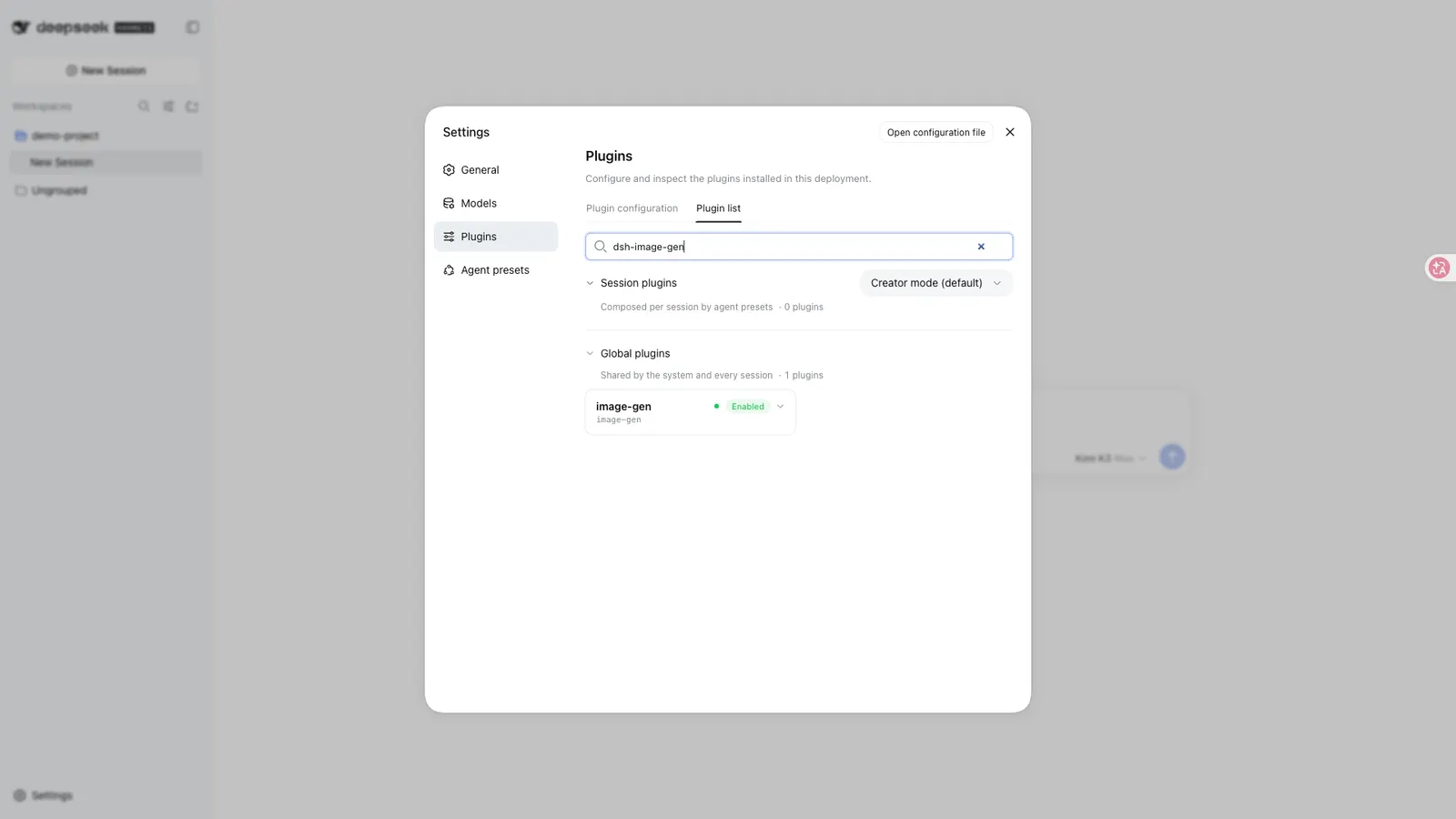
Provider matrix from the README (all defaults editable in Settings → Plugins → Plugin config → Image generation):
| Provider | Default model | Default endpoint |
|---|---|---|
| Google Gemini | gemini-3.1-flash-image |
generativelanguage.googleapis.com/v1beta/interactions |
| OpenAI Images | gpt-image-2 |
api.openai.com/v1 |
| OpenAI-compatible (relay) | user-supplied | user-supplied base URL |
| ByteDance Seedream / Volcengine Ark | doubao-seedream-5-0-260128 |
ark.cn-beijing.volces.com/api/v3 |
| Aliyun DashScope / Qwen Image | qwen-image-3.0 |
dashscope.aliyuncs.com/api/v1 |
| xAI Grok Imagine | grok-imagine-image |
api.x.ai/v1 |
| Zhipu GLM-Image | glm-image |
open.bigmodel.cn/api/paas/v4 |
| Local ComfyUI | an imported API-format workflow | 127.0.0.1:8188 by default |
Three subscription channels — ChatGPT, Grok and Google — are configured by signing in rather than by pasting a key, and their models are fixed per channel (gpt-image-2.5-flare, grok-imagine-image-2.0, gemini-3-pro-image).
Two editor-side conveniences are worth knowing about because they change how much you have to read vendor docs: a Test connection button, and a Fetch models action that pulls the provider’s supported image models into the picker instead of asking you to type an id.
Requirements and install
-
Node
^22.19.0 || >=24.0.0fromengines. -
A DSH install with a working
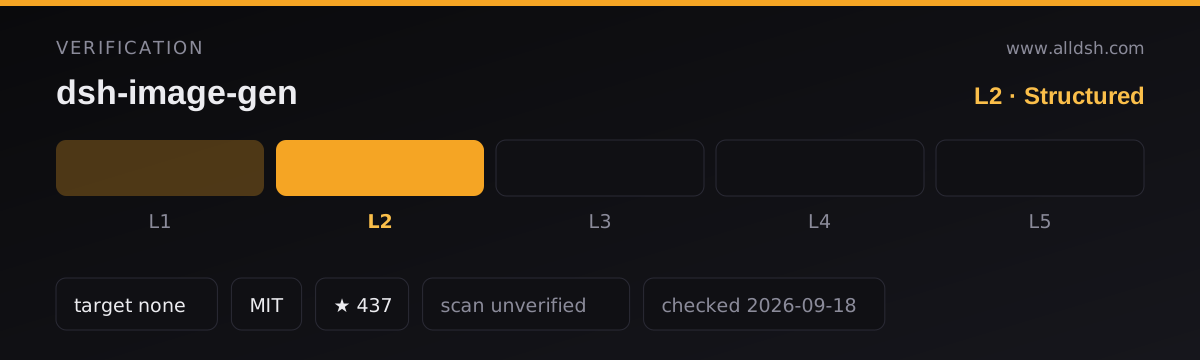
dsh plugincommand. The README asks for a stable Harness release but declares no version range, so this listing records nodshTargetand carries L2: the install command resolves against the published package, but there is no declared compatibility to record. -
Install — the README’s primary path:
dsh plugin --profile web add dsh-image-gen@latestpnpm dsh plugin --profile web add dsh-image-gen@latestifdshis not global. Alternatives the README lists:git+https://github.com/shanliuling/dsh-image-gen.gitfor the tip of the default branch, or a local clone added by path for development. -
package.jsondeclares apreparescript (pnpm run build). That runs for git and local installs, not for a consumer installing the published tarball — but it does mean a git-spec install builds on your machine.typecheck,build,testandpack:checkare the other scripts; there is nopreinstall/install/postinstall. -
Restart the profile after install or upgrade. If the “Image generation” settings page does not appear, the README’s own diagnostic is
dsh --profile web --dump-config— ifdsh-image-genis absent from the dump, reinstall. -
Peer dependencies are all optional (
@deepseek-ai/cordis,@deepseek-ai/schemastery,react), which is what lets one package carry both the host and browser halves without pinning the host’s React. -
Shipped files are
lib/index.js,lib/client.jsand its source map, the.d.tstree,skills/**/*.md,cordis.patch.yml, the READMEs,docs/assets/readme/*.webpand the licence.
Network and data
Credentials go to the DSH credential store, not to the plugin. API keys are held by DSH Credentials and the settings page does not echo them back. Subscription tokens are stored the same way and kept separate from API keys; the README states the browser side never touches the token.
What leaves the machine is what the provider needs. Prompts and the reference images used in a given request are sent to whichever provider you selected — that is inherent to using a hosted image model, and the README points at each vendor’s terms. ComfyUI requests go only to the address you configure.
Generated files land where you point them. With “save to workspace” enabled, chat results go to a dsh-image-gen/ directory inside the current workspace (configurable). Studio keeps candidates on a temporary canvas and only persists the ones you select. Gallery metadata and favourites live in browser local storage; deleting a gallery entry does not rewrite the original chat message, and cleaning up the workspace file is a separate, explicitly confirmed step.
Prompt-library metadata ships with the plugin; its images load on demand and are cached locally, and the README says that cache can be cleared at any time.
No telemetry is documented in the README or the published manifest. This listing is security: unverified — no third-party scan or independent audit is on record for it.
Known limits
- Studio and multi-model comparison are cloud-only. ComfyUI works in the agent conversation (text-to-image, single-image edit, several named workflows) but does not appear in Studio or the comparison view.
- Zhipu GLM-Image has no upstream image-to-image. The README lists it as unsupported rather than broken.
- xAI image-to-image rides the OpenAI-compatible multipart path, which some relay gateways do not implement yet.
- Subscription channels take channel-default parameters, including a maximum of five reference images, and the model per channel is fixed.
- Multi-model comparison calls whichever models you have already configured, so an unconfigured provider is simply absent from the comparison rather than an error.
- A breaking-version warning sits in the README itself: the author tells existing users to upgrade to the latest release because this version changed substantially. Pin a version you have tested if you depend on the canvas.
- Stars (426) are attention, not review. No listing on this site claims L4 or L5, and this one does not claim a smoke-tested install.
When to use it — and when not to
Use it if you want image work inside the Harness session rather than in a separate browser tab: a canvas for composing references, a Studio for batch runs, a comparison view for choosing between models, and a prompt library for when you do not have a prompt in mind. The subscription channels are the distinguishing feature — if you already pay for ChatGPT, Grok or Google, the README’s claim is that you can generate without buying a separate API key.
Do not install it expecting a headless image API, a ComfyUI workflow editor, or a way to run image-to-image on GLM-Image. If all you need is one text-to-image call per session, a narrower plugin does the job with far less surface area — and if you never want prompts leaving the machine, the local ComfyUI path is the only mode here that qualifies.
FAQ
Does it need an API key at all?
Not necessarily. Seven providers use a BYOK key, but the ChatGPT, Grok and Google subscription channels are used by signing in — the README’s pitch is that an existing subscription is enough to start generating.
Where do generated images go?
With workspace saving on, chat results land in a dsh-image-gen/ subdirectory of the current workspace, and the location is configurable. Studio only persists the candidates you select. Gallery state lives in browser local storage.
Why is ComfyUI missing from Studio?
Because Studio and multi-model comparison are cloud-provider-only by design. ComfyUI is available from the agent conversation, where you import an API-format workflow JSON and can address several named workflows.
Is the plugin sending my data anywhere I did not choose?
Prompts and the reference images for a request go to the provider you selected — that is how hosted image generation works. ComfyUI traffic goes to the address you configure. The README documents no analytics of its own, and keys and subscription tokens stay in DSH Credentials rather than in the plugin.
Which install should I pin?
Whatever the README’s own upgrade notice implies: this release changed enough that the author asks existing users to move to the latest. If the canvas is part of your workflow, install a version you have exercised rather than tracking the tip of the default branch.