What it does
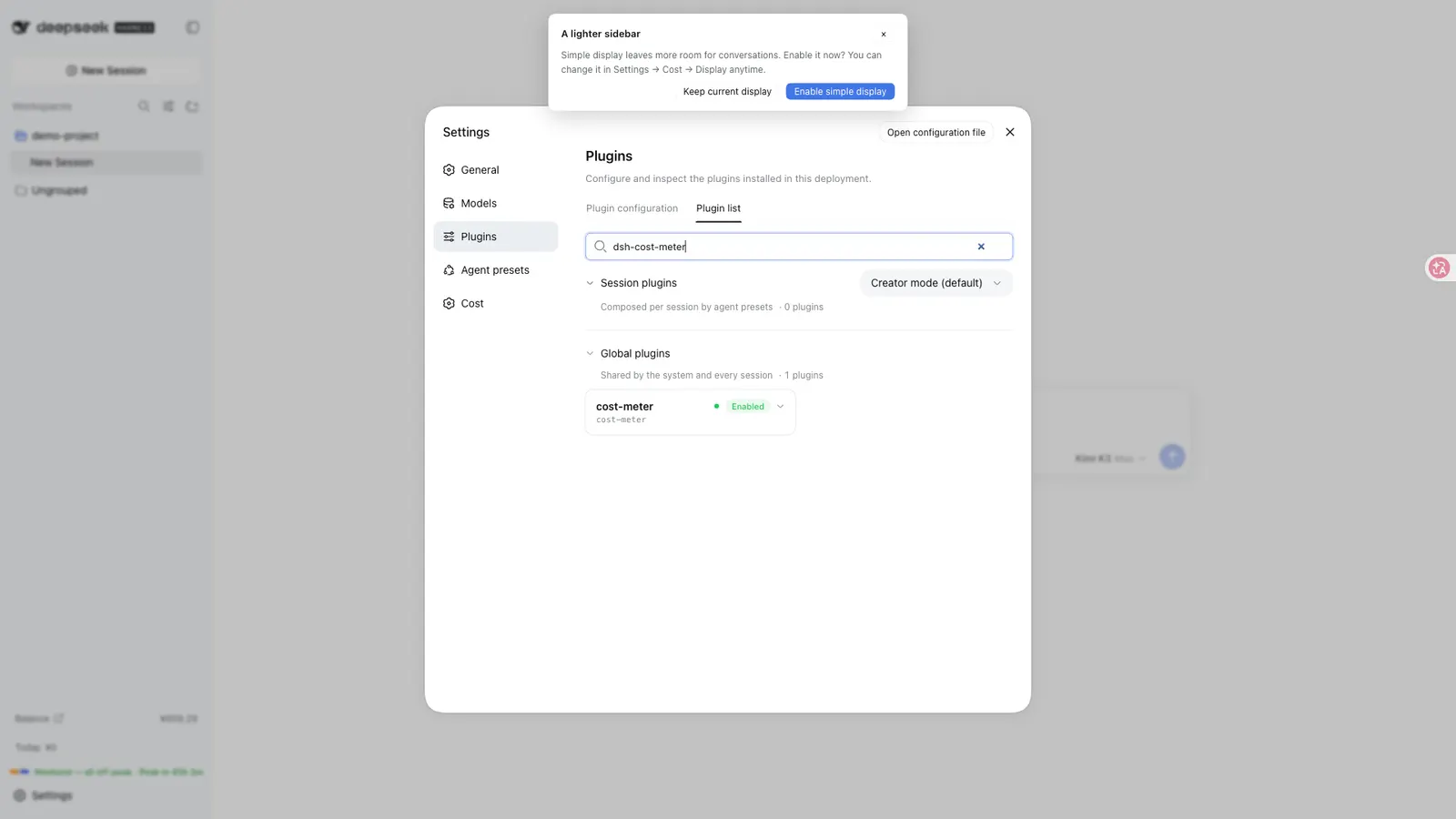
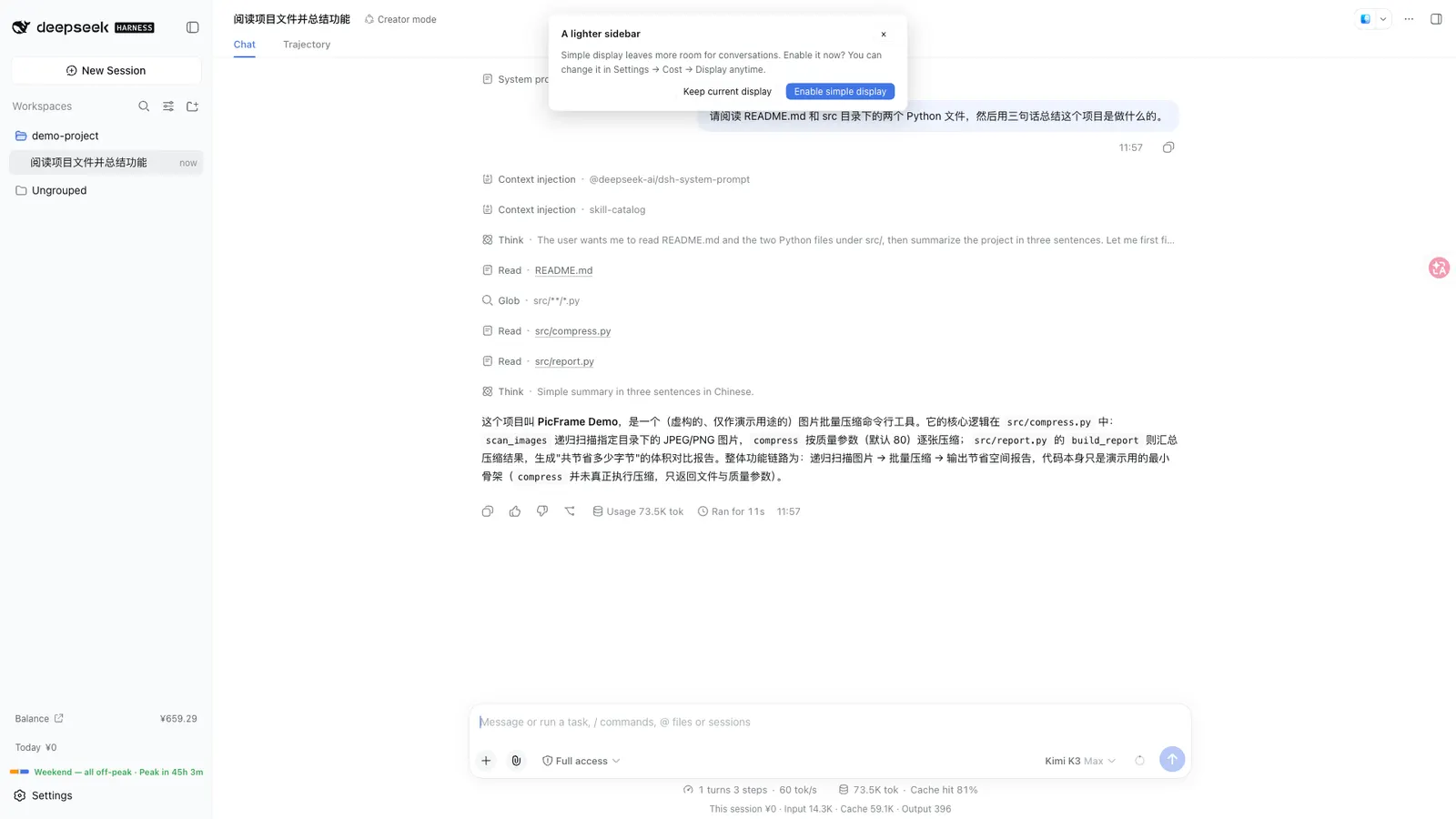
dsh-cost-meter is a web-profile client plugin that meters what your Harness sessions actually cost. It wraps the host’s llm/stream path, writes a local ledger, and renders the numbers in the sidebar, session badge, composer dock and a Settings → Cost page — all bilingual (zh/en).
The surface is large for a “cost meter,” and several features people search for are adjacent rather than core:
| Area | What the README claims |
|---|---|
| Per-session cost | Live amount + input/cache/output tokens under the composer or on the session title bar |
| Daily / history | Today badge, per-day history (default retention 180 days), pre-install history import by replaying host session logs |
| Budget | Limit + period (today / month / cumulative / custom range), progress box with ≥80% / ≥100% warnings — warnings only, never blocks calls |
| Official balance | GET {baseURL}/user/balance against api.deepseek.com with the same API key as model traffic; only after you enable it |
| Peak/off-peak | Official two-tier hours (UTC 01:00–04:00, 06:00–10:00 peak; weekends from 2026-08-23 all off-peak), period strips, pre-switch popup and optional system notification |
| Price catalog | Built-in 90+ model catalog, model-id auto-matching, editable table, one-click parse of the official pricing page |
| Coding Plan quotas | Separate per-vendor queries for Anthropic, Z.ai, MiniMax, Kimi, OpenRouter, SiliconFlow, CommandCode, SCNet, Volcano Ark (and related Go / Qwen paths) |
| Dual-track billing | Plan-channel calls book as catalog-price equivalents; budget and “today” count pay-as-you-go money only (issue #64) |
It is not a billing proxy and does not change which models run. Budget warnings never stop a call. Prices are estimates until you reconcile them against the official bill yourself — the README says so explicitly for minute-level lag, reasoning-token column mismatches, and USD/CNY FX.
How the meter works
Architecture claims from the README and package.json:
- The host plugin registers a
costUsagesession projection from pure token buckets (per-model split). The browser reads that projection and prices it with the current table. - Global ledger, budget, balance and config go over Typert gateway RPC (
remote.costMeter.*:getState,updateConfig,fetchPrices,refreshBalance,resetHistory). - Balance reuses the same API key as model requests, with an in-process cache expired per
refreshMinutes. cordis.patch.ymlinserts a singlecost-meterrow into the web profile;package.jsondeclaresdsh.bundle.patchanddsh.client(platform: "web").- Runtime deps are Node builtins plus exact
zod@4.5.1, with pure helpers from host-provideddsh-home-pathsanddsh-credentials. The author states it never imports Cordis/dsh Service/Context classes, so it shares one host runtime.
Pricing math (README “Billing rules”): units are USD per 1M tokens; cost = cache-miss input × cache-miss + output × output + (cache read + cache write) × cache-hit, with cache writes billed at the hit price under the legacy official rule. Peak/off-peak tiers are anchored to each call’s initiation moment, not completion. The ledger stores USD; CNY display uses a configurable FX (default 1 USD = 7.2 CNY) unless you set pricing currency to the official CNY page and book directly on that table.
Plan dual-track: subscription-style channels are recorded as catalog-price equivalents only. Budget / today-cost / overview cards count the pay-as-you-go channel by default; a toggle can switch every amount to “total equivalent cost.” Classification is inferred from channel and config; mixed vendors can be overridden per provider:model.
Requirements and install
-
Node
>=20fromengines. Client platform isweb;oslists darwin / linux / win32. -
Harness with a working
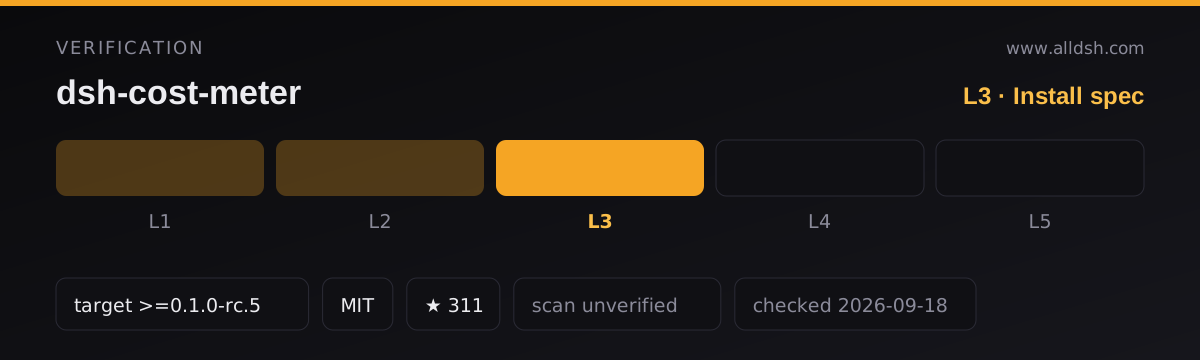
dsh plugincommand. Declared compatibility isdsh.compatibility.dsh: ">=0.1.0-rc.5", with adshReleasesmap marking several later hosts compatible and0.1.3-alpha.1asunknown. Peer deps are only@deepseek-ai/dsh-credentialsand@deepseek-ai/dsh-home-paths(host-supplied). Author host checks (v1.7.x doc) cover install/start/module-sharing on0.1.2-rc.1,0.1.3-alpha.2and0.1.5-alpha.1. -
Install — README’s first path is the bare npm name (no special path, no
install:field needed):dsh plugin --profile web add dsh-cost-meterThen restart
dsh web. Alternatives: tag-pinnedgithub:Han-1413141/dsh-cost-meter#v1.7.27, a GitHub tag tarball URL, a PowerShellirm … | iexscript pinned to the release tag, and locallink:for development. Review any remote install script before running it. -
No install-time lifecycle scripts.
package.jsonscripts are onlybuildandtest— nopreinstall/install/postinstall/prepare. Runtime dependency iszod@4.5.1exact; the two DeepSeek packages are peers. Publishedfilesshiplib/,cordis.patch.ymlanddocs/provider-pricing.json. -
Restart required after install or upgrade (plugin rows, Typert manifest and client bundle are scanned at boot).
-
Source layout (master): host modules under
lib/(index.js,pricing.js,store.js,billing-stream.js,coding-plans.js,custom-balance.js, …), browser sources undersrc/client/, tests undertest/, plus a largedocs/tree andSECURITY.md. A CLI bindsh-cost-meter-repair-sessionsis declared for session repair.
Network and data
Data lives locally. Ledger at $DSH_HOME/storages/cost-meter/ledger.json (atomic write, 2s debounce, up to ~200 session entries per day subject to historyDays). Delete the file or use Settings → clear history to reset. Settings autosave; uninstall keeps the ledger. First launch after install/upgrade can replay host session logs to import pre-install history (idempotent; re-runnable from Settings).
Credentials do not land in the ledger. Keys (official API key, Go key, coding-plan keys, Volcano AK/SK, custom-balance {{VAR}} placeholders) are resolved from the DSH credential store. README claims write-only inputs, no echo-back, blanking of secret-shaped headers before browser state, and a migration that imports older plaintext header secrets into the vault.
Outbound traffic is opt-in per provider. Disabled coding-plan endpoints are never contacted. Declared permission hosts include DeepSeek API/docs, Anthropic, Z.ai, MiniMax, Kimi/Moonshot, OpenRouter, SiliconFlow, CommandCode, Sugon SCNet, Qianwen/Aliyun, Volcengine Ark, and opencode.ai for Go quota. Official balance is hard-locked to api.deepseek.com; a non-official baseURL refuses balance lookup (model traffic is unaffected). Custom balance is user-configured HTTP(S): loopback may use http://, non-loopback requires HTTPS; redirects are refused; credential-bearing hosts need an allowedHosts match. Price sync fetches the official pricing HTML page.
No telemetry is documented. Nothing in the README, SECURITY.md or the published manifest describes outbound analytics. What is not verified: no third-party security scan or independent audit is on record for this listing (security: unverified). The project publishes its own August 2026 code audit and a CHANGELOG of high/medium fixes — that is author disclosure, not a trust rating. SECURITY.md is a private-reporting policy plus design notes, not an external attestation.
Known limits
- Official-page price sync breaks if the pricing page is redesigned; manual table edit is the fallback.
- Session-badge fallback estimate can mis-tier multi-hour sessions when ledger data is missing; exact figures come from the ledger.
- Token Plan “per 1% / full-window” numbers are estimates from integer-percent vendors and local samples; other devices’ use of the same key is invisible to the ledger.
- Plan vs API classification is inferred; mixed vendors can be overridden per
provider:model. - Balance and quota APIs depend on those vendors’ uptime and response shapes (the OpenCode Go endpoint is community-documented).
- Memory or other plugins that call external APIs without reporting usage to the host cannot be tracked.
- Reconciling against the official bill: minute-level lag is expected; reasoning tokens are reported separately and are not billed by DeepSeek, so token columns will never match the official three-column layout — reconcile by amount.
- Stars (303) and release cadence are not a substitute for an external security review. This listing is L3 (install command parsed, target declared) — not a smoke-tested install on this machine.
When to use it — and when not to
Use it if you run DeepSeek (or mixed catalog models through DSH) and want session-level cost, a hard budget visibility signal, peak-hour awareness, or Coding Plan quota in the sidebar without leaving the web UI. The dual-track ledger and multi-vendor quota strip are the main reasons to pick it over a thin “today total” widget.
Do not install it expecting spend enforcement, a cloud cost dashboard, or offline purity — every enabled balance/quota source is a live network call. If you only need a single number for today, this is far more surface area than that job requires. Prefer a lighter widget if you do not want another settings page and credential prompts.
FAQ
Does it block over-budget calls?
No. Budget and over-budget states are visual warnings only; the README states they never block calls.
Are my API keys written to disk?
The design says no: keys live in the DSH credential store; the ledger and browser state carry placeholders or blanks. That is the documented design and author-fixed audit items — not a substitute for scanning the published tarball yourself.
Which Coding Plan vendors does it query?
README and description list Anthropic Claude Pro/Max, Z.ai/GLM, MiniMax Token Plan, Kimi, OpenRouter, SiliconFlow, CommandCode, SCNet Token Plan and Volcano Ark (AK/SK signed). Volcano needs additional IAM permissions; SCNet may use an external console snapshot or a local estimate. Treat the vendor matrix as product surface, not a guarantee each adapter tracks every vendor UI change.
Will price sync match my official bill exactly?
Not automatically. Currency choice (USD vs CNY page), FX for USD display, minute-level debounce lag, and un-billed reasoning token columns all create small drift. Reconcile by amount, not by token column, per the README’s billing rules.
Does it need an API key just to show local session cost?
Live metering of DSH llm/stream usage is local and does not require calling DeepSeek’s balance API. Official balance display, Coding Plan quota cards and custom balance bars each need their own credentials and only fire after you enable that source. Local ledger math works without network once the table has prices (built-in catalog plus optional official sync).