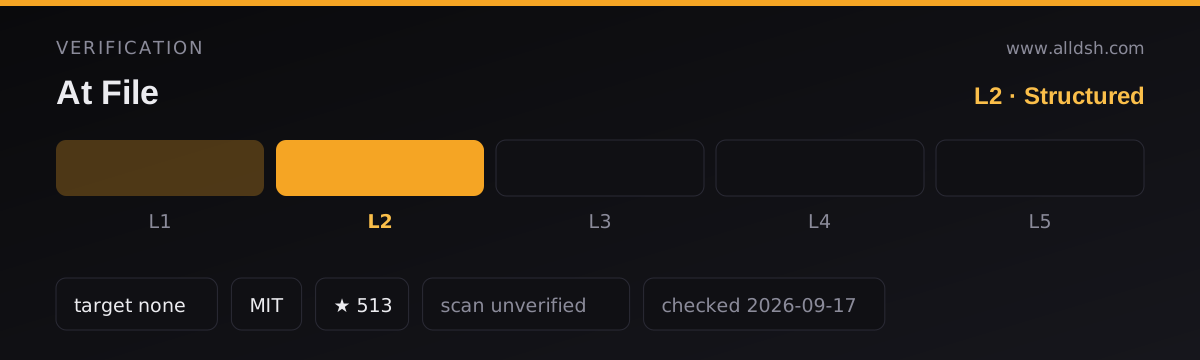
What At File actually is
At File is a composer-input plugin for the DeepSeek Harness web interface: you type @ in the prompt box, a menu searches the current workspace, and the path you pick is attached to your message as a reference. It is a path picker, not a file uploader.
That distinction is the whole point, and it is the thing most people get wrong. The plugin’s own README is explicit: the reference it adds contains “the workspace-relative path and its kind”, and “the plugin does not open the referenced file or list the contents of a referenced directory.” The reference message it injects before a step looks like this:
<workspace-reference path="docs/spec.pdf" kind="file" />No bytes from docs/spec.pdf travel with it. The agent then decides, with whatever tools the session already has, whether to read the path. So the plugin saves you the copy-paste loop; it does not pre-load the file for the model.
One more thing to know before anything else: the README’s own notice says the latest official DeepSeek Harness release now includes built-in @file and @session reference features, and recommends the official implementation for new installations. This plugin is positioned as a maintained-on-a-best-effort-basis option for existing setups.
How the search works, and what it indexes
- Scope. The index is built for the active workspace. The README never states that the picker searches outside it, and the Host side rejects anything that is not workspace-relative: “Absolute paths and paths that escape the workspace are ignored.”
- What gets indexed. Regular files, directories, and symbolic links. Directory links are traversed through their workspace-relative alias, and links pointing back to an ancestor stay visible without being re-entered.
- Matching. A plain query matches filenames. Exact names, prefixes, and compact matches rank ahead of looser results, and the README states matching does not scatter letters across a long directory path. A query containing
/matches path segments in order —src/viewcan findsrc/client/view.ts— and a trailing slash such assrc/searches within that path. - Ordering and cap. With an empty query, shallow paths come before deeper entries, and directories come before files at the same depth. The scrollable menu exposes up to 50 candidates, which the README says is deliberate so that root-level files are not displaced by deeply nested directories.
- Icons and labels. Each result shows the full filename first with its parent directory underneath; duplicate filenames also carry the parent directory in the main label. Built-in SVG icons separate folders, source, text, PDFs, images, data and configuration files, archives, and everything else. Long filenames wrap rather than being ellipsized, and the menu expands to its 537px design width when space allows.
- Caching. The picker index is cached per session for 30 seconds. A change to your file filters clears the affected cache, so the next
@search uses the saved rules.
Keyboard and composer behaviour
When a directory is highlighted, ArrowRight enters it: the draft advances to @path/ with no trailing space and the candidate menu stays open for the next pick. Enter and pointer selection keep their existing meaning and finish the directory reference instead of descending.
The selected path stays visible in the draft and can be opened or removed from the reference bar. Clicking a referenced path uses the Harness host.openPath endpoint. Two syntax limits are stated outright: an @path token cannot contain whitespace or another @ character, and the reference dock only renders tokens that exist in the current session’s settled workspace index — anything else stays ordinary text.
Pasted text is a special case worth reading twice. By default an @path copied from another application does not open the picker, does not appear in the reference bar, and creates no workspace-reference marker, because pasted text is treated as ordinary text. The README says you can turn off Ignore @ mentions in pasted text in Settings -> File mentions to restore the older behaviour. If you are confused about why a pasted mention “does nothing”, this setting is why.
Requirements and configuration
The README states no minimum Node version, no operating system, and no account requirement — and the published package.json declares no engines field at all, so no Node floor can be quoted from these sources. What the sources do establish:
- Harness floor. Version 0.7.0 “supports both the 0.1.1 and 0.1.2 Harness client package layouts.” The package’s peer dependencies are all optional and pinned as wildcards against DSH packages, with
@deepseek-ai/cordisat^4.0.1-rc.1andreactat^18.2.0. The only hard runtime dependency iszodat^4.4.3; the rest of the toolchain (esbuild,vitest,typescript) sits indevDependencies. - Install and restart. Installation and updates use the plugin command recorded in the
installfield above; the README instructs you to restart the web server afterwards “so the Host and browser client load version 0.7.0”. It matters because this plugin ships both halves — the Host index walk and the browser composer UI. - Node/pnpm. The plugin runs from committed
lib/output: the README says “Built files underlib/are committed so profile installation does not require package build scripts.”pnpmcommands appear only in the Development section, not as a user requirement. - Configuration. Two keys exist, both applying to the path picker index, and both go into the selected profile’s
cordis.patch.yml(the README gives~/.dsh/profiles/web/cordis.patch.ymlas the usual path):maxIndexedFilescaps the number of indexed workspace entries, andignoreDirsreplaces the built-in directory exclusion list ([]indexes every directory).
Filters, ignores, and known limits
Ignore rules. The default index skips common version-control directories, IDE metadata, dependency trees, caches, and build output. The README lists the coverage as VS Code, Visual Studio, JetBrains IDEs, Fleet, Eclipse, Android and Gradle, Xcode, CMake, Flutter, .NET, Unity, Unreal, and common JavaScript and Python output directories. OS metadata files desktop.ini, Thumbs.db, and .DS_Store are excluded too.
Your own filters. Settings -> File mentions manages rules, split into Global (shared by every workspace) and Workspace (extra rules for the selected workspace path, with inherited global rules shown). Each rule is Exact (one complete basename; path separators are not accepted) or Regex (a JavaScript regular expression run against the complete basename only — it does not receive the parent directory or workspace path). Case-sensitive is per-rule and off by default. An invalid regular expression is shown before saving and rejected by the Host again. Restore defaults resets the global list; Clear workspace rules removes only the selected workspace’s additions. Existing string values in ignoreFiles and workspace lists keep working as case-insensitive Exact rules. Settings are persisted in the DSH web profile through the plugin’s own Host connection.
Limits stated by the source:
maxIndexedFileslimits picker results, but “a manually entered path can still be referenced when it exists inside the workspace.”- File format and file size do not change the reference behaviour: “A PDF follows the same path-reference flow as any other workspace file.”
- Filters are applied during the Host index walk, before entries count toward
maxIndexedFilesor reach the browser. - Zero-byte, binary, and unreadable-file handling is not described in the sources — the README says only that format and size are irrelevant to referencing. Whether a binary file can be read afterwards depends on the session’s tools, not on this plugin.
- On very large workspaces, the README documents only the indexing cap and the 30-second per-session cache. It states no indexing time, no memory figure, and no performance benchmark of any kind; do not read a performance claim into the design notes.
Pre-0.3.0 behaviour differs. The README says this path-reference mechanism applies to version 0.3.0 and later, and that earlier releases read file content during submission and enforced file-size limits. So “it only attaches paths” is true of current versions, not of the plugin’s whole history.
What the sources do not say — read this as part of the limits. Assertions this listing deliberately avoids, because the two permitted sources do not support them:
- No star count or popularity figure. The
starsandforksfields in the frontmatter are directory metadata, not something either source states; neither the README norpackage.jsonmentions stars, downloads, or users. - No claim that file contents are embedded. The README says the opposite: only a path and kind are sent, and the plugin does not open the file.
- No benchmark or performance number. No index build time, no workspace-size ceiling in bytes, and no scaling claim appears anywhere in the sources.
- No explicit statement about network egress either way. The README says the index is built from the workspace, filters stay in profile settings, and clicking a path calls the Harness
host.openPathendpoint; it never discusses telemetry, analytics, or outbound requests. Because the sources are silent, this listing does not claim “nothing is ever sent anywhere” — it claims only that the sources describe no such transfer. The documented data path is local: the Host walks the workspace, results reach the browser client, and a reference marker is added to the prompt. - No Node version, OS support, or account requirement. There is no
enginesfield inpackage.json. - No statement about binary-file or zero-byte-file handling beyond “format and size do not change the reference flow”.
- No install-source clarity. The
installfield in this entry points at theomdsh-devarchive URL while therepofield points atFSMargoo/dsh-at-file; the two sources do not reconcile that, and this listing does not invent an explanation.
When to use it — and when not to
Use it if you work in a large repository and keep retyping or pasting paths into the composer, or if you specifically want the agent to receive a pointer and decide for itself how much of a file to open. That last property is a real advantage on big files: the reference is cheap, and the agent spends context only when the task needs the contents.
Do not use it if any of the following describes you:
- You are setting up a new installation. The README itself recommends the official built-in
@fileand@sessionfeatures for new setups and describes this plugin as maintained occasionally on a best-effort basis. Treat that notice as the primary recommendation, not a footnote. - You expect file contents to be embedded in the prompt. It attaches paths. A file the agent cannot read with its available tools — the README names PDF as tool-dependent, and DSH provides
readfor UTF-8 text andread_imagefor supported images — is referenced but not necessarily readable. - You expect mentions to survive a paste. By default they do not.
- You need to reference something outside the workspace. Absolute paths and paths escaping the workspace are ignored.
- You need a guarantee about where your data goes. The sources describe no telemetry, no upload step, and no network request of their own — but they also never state the opposite, so treat the local-only data path as documented behaviour, not as an audited guarantee (see the limits above).
FAQ
Does it embed file contents into the prompt?
No. Selecting a path inserts a <workspace-reference> marker holding the workspace-relative path and its kind — file or directory. The README states the plugin does not open the referenced file and does not list a referenced directory’s contents, so nothing is read at mention time. If you want the contents in play, the agent has to read the path with its own tools.
Does it search the whole disk, or just the workspace?
Just the active workspace. The index is a walk of the workspace, and the Host ignores absolute paths and paths that escape it. The README documents no configuration that widens the search scope — a path outside the workspace cannot be referenced this way.
Is there a limit on how many files it can handle?
Yes, one documented knob: maxIndexedFiles in the profile’s cordis.patch.yml caps the number of indexed entries, and what reaches the menu is capped separately at 50 candidates per query. Note the README’s clarification that the cap limits picker results only: a manually typed path still works if it exists inside the workspace. The sources publish no other limit — no byte-size ceiling, and no large-workspace benchmark.
Why does a pasted @path do nothing?
Because pasted text is treated as ordinary text by default: a mention copied from another application does not open the picker, appear in the reference bar, or create a reference marker. That is intentional in current versions. Turn off Ignore @ mentions in pasted text under Settings -> File mentions to get the older behaviour back. Related: a token cannot contain whitespace or a second @, and the reference dock only renders tokens present in the session’s settled index.
What should I install instead, if anything?
The README’s own notice answers this: the latest official DeepSeek Harness release now includes built-in @file and @session reference features, and official implementation is recommended for new installations. At File remains an option for existing setups, maintained occasionally on a best-effort basis, with version 0.7.0 as the release these sources describe.