What DSH Office Tools is
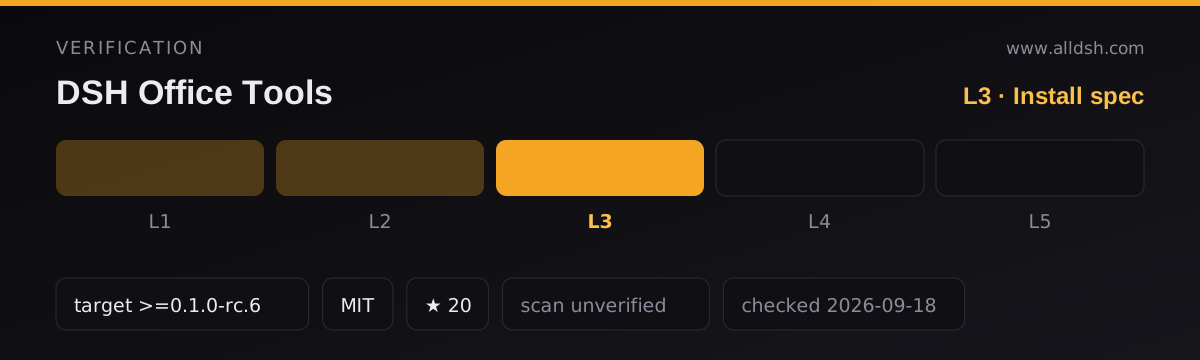
DSH Office Tools is a DeepSeek Harness host plugin — name dsh-office-tools, version 1.0.2 in the package metadata, MIT licensed — that registers eight model-facing tools for Word, Excel and PowerPoint files. Its dsh block declares a bundle patch (./cordis.patch.yml) and a compatibility floor of dsh >=0.1.0-rc.6, with four releases listed as compatible. The package id equals the repository id here, and the README pins a reviewed commit, ae1ddd40f98debf4b1430748d287951f35faaf36 (tag v1.0.0), noting that later main commits carry test and documentation additions only unless the version bumps. That is worth reading carefully: the version in the package file is 1.0.2, so the pinned commit and the published version are not the same artifact.
The eight tools, by name
The tool set is small and literal, and so are its capabilities:
word_create— new.docxwith a title, paragraphs, bullets, and one table.word_read— extract text from any.docx; withformat: "markdown"it renders headings, lists and tables structurally.word_update— append paragraphs, bullets and/or a table to an existing.docx.excel_create— a multi-sheet.xlsxfrom scalar cell grids.excel_read— one sheet or all sheets as scalar rows; formulas come back as cached values or as'=…'strings.excel_update— replace or create whole sheets, or write cells by A1 address.ppt_create— a 16:9.pptxwith a title slide, titles, paragraphs, bullets, speaker notes and linked PNG/JPG/GIF images, echoing each element’s landing position.ppt_read— per-slide paragraphs, tables, speaker notes, image counts and alt texts, plus every shape’s bounding box in inches and a text wireframe sketch.
Read that as three create paths, three read paths, and update support for Word and Excel only. There is no ppt_update among the eight. String cells that start with = are written as real Excel formulas, which Excel evaluates when it opens the file.
The workspace boundary, quoted
The security claim on this page is the path rule, so here it is in the README’s own words: execute(args, exec) “resolves every path against exec.agent.session.header.cwd; relative paths stay in the session workspace and absolute paths are accepted only when still inside it. Containment and symlink resolution are enforced by the ctx.fs backend (plus a lexical pre-check here).”
Three things follow. Relative paths are confined to the session workspace. Absolute paths are allowed only when they resolve inside that workspace. Symlink resolution is part of the check, and it happens in the official ctx.fs backend, with an additional lexical pre-check in this plugin. The README also states the boundary twice more in its safety section: “All file access is confined to the calling agent’s session workspace”, and the plugin’s own code “never touches the file system directly — there is no node:fs import anywhere in src/”. That is what the confinement is: a service-level policy the plugin routes every byte through, verifiable because the plugin has no other file path. It is not described as an operating-system sandbox, and the README never calls it a hard security boundary. The same package metadata separately declares files:workspace-read and files:workspace-write permissions.
Overwrites, deletion and confirmation
Writes leave as UTF-8 text through ctx.fs.writeText, “published atomically by the backend; overwrite defaults to false”. The safety section repeats it: creates and updates “refuse overwrites by default”. So an existing file is not silently replaced unless the overwrite option is turned on. There is no backup mechanism anywhere in the README, and no stated confirmation prompt — the guard is the default flag plus atomic publication, not a copy of the previous file.
The eight registered tools contain no delete operation, so nothing here deletes a document. What the README does not say is what happens to a file that already exists when an overwrite is requested and granted; treat that as unstated rather than assume a rollback or a saved copy.
How documents are actually produced
Not with a document toolkit. “No LibreOffice/PowerPoint/Word subprocess is spawned and no third-party library is shipped: formats are generated and parsed by this plugin’s own ASCII-safe OOXML engine over node:zlib.” Since 1.0.0 the plugin is “dependency-free”, and the installed artifact is one ESM bundle of its own code, roughly 116 kB, with zero runtime dependencies. Generated packages are “pure ASCII by construction” — a STORE zip planner pads each XML part and aligns offsets so every CRC, size and offset field stays byte-safe — and non-ASCII text encodes as XML character references. That is the mechanism the README credits for real .docx/.xlsx/.pptx files travelling through a text channel byte-identically.
The fidelity caveat lives in the same section and is easy to miss: word_update and excel_update “re-publish through the text channel, so they work on packages whose every part is text (always true for files these tools write, and for OOXML packages without binary media); packages carrying binary media are refused with a clear error instead of being corrupted.” A file containing embedded binary media therefore cannot be updated by these tools at all. Reads are more forgiving: “Reads accept any real-world package (STORE and DEFLATE entries, bounded by the zip-bomb guard).”
Images are a specific, deliberate gap: “Images are LINKED, not embedded” — the deck references the workspace image file, and PNG/JPG/GIF headers are sniffed so omitted dimensions fall back to natural size. Keep the image files next to the deck when moving it. The README names that as the trade-off of a dependency-free, binary-free package.
Requirements
Node >=20, from the package’s engines field, and a harness at >=0.1.0-rc.6, with 0.1.1-rc.2, 0.1.2-alpha.4, 0.1.2-alpha.5 and 0.1.2-rc.1 each listed as compatible in the package metadata. The host must provide the fs service: “every DSH profile that ships the built-in read/write tools does.” Runtime service dependencies are declared as optional peer dependencies — cordis and five @deepseek-ai packages — which stay external and are supplied by the profile’s node_modules. There are no native dependencies to compile: jszip, xlsx, vitest, esbuild and typescript appear only under devDependencies. Installation copies committed source — “no npm fetch, no CDN, no postinstall scripts” — and the README says to restart the DSH server afterwards, with the eight tools appearing in the next prompt assembly. The engines floor is stated for the package; whether the installed bundle itself needs Node 20 at runtime depends on the harness, which the sources do not spell out.
Known limits, in the source’s words
- No Office feature parity claim exists.
word_createcovers exactly “title, paragraphs, bullets, one table”.excel_readreturns “scalar rows”.ppt_createis 16:9 with titles, paragraphs, bullets, notes and linked images. - No delete tool ships, and no configuration option to add one.
- Update paths are Word and Excel only, and they are append/write operations —
word_updateappends,excel_updatereplaces or creates sheets or writes cells by A1 address. No stated support for editing existing text, tracked changes, or reordering. - Binary-media packages are refused by
word_updateandexcel_update. - Read budgets: “Reads are capped at 50 MiB compressed; before anything is inflated, the archive’s own declared sizes are checked against budgets (256 MiB per entry, 512 MiB per archive, 100 000 entries), so zip bombs are refused rather than decompressed. XML parts carrying DOCTYPE/ENTITY declarations are refused outright.”
- Results are bounded: “Text/cell results are bounded and mark
truncated.” “Creates/updates are bounded by row and cell limits” — the numeric row and cell limits are not given. - Images are linked, not embedded, so a moved deck loses its images unless they travel with it.
ppt_create/ppt_readcan be switched off with the singleenablePptToolsconfig option (boolean, defaulttrue) because “DSH refuses duplicate tool names at startup” and dedicated presentation plugins also registerppt_create.- The package’s
dshWorkshop.evidenceblock recordsinstall,failureIsolation,hotReloadandremoveasnull, so no test evidence is published for those four behaviours, even though lifecycle metadata claims transactional install with generation rollback, restart-based activation, and supported dispose.
What the source never says
Several things a reader would reasonably assume. Whether a document containing macros can be read, updated or created — no macro, VBA or vbaProject.bin discussion appears anywhere, and macro-enabled .docm/.xlsm are not named formats. Whether external links or hyperlink relationships inside a document can fetch anything or execute. Whether an existing document’s formatting, styles, charts, pivot tables, conditional formatting or images survive being read and rewritten. Whether formulas are recalculated by these tools — the README says Excel computes =… formulas “on open” and that freshly written formulas read back as '=…' strings until Excel caches values. Whether deletion is possible at all. Whether macros in a pre-existing .docx can execute: the plugin spawns no Office process and executes nothing, but the README makes no statement about a macro that a reader might trigger by opening the file elsewhere, and this page will not manufacture one. Finally, no star count, download count or user number is asserted here, because the sources state none.
When to use it — and when not to
Use it when the deliverable is a fresh Office file: a generated report, a budget workbook with =SUM totals, a deck with speaker notes — the README’s own demo prompt asks for exactly that trio and the flow is pinned by a test, tests/demo-trio.spec.ts, “so the demo cannot drift from the tools”. Use it to pull text, headings, tables, sheet cells and slide geometry out of existing files without leaving the harness, or to append rows and paragraphs to a text-only file these tools produced themselves.
Do not use it as a general Office editor. It will not round-trip a carefully hand-authored document, it cannot update anything carrying binary media, it has no chart, pivot, tracked-change or template story, and its path confinement is a policy it obeys rather than an OS-level container — a harness whose own filesystem policy is wider than the workspace makes that policy, not this plugin. If you need fidelity, edit the file in a real Office suite.
FAQ
Does the workspace root actually block writes outside the workspace?
Yes, for this plugin’s tools: relative paths stay inside exec.agent.session.header.cwd, and absolute paths are accepted “only when still inside it”, with containment and symlink resolution enforced by the ctx.fs backend plus a lexical pre-check. The README states no node:fs import exists anywhere in src/, so every byte goes through that service. It is nonetheless described as a service-level confinement, not an operating-system sandbox, and the README never claims it is a hard security boundary.
Can it overwrite or delete my existing files?
Overwrites are refused by default — overwrite defaults to false, and writes are published atomically. There is no delete tool among the eight, and the README mentions no backup or confirmation prompt. What happens when an overwrite is explicitly requested and authorised is not stated in the sources.
Which formats can be updated after creation?
Word .docx and Excel .xlsx, via word_update and excel_update. There is no ppt_update; PowerPoint is create-and-read. Both update tools refuse packages that carry binary media, with an explicit error rather than corruption.
Can documents with macros or external links execute something?
The sources do not address macros, VBA, macro-enabled formats or external links at all, so no safety claim is made here in either direction. What the README does say is narrower and verifiable: no LibreOffice, PowerPoint or Word subprocess is spawned, no third-party library ships, and XML parts carrying DOCTYPE or ENTITY declarations are refused outright.
Does it need LibreOffice or native modules installed?
No. Formats are generated and parsed by the plugin’s own ASCII-safe OOXML engine over node:zlib, and the package has zero runtime dependencies and no native modules — jszip, xlsx and the rest are dev dependencies used in testing. The declared floors are Node >=20 and dsh >=0.1.0-rc.6, plus a host that provides the fs service.