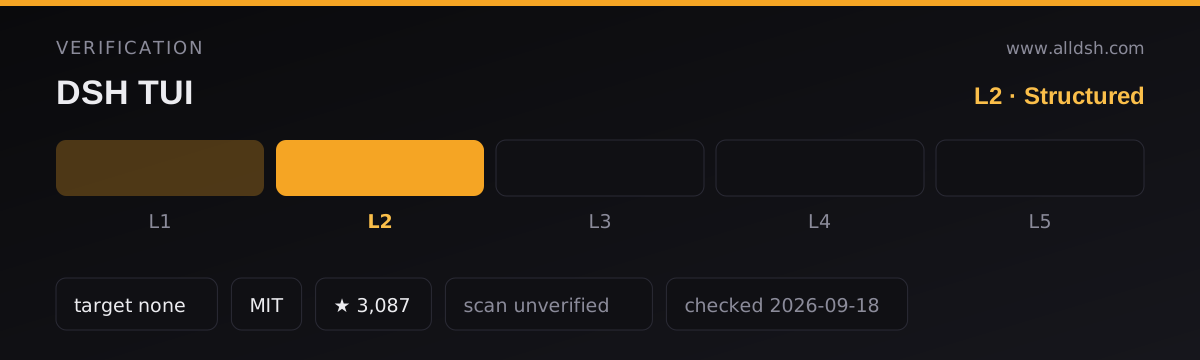
What DSH TUI actually is, mechanically
DSH TUI is a published npm package, @deepseek-harness-tui/dsh-tui (v0.10.1, MIT, author chimney), whose package.json declares exactly one harness hook: a dsh.bundle patch pointing at ./cordis.patch.yml. There is no dsh-plugin field in the manifest and dsh-plugin is not one of its keywords, so the listing here rests on that bundle declaration plus the README’s own install instructions, not on a self-declared plugin key.
It ships two binaries from the same entry point, dsh-tui and dst, and installs into its own DSH profile. The README’s manual route runs install.sh, after which dsh-tui and dsh --profile dsh-tui are equivalent — that is the profile the project’s Windows security caveat refers to.
The interface is a React renderer for the terminal: react and react-reconciler are direct dependencies, alongside terminal primitives such as chalk, cli-boxes, wrap-ansi, strip-ansi, cli-highlight and marked. No HTTP or analytics client appears anywhere in the dependency lists.
What it actually does
The README’s headline list is the honest summary: a pixel-whale header, a live work status line, streamed thinking, double-Esc time rewind, a context progress bar and a TPS gauge, with cache hit rate, reasoning level, input/output token counts and Git/session information shown as you work. Beyond the chrome:
- Session workflow —
/resumebrowses, searches and previews past sessions grouped by working directory, with pinning persisted to~/.dsh-tui;/agentviewis a session overview for backgrounding, dispatching, previewing, replying to and stopping sessions; plus/new,/compact,/export,/btw, hot model switching, native subagents, session fork and self-update. - Input editing — a
/vimmode, mouse selection editing (drag highlight, Shift+click extend, double-click word select, Ctrl+C copy), and a full-screen draft editor onCtrl+Shift+E, which/settingscan turn off. - Inline images — user attachments and persisted image blocks render in the transcript as proportional thumbnails when Kitty graphics or Sixel is available, with a same-size text fallback otherwise. A full-screen preview supports fit, 100% and 200/400/800% zoom, panning, and next/previous navigation.
- Settings and diagnostics —
/settings,/permission,/plugins,/doctorand/skills. The README states dsh-TUI preinstalls no general-purpose skills;/skillsshows what the current profile, user and project already expose. - The whale — 22 hand-drawn frames and the idle behaviours (fin, tail, sleeping, hearts on click) are ported from
dsh-ui-whaleby@lhh010, credited in the README. The whale freezes to a static frame after your first task, which is why its README can call idle cost zero. - VS Code — the README documents running dsh-TUI in the VS Code integrated terminal, with a companion extension
dsh-tui-vscodepublished on the Marketplace.
The project is also a platform, not just an app: it documents plugin seams, an ecosystem org, a template repository and an experimental @deepseek-harness-tui/dsh-tui/api type entry point. Those seams carry the author’s own non-official stability grades — a “stable candidate” set, an “experimental” set, and a set that simply follows upstream cordis/dsh.
Requirements
The README asks for Node.js, deepseek-harness and a registered DEEPSEEK_API_KEY, and gives npm install -g @deepseek-ai/dsh @deepseek-harness-tui/dsh-tui followed by dsh-tui or dst. The README itself states no Node version; the package manifest does: engines.node is ^22.19 || >=24. Treat that as the package’s requirement rather than a documented install prerequisite.
Peer dependencies cover a wide band of @deepseek-ai/dsh-* packages, from ^0.1.0-rc.6 through 0.1.5-rc.1, all marked optional.
One install-time wrinkle is documented: on pnpm 11, dsh plugin installation can fail with ERR_PNPM_IGNORED_BUILDS because pnpm blocks dependencies with install scripts (@google/genai, protobufjs). The fix is an allowBuilds block in the profile’s pnpm-workspace.yaml, and the README says /update and dsh-tui update write that configuration automatically. sharp is an optional dependency, and the README notes text fallback is retained when image dependencies are missing.
Terminal support and what is not stated
Graphics are auto-detected, preferring Kitty and falling back to a Sixel capability declared by DA1. DSH_TUI_IMAGE_PROTOCOL=auto|kitty|sixel|none overrides the choice, and DSH_TUI_DISABLE_TERMINAL_IMAGES=1 always forces preview off.
Three honest boundaries come straight from the README: graphics are disabled under tmux and screen, they are disabled for non-TTY output and in accessibility mode, and forcing a protocol does not enable inline Sixel where the environment forbids it. Windows Terminal appears only in the Sixel thumbnail note and in the security caveat — there is no operating-system support list anywhere in the sources. Do not read this listing as stating macOS or Linux support; the README simply does not make that claim either way.
Security boundary, stated plainly
Two things need to be said without softening.
First, the README carries an explicit Windows security warning: the Windows profile defaults to danger-full-access with approvals set to never, which grants tools unrestricted access. It advises checking and tightening the profile before starting in an environment with sensitive credentials or untrusted repositories.
Second, dsh-TUI implements no independent sandbox. It inherits the file, shell, sandbox and approval policy of the current DSH profile. The README is equally direct about its own plugin-host boundary: because plugins and the host share a process, absolute-path loading cannot be blocked by package exports, so it describes this as a trusted-in-process boundary, not a security sandbox, and explicitly declines unlimited “plugins cannot call this” promises. Permission presets come from DSH’s permissionPresets registry, and the README states the TUI fails closed rather than fabricating a roster when that service is missing, empty or inconsistent.
On the “zero core changes” claim: the README’s tagline asserts zero core modifications and pure plugin mounting, and says uninstalling leaves no core patches. The package manifest, however, does ship a cordis.patch.yml and declares it as the dsh.bundle patch target. The sources do not describe what that patch file contains or what it changes. Nothing here repeats “zero core changes” as settled fact — the honest reading is that the plugin ships a patch of undescribed scope and the claim is the author’s, not a verified property.
Known limits and open questions
- Status. The README’s own badge says public beta.
- Seam stability is not contractual. The README labels its seam tiers non-official and defers the authoritative compatibility agreement to an external ecosystem spec document.
- Adapter work is partly unfinished by the author’s account. Live probes are incremental; several host methods are described as staged or degraded rather than live, and one adapter mode is explicitly a legacy-compatibility publication path.
test-utilswas removed as a public subpath, on the stated grounds that it exposed an injectable real activation id. Headless testers are told to reproduce the approach by copying in-repo code.- The
apisubpath is experimental. - Image preview requires a restart. Changing
/settings → terminal image previeworterminalImages: falsetakes effect only after/restart, a saved/settingschoice outranks Cordis configuration, andDSH_TUI_DISABLE_TERMINAL_IMAGES=1always wins. - Whether it replaces or coexists with the official web GUI is not stated. The package has a verification script whose name mentions web coexistence, but the README never says which of the two relationships applies. This listing claims neither.
- Telemetry and network endpoints are not stated. No HTTP or analytics library is in the dependency lists, and the README documents no outbound calls for the plugin itself — which is an absence of evidence, not a privacy guarantee.
- Star and install counts are not from the README. The badge block cites a Chinese official-account feature, dshfind and a GitHub Trending appearance; those are promotional signals, and badges like “收录” or trending are not neutral endorsement. The
starsandforksin the frontmatter come from this directory’s own tracking, not from the sources reviewed here.
When to use it — and when not to
Use it if you live in a terminal and want the harness to look and feel like a first-class interactive application there: streamed reasoning instead of a spinner, visible context and throughput, session browsing and forking at the keyboard, inline image preview in a Kitty or Sixel terminal, and a way to rewind a bad turn without restarting.
Do not reach for it expecting a hardened execution environment. It inherits whatever your DSH profile allows and provides no sandbox of its own — on the documented Windows default that means unrestricted tool access with approvals off, which is the opposite of a safety feature.
Skip it if you want images but work inside tmux or screen, since graphics are off there. Skip it if you need OS support guarantees before installing: the sources do not publish a platform list, and the only Windows-specific statements are a caveat and a Sixel note. And skip it if you need a frozen API: the public seams are graded non-officially, one public entry point is experimental, and an entire test-utilities surface was deleted in the version history.
FAQ
Is dsh-TUI an official DeepSeek plugin?
No source says that, and nothing here claims it. It is published under the @deepseek-harness-tui npm scope by author chimney (ccch1mneyyy), licensed MIT. Its README notes that a DeepSeek Harness official-account post featured it and that third-party directories listed it, but those are coverage mentions, not a statement of official ownership or support.
Does dsh-TUI sandbox the agent?
No. The README states plainly that dsh-TUI implements no independent sandbox and instead uses the file, shell, sandbox and approval policy of the current DSH profile. It also describes its own plugin-host boundary as trusted-in-process rather than a security sandbox. The Windows profile default it warns about is danger-full-access with approvals set to never, which grants tools unrestricted access.
Does installing it modify the harness core?
The README claims zero core modifications and no leftover core patches on uninstall, but the published package does ship a cordis.patch.yml declared as its bundle patch, and the sources do not describe that file’s contents or effect. Treat the claim as the author’s assertion, not a verified property — and if the distinction matters to you, read the patch file before installing.
Why do my images render as text instead of thumbnails?
Either the terminal did not clear the Kitty/Sixel detection, or it is one of the documented exclusions: tmux and screen disable graphics, as do non-TTY output and accessibility mode. Missing image dependencies and encoding failures also fall back to text. Forcing a protocol will not turn on inline Sixel where the environment disallows it.
Which operating systems are supported?
The reviewed sources do not answer this. The package manifest constrains Node (^22.19 || >=24) but contains no os field, and the README publishes no platform list — Windows appears only in a security caveat and a Sixel thumbnail note. This listing therefore states no OS support rather than guessing at one.