What it does
SeekTTY is a full terminal workspace for DeepSeek Harness in the Claude Code style: streaming Markdown/GFM with syntax-highlighted code, session and workspace management, a settings center, a plugin center, a provider manager, themes, and a /doctor — all inside your terminal.
The architectural point the README insists on: SeekTTY is a surface on the dsh Host, not an alternative runtime. Run it and you are using the native Agent, Session, model, permission, Settings, Profile, plugin and persistence services of the harness; Harness remains the owner of runtime state. Models, providers, agent presets, permissions, commands, tools, skills, MCP servers and marketplace sources are all discovered from the running Host, so capabilities added by other bundles appear without SeekTTY hard-coding them.
What’s in the workspace
- Conversation — streaming Markdown/GFM, reasoning visibility, tool cards with display modes, retries, compaction, cancellation.
- Highlighting and themes — VS Code-grade TextMate highlighting (the dependency tree carries Shiki), imported VS Code
tokenColorstreated as authoritative, palette generation, contrast checks,NO_COLORrespected, terminal transparency and background inheritance. - Centers — sessions and workspaces (create/resume/search/rename/fork/archive/export), Profiles, a settings center organised by intent, and a plugin center (
/plugin) that reconciles the same Profile dependencies and lockfile as nativedsh plugin. - Provider management — masked credential input passed straight to Harness
credentials.set; the README states keys are never read back and never land in Settings, logs, screenshots or Session data. - Interaction — queue/steer mid-run, plan/goal/compact, image paste, subagent-tree browsing, mouse modes (full alternate-screen, or F3 for terminal-native scrollback), a searchable slash menu, context menus, semantic transcript copy.
- Optional Clarify workflow — a companion plugin pair (
dsh-plugin-clarifyplus an auxiliary runtime) adds a guided/clarify; it is optional, not a default dependency. - A
deepseeklauncher binary ships with the package for a bare-launcher setup, with its own cautious, self-first updater.
The version situation — read this before installing
The sources here are in an unusual state, and you should know which one you are following:
- The published npm line (1.2.6 at the time of writing) declares
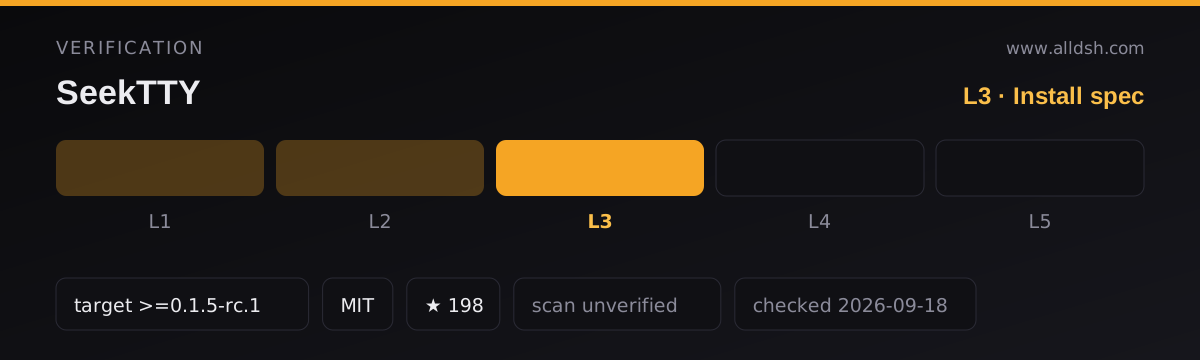
dsh.compatibility: { minimum: "0.1.5-rc.1", tested: "0.1.5-rc.1" }in its manifest. That declaration is what thedshTargetfield above records, and it is the authoritative statement for current installs. - The repository’s checked-out README is a development branch adapting SeekTTY to dsh
0.1.5-rc.1, and it says so itself: it is not the published1.2.5artifact. - That same README’s badge and quickstart pin the previous release:
seektty@1.2.5, tested on harness0.1.1-rc.2.
So: on harness 0.1.5-rc.1, install the current npm release as below. On an older harness, follow the README’s pinned instructions instead (seektty@1.2.5 against @deepseek-ai/dsh@0.1.1-rc.2) — do not assume the current release line still supports it.
Requirements
- Node
^22.19.0 || >=24, perengines; OS macOS, Linux or Windows, peros. - Harness
>=0.1.5-rc.1for the current release, per the published manifest’s compatibility block. Hosts older than the declared minimum are rejected; newer-than-tested hosts may boot with a notice. - pnpm, with the GVS flag. Every package-mutation command carries
--config.enable-global-virtual-store=false, because pnpm 11’s Global Virtual Store layout (store/v11/links) can fail under the tested dsh/Cordis loader with errors likeplugin tree failed to load. The README is explicit that the flag is per-command and never changes global pnpm configuration. - Thin install footprint by design. All
@deepseek-ai/*peer dependencies are optional: the README states the published bundle does not install Cordis or identity-bearing dsh packages into a profile — runtime imports resolve through the official Harness installation. Its own runtime dependencies are a short list (Shiki, commander, cross-spawn, immer, js-yaml, jsonc-parser, zod, zustand). There are no install-time lifecycle scripts. - Telemetry: not documented. Credential handling is documented carefully (above); anything beyond that is not. Assume undocumented rather than safe.
Known limits
- The version drift above is the big one: badge, quickstart, dev-branch banner and npm manifest currently describe three different baselines.
- Highlighting is language-grammar aware but intentionally visual, not LSP-semantic.
- The pixel-whale welcome page is terminal text — no Kitty/iTerm/Sixel image protocols are used.
- The optional Clarify stack’s joint acceptance is historical: the README states 1.2.5 does not renew acceptance of those optional workflows.
- The README itself warns that injected-PTY and synthetic renderer tests are not equivalent to real GUI-terminal mouse or clipboard testing; platform-specific sign-off is manual.
- Plugin-center mutations require a restart (workspace, session, draft and attachments are restored across it).
When to use it — and when not to
Use it if you want a Claude Code-shaped terminal session without leaving the dsh runtime — same Host, same sessions, same settings, same plugins — and you are on harness 0.1.5-rc.1 (or willing to pin the older 1.2.5 pairing). The provider manager and permission handling are the careful parts: revision-checked settings writes, masked credentials, and failures left visible instead of retried blindly.
Do not install it expecting a standalone agent — it is useless without a working dsh install, by design. Skip it if you cannot run Node 22.19+/24, if your harness is older and you do not want to pin 1.2.5, or if you need image-protocol terminal graphics. And on pnpm 11, budget for the per-command GVS flag on every plugin mutation — that is the supported path, not a workaround to skip.
Install
dsh plugin --profile tui add seektty --config.enable-global-virtual-store=falseThen launch with dsh --profile tui. On harnesses older than 0.1.5-rc.1, the README’s quickstart instead pins seektty@1.2.5 together with @deepseek-ai/dsh@0.1.1-rc.2 — in that case follow the pinned commands, not the line above.