What it does
dsh-data-agent connects a Harness session to a database and makes the model do the analysis rather than the querying. You ask a business question in ordinary language; the plugin’s agent preset has the model inspect the schema, write the SQL, run it, and carry the result forward — then draw it.
The README frames the audience as analysts who do not write SQL, and the work it claims to remove is the familiar loop of re-specifying a query, exporting a spreadsheet, and re-formatting a chart.
| Surface | What it gives you |
|---|---|
| Chat | Natural-language questions; the model explores tables, writes and executes SQL, and continues the analysis across follow-ups |
| Workbench | Connection config, table browsing, data governance and a SQL runner in one web panel |
| Data governance | The model scans the schema and writes plain-language business definitions for tables and columns; you confirm, edit or add metric definitions |
| Reports | Auto-generated charts and multi-panel dashboards, exported as standalone offline HTML into analysis-reports/ |
Charts come from echarts (^6.1.0), the packaging from fflate, and schema validation from schemastery and zod — all declared runtime dependencies, so the workbench is part of the package rather than an external service.
How it is wired
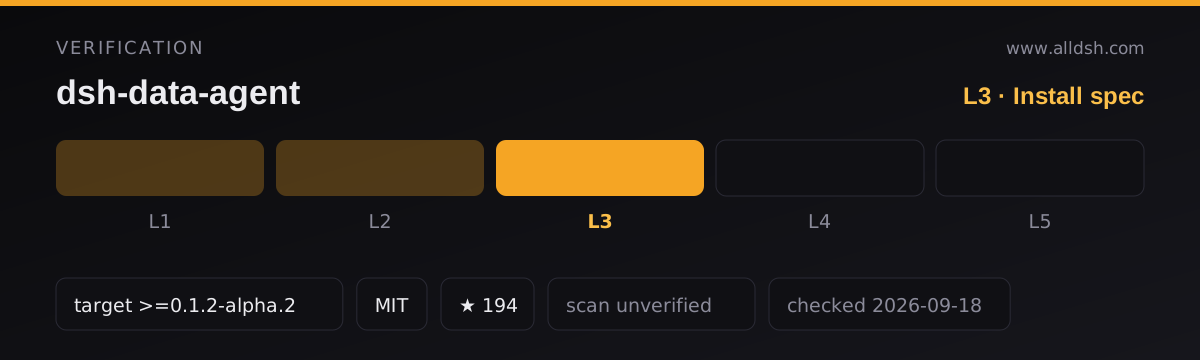
package.json declares dsh.engines.dsh as >=0.1.2-alpha.2, which this listing records verbatim as dshTarget. That declared range is what puts the listing at L3 rather than L2: the repository resolves, the README exists, the manifest parses, the install command resolves against the published package, and the author declares a harness target.
The manifest carries both halves of the plugin:
dsh.bundle.patch→cordis.patch.ymlfor the host side.dsh.clientwithplatform: "web", injecting eight host UI packages includingdsh-client-ui-agent-preset,-conversation,-renderer,-session,-tooland-workspace. The agent-preset injection is what makes “data mode” a selectable mode in a new session rather than a flag you pass.
Published files are lib/**, cordis.patch.yml, preset/**, dsh-plugin.json and conformance/dsh-ecosystem/** — the last of which is unusual enough to note: the project ships its own conformance evidence.
Peer dependencies are the DSH host packages at ^0.1.2-alpha.2 plus react at ^18.2.0 || ^19.0.0. That is a wide peer set, and it is also a precise statement about which host generation this plugin expects.
Requirements and install
-
A DSH install at or above the declared
>=0.1.2-alpha.2. -
Network reachability from the host to the target database. The README covers a local SQLite file, a LAN database and a cloud database.
-
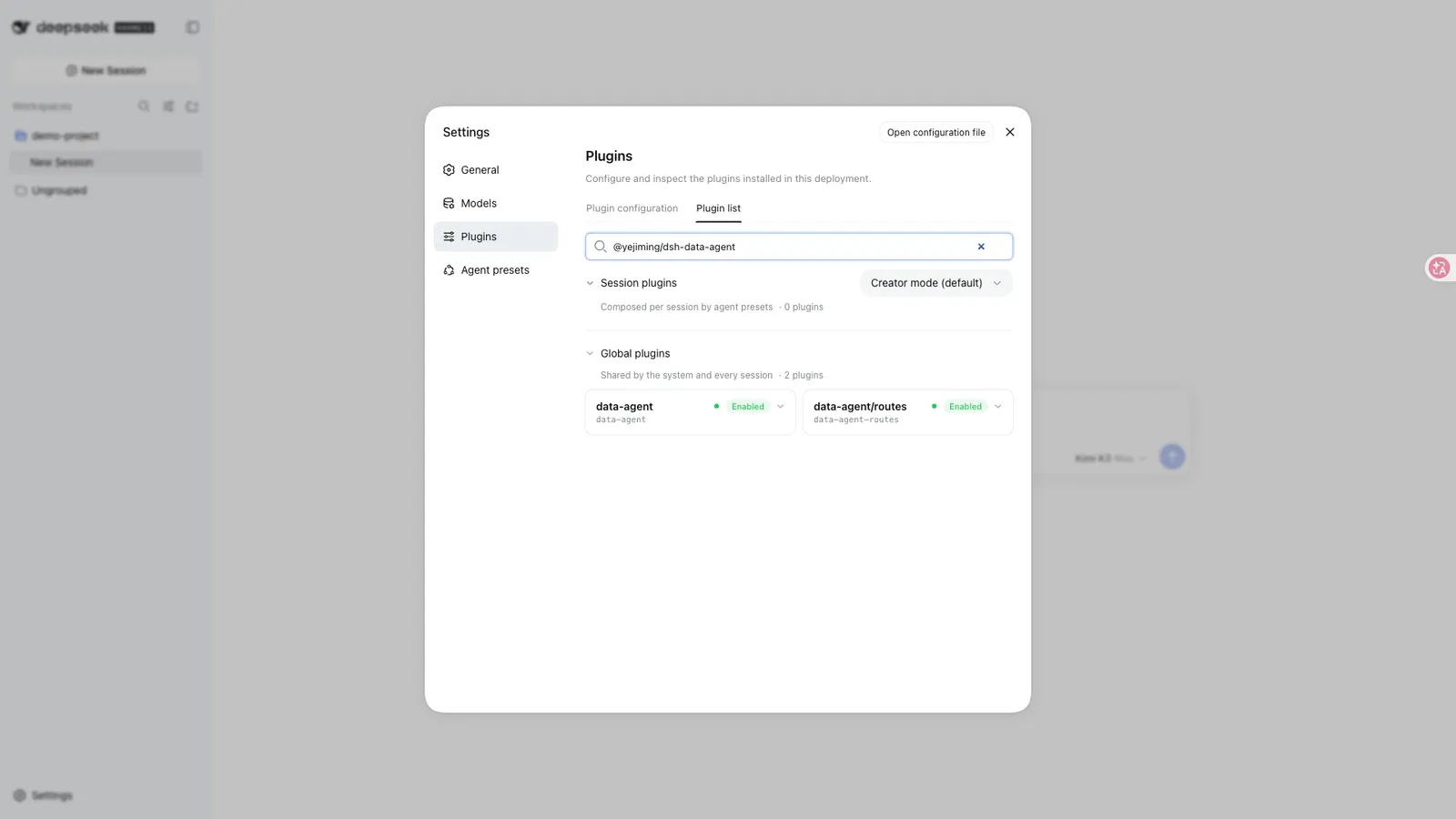
Install into the profile you will actually use. The README gives two commands because the plugin supports both surfaces:
# web profile (recommended) dsh plugin --profile web add @yejiming/dsh-data-agent # terminal profile dsh plugin --profile dsh-tui add @yejiming/dsh-data-agent -
No install-time lifecycle scripts. The declared scripts are
bundle,watch,build,typecheck,test,conformanceandconformance:artifact— nopreinstall/install/postinstall/prepare. -
A first-run preset migration exists and is documented. On first start after an upgrade the plugin rewrites the stock
data-agentpreset so it satisfies thepersona.config.prefixfield newer DSH releases require, while keeping thetextfield older releases used. Customised presets are left alone. If startup fails with$.prefix missing required value, the README’s remedy is to back up$DSH_HOME/.agent-presets/data-agent/agent.cordis.yml(by default under~/.dsh), make the persona’sprefixmatch the originaltext, and restart. -
Using it — in the web profile, open a new session, pick data mode, fill in the connection via its connection config (with a test-connection button) or the database icon at the top right of the composer, then just ask. In the terminal profile,
/preset data-agentswitches mode and/database connectopens the connection.
Network and data
Where the queries run. Analysis and report generation are described as local: the plugin connects out from your host to the database you name. Reports are written to analysis-reports/ in the working directory as self-contained HTML — the README’s point is that the file carries its own styles and data, so a colleague can open it offline without installing anything.
Read-only is the recommended posture, not a default you inherit. The README recommends connecting with a read-only database account and switching on read-only mode in the connection config; it states that in that mode write, update and delete statements — UPDATE, DELETE, DROP and similar — are refused. Those are two independent controls, and the database account is the one that holds if the plugin-level check is ever bypassed.
Credentials. Connection passwords are described as used only for the running session and never written to plaintext history; the README also states they are never reported to a remote server. Treat that as the documented design rather than an audited property — this listing is security: unverified and no third-party scan is on record.
The model sees your schema. Governance exists precisely because the model reads table and column names and comments to produce business definitions. Anything that should not reach the model belongs outside the account you connect with.
No telemetry is documented in the README or the published manifest.
Known limits
- Only one database driver is bundled.
@clickhouse/clientis the sole database client independencies. The README’s wider matrix (MySQL, PostgreSQL, SQLite, Oracle, SQL Server, Doris, Hive, Impala) therefore depends on the host environment providing a usable path to those engines — the matrix is product surface, and each engine is worth a connection test of your own before you rely on it. - Read-only protection is a setting plus a grant. Neither replaces the other, and neither is enforced by the database when you connect as a privileged user without the account-side half.
- Governance output is model-written and needs your review. The plugin’s own workflow asks you to confirm definitions and add metric formulas such as net revenue, which is an acknowledgement that the first pass can be wrong about your business.
- The preset migration is a real upgrade step. A customised
data-agentpreset is deliberately not overwritten, which means it can also be the thing that breaks a newer host — hence the documentedprefixfix. - The declared target is a floor, not a ceiling.
>=0.1.2-alpha.2records the author’s declaration verbatim; it is not a claim that every later release was tested. - Stars (194) are attention, not review. No listing on this site claims L4 or L5, and this one does not claim a smoke-tested install against a live database.
When to use it — and when not to
Use it if the bottleneck between you and your data is SQL rather than access: the value here is a model that explores the schema, writes the query, explains the result and keeps going when you follow up — plus a report you can hand to someone who has no DSH. The browsable catalog and the metric-definition layer are what make repeat analyses consistent instead of ad hoc.
Do not install it as a database client, a BI replacement, or a way to let an agent write to production. If you already have a query tool and a chart library you like, this plugin’s contribution is the language layer, not the connection. And if your data may not be described to a hosted model at all, governance is not a mitigation — it is the mechanism that sends the schema.
FAQ
Do I need to know SQL?
No. The plugin is aimed at people who do not write it: you describe the question, and the model inspects the schema, writes the query and runs it. The workbench SQL runner exists for when you would rather write it yourself.
Will it modify or delete my data?
Not if you configure it as the README recommends — a read-only database account together with read-only mode in the connection config. The README states that write and delete statements are refused under read-only mode. Use both halves; the account grant is the one the database enforces.
Which databases are supported?
The README lists MySQL, PostgreSQL, SQLite, Oracle, SQL Server, ClickHouse, Doris, Hive and Impala, plus local SQLite files. The package itself bundles only @clickhouse/client, so the rest rely on your host reaching those engines — verify your engine with a connection test rather than assuming the matrix.
How do I share an analysis with someone who does not use DSH?
Each generated chart or dashboard is saved as a standalone .html file under analysis-reports/. It carries its own styles and data, so it opens offline in any browser and can be sent by mail or chat.
Can I keep asking questions after the first answer?
Yes, and that is the intended loop — the README’s examples include breaking a result down by region, swapping a bar chart for a pie chart, and asking why a particular month moved. Each follow-up builds on the previous result in the same conversation.