What it actually is
SandBase Harness is a separate self-hosted runtime, not a plugin that only decorates the harness. Its README calls it “a local-first runtime for AI agents. Sessions, sandboxed tools, memory, credentials, audit trails, and a built-in Console”, and its Why section is explicit that it is “that runtime layer — not a visual workflow builder and not another model SDK”. The published package is managed-agents version 0.3.8 under Apache-2.0, written in TypeScript.
It reaches you through two distinct surfaces, and conflating them is the easiest mistake to make. The first is the runtime itself: a Hono-based HTTP service with a /v1 API, a local Console at /dashboard, a CLI, environment storage, and a TypeScript SDK exported at managed-agents/sdk. The second is managed-agents-mcp: a six-tool MCP bridge, published as a multi-architecture OCI image, that speaks stdio to a client and HTTP to a runtime. The DSH integration is the second surface wearing a bundle costume — the package declares dsh.bundle.patch: ./examples/deepseek-harness/cordis.yml, and once the profile builds, that patch “starts the bundled MCP entry over stdio”. DSH then drives the remote runtime through native mcp__sandbase__* tools, which the README says can “list agents, create and run sessions, inspect results and artifacts, and stop work”. The container “contains only the MCP bridge; agent sessions and sandbox work remain in the connected Harness runtime” — so the bridge is inert without a running runtime behind it.
What you run and where it lives
You install from a tagged GitHub source release: clone the v0.3.8 tag, npm ci, npm run build, then init and start from a workspace directory you create. That workspace holds agents/ (YAML definitions), skills/, and a gitignored .managed-agents/ state directory containing config.yaml, data.db (SQLite metadata), logs, uploaded file and skill bytes, session workspace snapshots, and local session sandboxes. The server binds 127.0.0.1:3000, adjustable with --host and --port.
Three dependencies are worth naming precisely. No account and no hosted control plane are required: the README’s own table promises “Local-first SQLite and file storage with no required hosted control plane”, and a companion Skill install is described as needing “no SandBase account when DSH already provides web/search tools”. SQLite is the default metadata store, with a local artifacts provider holding file bytes, so there is no external database to stand up. Docker is optional for sandboxes but not for the bridge — Docker-backed environments need it, and the six-tool bridge ships only as a container image, so that path effectively requires Docker. A Kubernetes backend additionally shells out through kubectl exec/cp.
The README also warns, in bold terms, that the unscoped managed-agents name on npm is not this project: “Do not run npx managed-agents or npm install managed-agents.” Install only from the tagged source release or the published OCI image.
The capability areas, and which are shipped
The README’s feature list is the authoritative inventory, and it is more modest than the marketing sentences around it. Shipped, per that list and the API examples:
- Sessions and environments —
/v1/agents,/v1/environments,/v1/sessions,/v1/sessions/{id}/messages, with resumable Server-Sent Events at/v1/sessions/{id}/events/streamhonoringLast-Event-ID. - Storage — “SQLite-backed agents, sessions, environments, credential vaults, memory stores, files, skills, and API keys”, with “local file/skill bytes stored in the workspace state directory”.
- A single model-provider boundary — “One active model provider boundary configured through Settings V2”, reaching OpenAI, Anthropic, MiniMax, or an OpenAI-compatible endpoint. Agents pick concrete model IDs; the workspace config only says how to reach the service.
- Tool governance — “MCP toolsets, permission policies, built-in tools, and skill packages”. The documented agent YAML shows the shape: an
agent_toolset_20260401withdefault_config.permission_policy: { type: always_ask }plus per-toolconfigs. - Four sandbox backends — local process, Docker with per-session containers, Kubernetes (
kubectl exec/cp), and a self-hosted worker queue. - The DSH bridge — six tools over MCP stdio for agents, sessions, streamed turns, artifacts, and cancellation.
- A TypeScript SDK, plus a
/v1API that “follows Claude Managed Agents resource shapes”, so the Anthropic SDK can be pointed at the local runtime.
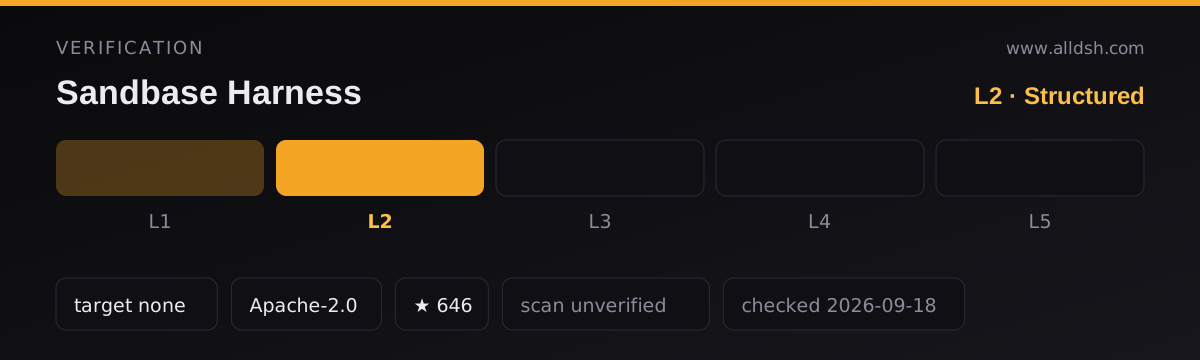
What is not a published feature matrix is the tidy phrase you will see quoted around the web. The README’s pending-directory entries cite an external proposal (Nexu Harness Engineering Guide issue #70) describing the project as “covering sessions, tool governance, approvals, credentials, memory, artifacts, audit/replay, and selectable backends”. That is a submission the project wrote to a third-party directory, not the project’s own specification. The repository never publishes an audit-record schema, an artifact lifecycle, or a memory API contract. If you need to know what the memory store does with a value, what retention applies to artifacts, or exactly which events the audit trail captures, this README does not say — check docs/ and the code before designing around it.
The security model, in the source’s own words
Read this section as boundaries, not assurances, because that is how the source frames it.
Authentication is open by default. The README’s Authentication section opens with “Open by default. Authentication activates when at least one API key exists” — via MANAGED_AGENTS_API_KEY or a key created at POST /v1/api-keys. Clients then send Authorization: Bearer <key>. The bridge container accepts MANAGED_AGENTS_API_KEY for “an authenticated remote runtime”, and the Agent Plugin “does not store a key in plugin.json, mcp.json, or the installed plugin files”. Nothing in the README documents key scoping, rotation, or expiry.
Credentials. The runtime keeps “credential vaults” in its SQLite metadata store, and the /v1 surface covers them alongside agents and sessions. That is the whole of what the README states about them.
Isolation is deployment-dependent, and the source says so repeatedly. The four backends are not equivalent: "sandbox_provider": "local" creates “local sandboxes” as a workspace subdirectory running with the operator’s own privileges, while "sandbox_provider": "docker" spawns per-session containers with declared image, memory, and CPU. Every third-party directory entry the README celebrates is qualified the same way — “backend-dependent isolation”, “deployment-dependent isolation”, “non-universal isolation scope”, “explicit deployment/backend limits”. The project itself never claims universal isolation.
Approval gates. permission_policy: { type: always_ask } appears in the documented agent definition, so a tool call can be gated on a human. The README does not enumerate the available policy types or describe the approval surface in the Console.
What the audit trail records. The concrete mechanism the README describes is a resumable event stream: SSE with Last-Event-ID, for “session replay and debugging”, in a workspace that also keeps logs/runtime.log and snapshots/. The event stream is the durable record you can re-attach to. There is no stated tamper-evidence property, no stated retention or export policy, and no external audit system. Presented as “audit trails” and “audit and replay”, it is best understood as a replayable event log.
Local-first, concretely
“Local-first” here means something checkable: the runtime process, its SQLite database, its uploaded bytes, and its sandboxes all live in a directory you chose, and the quick start needs no hosted control plane and no account. The default bind address is 127.0.0.1, so the Console and API are not exposed unless you pass --host 0.0.0.0 or front it with a reverse proxy.
What still leaves the machine is exactly what you configure: prompts and completions to the model provider you selected; any MCP server you attach to an agent (the documented example points at https://mcp.sentry.dev/mcp); OCI image pulls from GHCR; and npm or GitHub traffic during installation and build. The README states no first-party telemetry and no phone-home behaviour, but it also does not describe network egress in detail, so treat “local-first” as “your data and your runtime stay yours by default”, not as an air-gapped or offline-first guarantee.
Requirements
- Node.js 22+, which the README states and
package.jsoncorroborates with"engines": { "node": ">=22" }. - npm 10+, per the Requirements section, plus a source clone and a build step.
- A model provider API key — OpenAI, Anthropic, MiniMax, or any OpenAI-compatible endpoint. Without one the runtime can start but has nothing to think with.
- Docker, optional for Docker-backed sandboxes; required in practice for the six-tool MCP bridge and the Agent Plugin path, which both pin
ghcr.io/sandbaseai/sandbase-harness-mcp:0.3.8. kubectlfor the Kubernetes backend, and a reachable worker queue for the self-hosted backend.- No operating-system restriction is stated, there is no Python requirement (the runtime is TypeScript), no external database is needed, and no hosted account is required.
Known limits
- The npm name is a trap. The published package is
managed-agents, and the README states flatly that the same name on npm is not this project and must not be installed or run throughnpx. - Maturity is not characterised. The version is
0.3.8. The README documents features and distribution, not a stability promise, a support window, or a list of what remains provisional. - Installation has known friction. A git-hosted profile install fails once with
ERR_PNPM_GIT_DEP_PREPARE_NOT_ALLOWEDuntil you paste the printed key into the profile’spnpm-workspace.yamlunderallowBuilds:. A partial install can leave Plugin Hub reportingalready installed: managed-agents, with an official recovery sequence pointing at a reported issue. - Authentication is off until you turn it on, and key lifecycle controls are undocumented.
- Isolation quality is your deployment decision, and the security documentation stops at the feature table.
- The bridge is a bridge. The container holds the six MCP tools only, so runtime availability is a hard dependency for every DSH session driven through it.
- No independent security validation is claimed. The README’s own directory entries say so: listings are “not a maintainer review or security certification”, an evaluation was requested with “no score or certification claimed”, and one entry carries “explicit non-certification scope”.
- It is not a replacement for the harness’s own sandbox. The README never says that, and nothing in it positions this runtime as a substitute for DSH’s local file policy, approval stack, or process behaviour.
When to use it — and when not to
Use it when agent runs must be inspectable and replayable after the fact, when sessions must survive restarts with a resumable event stream, or when you want controlled code execution because the local-process backend is not enough and you would rather declare a Docker or Kubernetes backend than trust the ambient filesystem. It also fits when you want to drive one runtime from several clients — a local Console, a TypeScript SDK, the Anthropic SDK pointed at /v1, and DSH over MCP — and when a self-hosted SQLite deployment without a hosted control plane is the actual requirement.
Do not adopt it because the words “sandboxed” and “audit” sound like a security posture. Read your chosen backend as the real boundary; with sandbox_provider: local, expect the agent to run as your user, inside a directory under your workspace. Do not assume credentials are encrypted, rotatable, or scoped, and do not treat the event stream as tamper-evident evidence. Skip it if you use DSH casually and do not want a second long-running service, a SQLite database, and an install step whose build-allowlist detail you must maintain. And never install it from npm under the plain managed-agents name.
Compatibility notes
The DSH integration is a bundle patch, not merely discovery metadata, and the README is candid that dsh-plugin was once treated as a metadata-only label. The bridge pins image tag 0.3.8, so upgrading one side without the other is an untested pairing. Keep the two boundaries separate in your head: your DSH file policy, approvals, and local sandbox belong to the harness, while the remote runtime has its own, configured independently. The README also documents a Codespaces development-container path (with GitHub billing attached) and an independent VPS walkthrough that demonstrates the older v0.3.2.
FAQ
Is it actually sandboxed?
Not as a property of the product. Sandboxing is a selectable backend, and the README qualifies every external description of it with “backend-dependent” or “deployment-dependent” isolation. With sandbox_provider: local you get a workspace directory and your own privileges; Docker per-session containers and Kubernetes give a stronger boundary, and each carries its own prerequisites.
Are my credentials safe in the vault?
The source does not say enough to answer that. The runtime stores “credential vaults” in SQLite-backed metadata alongside memory stores and files, and the six-tool bridge avoids writing a key into plugin.json, mcp.json, or installed plugin files. The README never states that vault values are encrypted at rest, never describes key rotation or scoping, and never states what a vault entry can reach — so treat it as secret storage, not a hardened secrets manager.
Do I have to run a server, Docker, or an account?
No account and no hosted control plane are required, and the default metadata store is SQLite in your workspace, so no database service is needed either. But you do run a server process — the Console and API live at 127.0.0.1:3000 — and Docker is needed for Docker-backed sandboxes and for the published six-tool bridge image. A model provider API key is required.
What is shipped versus proposed?
Shipped, per the README’s feature list and API examples: sessions, environments, SQLite-backed metadata and local artifacts, credential vaults, memory stores, files, skills, API keys, the four sandbox backends, MCP toolsets with permission policies, resumable SSE replay, the TypeScript SDK, and the six-tool DSH bridge. The tidy phrase “sessions, tool governance, approvals, credentials, memory, artifacts, audit/replay, and selectable backends” comes from an external directory proposal the project submitted, not from a published feature matrix — so do not read it as a contract for behaviour the repository documents nowhere else.