What DSH Browser Control is, and how it works
DSH Browser Control connects the harness to the Chrome or Firefox tabs you already have open. It ships as one workspace containing two halves: a bridge plugin on the dsh side, and an MV3 browser extension that renders the conversation UI in a side panel or sidebar. The extension is not optional. The model reaches a page through it, so this is a tool for driving your own signed-in browser rather than an agent that browses the web by itself.
That is the design’s whole point. Because the model works in the page you are already using, it keeps your logins, your session and your cookies. Sign-in walls, dashboard behind a password, an internal tool with an SSO cookie — all of that is available without exporting credentials anywhere.
In the README’s framing, browser operation is text-only: pages become structured text with a numbered inventory of interactive elements, and the model addresses those elements by number. Concretely, a snapshot carries the title, the URL, the main text, the numbered controls and the form fields. The model then calls click, type, press or scroll against an inventory number instead of a coordinate.
Three details make that usable rather than fragile. IDs stay stable across snapshots, so an element keeps its number between calls. A delta: true snapshot returns only what changed, which keeps long flows cheap. And sensitive values are masked. The claim “no vision model required” therefore is not marketing in place of a mechanism — the mechanism is that there is no image in this pipeline at all.
Snapshots, numbers and masked values
Reading and pointing are only part of it: page interaction runs through a documented set of tools — a structured snapshot, click, type, keypress, scroll, region text, a wait-for-stability call, navigation and history, and tab listing, following and closing.
Keep two ideas apart, because the README does. The browser channel never captures screenshots. Separately, dsh’s own multimodal chat path can carry images: the side panel accepts PNG, JPEG, WebP and GIF attachments when the host advertises image support, and those go through dsh’s durable attachment service. An attached chat image has nothing to do with how the model reads pages.
Masking is a display transformation, not encryption. Passwords and payment-card values are rendered as •••• and, in the README’s words, never leave the page. That is a boundary about what enters the model’s context, and it is worth reading as exactly that.
Requirements, install and startup
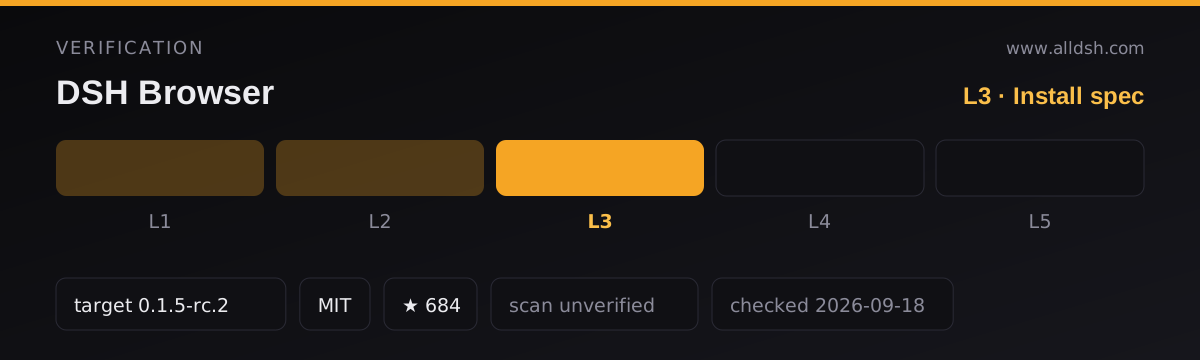
The runtime floor is explicit: the workspace pins dsh 0.1.5-rc.2 as the minimum supported runtime, and older releases are not supported. The published requirements are Node.js ^22.19 or >=24, Corepack or pnpm, and Chrome 116+ or Firefox 140+. Windows additionally needs Windows PowerShell 5.1, which ships with Windows, or PowerShell 7+.
The standard plugin-install command cannot install this project, because the integration is a plugin plus an extension. The one-line installer currently sets up the Chrome build; macOS and Linux use scripts/install.sh, and Windows runs scripts/install.ps1 in PowerShell. The installer downloads main, builds and registers the bridge, builds the extension into ~/.dsh/browser-extension, and opens chrome://extensions for you to load that directory as an unpacked extension. On Windows, run .\scripts\install.ps1 from a checkout instead.
Two operational notes from the README. After pulling or switching revisions you must rerun the installer and reload the extension. And if dsh is already running, restart it after installation.
Start a managed installation from ~/.dsh/dsh-browser with pnpm start, or a checkout with pnpm start in the repository root. The README names the exact supported public runtime as npx @deepseek-ai/dsh@0.1.5-rc.2 web.
Local Chrome needs no further configuration. Open a page, click the DeepSeek whale icon and wait for Connected. Existing HTTP(S) tabs are instrumented on the first action. Firefox is the longer path: it uses a separate MV3 manifest, event-page background and sidebar, must be built from a checkout and loaded via about:debugging#/runtime/this-firefox as a Temporary Add-on. Firefox’s moz-extension:// UUID does not authenticate an add-on, so you copy the bearer token from ~/.dsh/ext-bridge-token into the extension settings. Signed distribution can package the same Firefox output.
Known limits
Protected pages are the first limit. On browser-protected pages and extension stores, the model can read tab metadata and use browser-level HTTP(S) navigation, back, forward and reload, but it cannot inspect or operate the protected page DOM. A chrome:// page is therefore metadata and navigation only.
Tab control is intentionally conservative. When work begins, the assistant binds to the active tab. If you switch tabs manually, later browser actions pause and the panel asks whether to continue on the original tab or follow the new one. Choosing the original permits background operation; the README states the extension never silently retargets or changes your visible tab. Closing the controlled tab also pauses tools until you explicitly select the current page.
Approval is the third limit. Click, type, keypress, navigation, history and reload calls fail closed until you approve them, with per-session trust for an origin and permanent trust managed in Settings. A global Allow unrestricted browser control opt-in can remove those prompts; it becomes active only after the setting saves, and disabling it takes effect immediately.
Several things the source simply does not state, and they should not be assumed: there is no published operating-system support matrix beyond the installer script names and the PowerShell note for Windows; telemetry is not described either way; the README does not enumerate the extension’s permission requests or the network endpoints dsh-browser itself contacts beyond browsing; and no permissions field exists in the package.json read for this listing, which covers the harness plugin only and says nothing about the extension manifest.
Reading the page versus seeing it
The practical consequence of a text channel is that the model works from structure, not appearance. Text, links, buttons, form fields, their labels and their numbers transfer. Layout, colour, imagery, canvas content and what a chart actually looks like do not — there is no image in the pipeline to inspect. If a task depends on visual judgement, this channel is the wrong instrument, and an attached chat image is a separate path that does not change that.
The second consequence is the risk shape of untrusted content. Page-authored text is wrapped as untrusted input, and a highlighted quote reaches the model inside the same untrusted boundary as a snapshot, including its source title and URL, which the page also controls. The default auto mode reads only the controlled tab without an extra prompt; ask requests per-read confirmation and off blocks reads entirely. Read page text is sent to the selected model.
When to use it — and when not to
Use it when the task needs the session you already have. Authenticated dashboards, a form behind a login, a multi-step flow in an internal tool — these are the cases where a bridge into your own tab beats any fresh browser. Use it too when you want to watch the work happen in a tab you can see, and when approval prompts per action are a feature rather than friction.
Do not reach for it if you want a browser the agent owns and can run unattended, headless, or on a machine with no extension installed — nothing here works without the extension, and the model does not browse the web autonomously. Skip it when the task needs visual assessment of rendering, since no screenshot is ever taken. And if you cannot accept page text leaving the browser to a model provider, the honest options are ask and off, or a different tool entirely.
Security posture in the sources
The README’s security section is unusually specific, and it is worth quoting rather than paraphrasing: the bridge path sits outside the /api trust boundary and performs its own bearer-token authentication; local Chrome extension origins retain zero-configuration loopback access; Firefox origins are per-install UUIDs and must present the bearer token; and privileged gateway methods such as settings.*, credentials.* and host.open* reject non-loopback sources.
What is not claimed matters as much. There is no antivirus, sandbox or malware-scanning guarantee here, and none should be inferred. Masking is masking, not encryption. Unrestricted control is an explicit global opt-in rather than a default, and browser-protected content stays inaccessible in either mode. Treat the plugin as a powerful bridge into a signed-in browser session, which is what it is.
FAQ
Is a vision model required to use it?
No, and the reason is structural. Pages are converted to structured text with a numbered control inventory, and the model addresses elements by number, so no screenshot ever enters the pipeline. The README states plainly that the browser tools never capture screenshots.
Can it browse the web on its own, without the extension?
No. Every page action travels through the browser extension, and the one-line installer sets up the Chrome build while Firefox needs its own source build and token. Without the extension loaded and connected, there is nothing for the tools to drive.
Do my passwords or card details reach the model?
The README says password and payment-card values never leave the page and are always rendered as ••••. Read that as masking inside the snapshot, not as encryption of the page’s own data, and note that other readable page text is sent to the selected model.
What exactly does it support on protected pages?
Tab metadata plus browser-level HTTP(S) navigation, back, forward and reload. The README says the protected page DOM cannot be inspected or operated, so a browser-internal settings page is not something the model can read or click through.
Does it work the same on Windows, macOS and Linux?
The README gives one installer per shell family — install.sh for macOS and Linux, install.ps1 for Windows — and states Windows PowerShell 5.1 or 7+ for the Windows path. It does not publish a tested operating-system support matrix, so treat anything beyond those statements as unverified rather than supported.