What it does
easyeda-agent turns EasyEDA Pro (嘉立创EDA专业版) into something an AI agent can actually drive. Instead of handing the model raw JavaScript against the official eda.* extension API, it exposes a typed action catalog — place parts, wire nets, compose sheets, auto-place and route PCBs, run DRC, export BOM and fabrication files — and keeps every step observable, validated, and audited.
This is a multi-form product. The DSH bundle you install with dsh plugin add is only the thin harness-facing half. The load-bearing parts are outside it: a Go CLI/daemon, an EasyEDA connector .eext, the agent Skill, and a stdio MCP adapter. Understanding that split is the point of this listing.
Architecture: four cooperating pieces
Skill / MCP / human
        │
        ▼
  easyeda CLI  ──typed action──►  Go daemon (127.0.0.1:60832)
                                      │ WebSocket
                                      ▼
                            EasyEDA connector (.eext, inside editor)
                                      │ official eda.* API
                                      ▼
EasyEDA Pro canvas- Go CLI/daemon (
easyeda) owns protocol, session state, artifacts, audit logs, and validation. The daemon binds a single fixed port60832(no spill-over; a stale easyeda daemon is taken over automatically). Window-scoped actions returnNO_CONNECTORuntil an editor is connected. - Connector
.eextruns inside EasyEDA and is deliberately thin: it handshakes, reconnects, and dispatches typed actions to the officialeda.*API. Marketplace display name is now “EDA Agent Connector”; the package id and uuid are unchanged.debug.exec_jsremains as a temporary escape hatch inside a task scope — and is intentionally not exposed through MCP. - Skill (
skills/easyeda-agent) describes expert workflow and guardrails: inspect-before-mutate, connectivity JSON as source of truth, four-stage gates, version-lock discipline. - stdio MCP (
mcp/src/server.mjs) wraps the same CLI/daemon path as 11 tools —easyeda_health,easyeda_actions,easyeda_blocks,easyeda_workflow, plus one tool per safe domain (schematic,pcb,board,document,artifact,project,system). It does not bypass typed actions, audit, or workflow gates. At process start it runseasyeda actionsto load the catalog and exits if the CLI is missing.
Circuit-block library (flagship)
Community-built peripheral subcircuits — CH340 USB-serial, ESP32 auto-download, button de-bounce, USB-hub, buck converters — distilled into validated, reusable blocks. You copy the topology and rebind only the boundary nets; pins are referenced by functional name so there is no renumbering. Blocks are credited to their authors and only enter after place → wire → check → DRC=0. The library is embedded in the CLI: easyeda blocks ls/show/search works offline, without a daemon or editor.
What the DSH bundle actually installs
Root package.json is named easyeda-agent-dsh (private: true, version 1.5.0) and declares only "dsh": { "bundle": { "patch": "./cordis.patch.yml" } }. That patch contributes exactly two rows:
easyeda-mcp— an in-box@deepseek-ai/dsh-mcp-clientinstance pointed at the package-localmcp/src/server.mjsover stdio.EASYEDA_BINdefaults toeasyedaon PATH and can be overridden. Bothdsh-mcp-clientanddsh-skill-filesystemresolve through DSH’s fallback links; you do notpnpm addthem (an outdated registry install would shadow the in-box copy).easyeda-skill-fs— an isolateddsh-skill-filesysteminstance (providerName: easyeda,includeDefaultRoots: false) that scans onlyskills/easyeda-agentinside the package and registers it into the global skill layer.
So the bundle does not install the Go binary, the daemon, or the EasyEDA connector. Installing it into dsh gives you MCP tools that shell out to easyeda, plus the Skill. Without the CLI (and, for live editor work, the daemon + connector + EasyEDA Pro with “Allow external interaction”), the MCP process fails at startup when it cannot load the action catalog.
.npmignore keeps only package.json, cordis.patch.yml, mcp/, skills/, and README/LICENSE files in the GitHub-install tarball — Go sources, examples, and training data are stripped. There are no lifecycle scripts (preinstall/install/postinstall/prepare) and no root dependencies.
Requirements
- Separate full install of the product. Documented first-time path is the one-line installer for CLI + Skill, then a version-locked connector
.eextfrom the GitHub Release (or the 立创 marketplace, which can lag), then enable 允许外部交互 in EasyEDA Pro settings, theneasyeda daemon start. - Three-part version lock. CLI, Skill, and connector must share a release line;
easyeda daemon healthreportsconnectorVersionOk: falsewhen the connector lags. The Skill enforces a session gate (easyeda update --check --exit-code) before any EDA work. - Node
>=20.17.0(root and MCPengines). The MCP adapter also needs@modelcontextprotocol/sdk(1.30.0inmcp/package.json); the DSH verified install path resolves it from the harness environment — for standalone Codex registration the README runsnpm --prefix mcp ci --ignore-scripts. - No
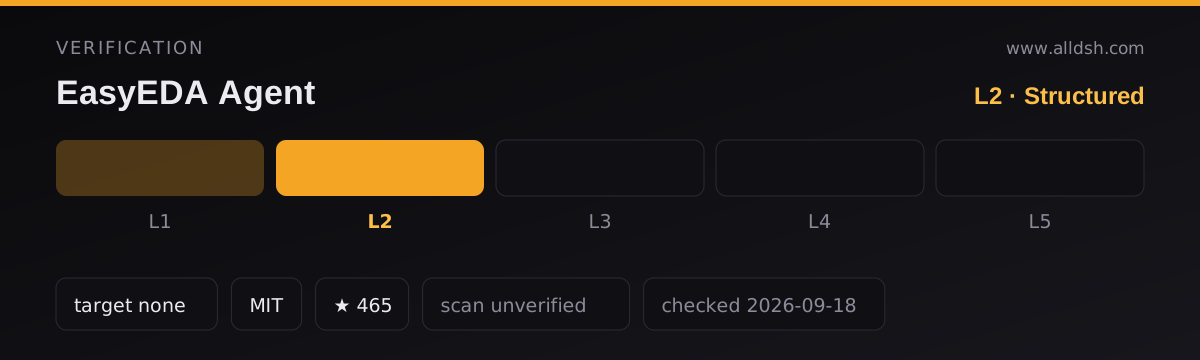
dshTarget. Nothing inpackage.json, the bundle patch, or the DSH integration doc names a supported DSH version, so this listing is L2 and carries nodshTarget. - Not on npm. Both
easyeda-agent-dshandeasyeda-agentreturn 404 on the registry; install isgithub:only (optionally#<tag>for a release pin).
What leaves the machine
- Runtime automation is local. Typed actions travel over a local WebSocket to
127.0.0.1:60832; the connector then calls the officialeda.*API inside the editor. No remote control plane is documented for the action path. - Network is used for acquisition and a few side channels. The installer curls GitHub Releases (and
api.github.comonce to resolve latest, 60 req/h anonymous — pinEASYEDA_VERSIONor setGITHUB_TOKENpast the cap). The Skill states that online library lookup and updates need network access; BOM enrichment reaches LCSC for C-numbers. Python 3 is used by bundled helper scripts. - No telemetry field is declared in the DSH bundle. What a local agent session may do beyond
easyedacalls is the harness permission model, not this plugin’s claim.
Known limits
- Platform walls are real and documented. No maze-tier autorouter (short heuristic routing only; full routing is external Freerouting via DSN round-trip); no interactive push-shove / live length-tuning UX (no
eda.*API); controlled-impedance Z0 is walled because stackup Er / dielectric height are not readable; no programmatic undo (rollback is checkpoint + inverse ops); incrementalimport_changesis a no-op for API-added parts. sch composeis not a circuit synthesizer. It arranges already-designed Lib geometry in Z-order on one sheet; it does not infer arbitrary peripheral circuits or paginate for you.- The 1.5 validation did not re-run the full four-layer ESP32 field acceptance. Offline tests and partial schematic checks are not the same as a board-level pass; one EasyEDA 3.2.186 session saw schematic graph-export return empty files with root cause unresolved.
- License is MIT with an Apache-2.0 carve-out. GitHub’s API reports
NOASSERTIONbecauseLICENSEis MIT plus a third-party section: the four files underextension/src/beautify/are ported from Easy_EDA_PCB_Beautify and remain Apache-2.0, with attribution and modification list inNOTICE.package.jsonsaysMIT. The two licenses are compatible; redistributing the connector bundle must carry the NOTICE and Apache-2.0 copy. security: unverified— no sandbox review of this package for the listing. Stars are not maintenance: 445 stars, 60 forks, last push 2026-09-12, pre-native-Cordis-plugin roadmap still open.
When to use it — and when not to
Use it if you design boards in EasyEDA Pro and want an agent that works from connectivity data and typed actions rather than screenshot guessing and raw JS. The circuit-block library is the sharpest daily win: proven peripherals get copied and rebound instead of re-drawn. The DSH bundle is the right entry once CLI + connector are already installed — it only wires the skill and MCP surfaces into the harness.
Do not install the DSH bundle expecting a self-contained plugin. Without the Go CLI, daemon, connector, and a live EasyEDA Pro window (for editor actions), the MCP tools have nothing to talk to. Do not expect maze-tier routing, interactive push-shove, or controlled-impedance computation from the daemon; those are platform walls, not configuration toggles. And if your threat model forbids local editor automation or GitHub-installed binaries, this stack is the wrong shape regardless of the harness wrapper.
FAQ
Does the DSH plugin install the full easyeda-agent system?
No. The bundle installs two DSH rows — an MCP client pointing at the packaged stdio server and an isolated skill-filesystem for skills/easyeda-agent. The Go CLI/daemon, the EasyEDA connector .eext, and EasyEDA Pro itself are separate, version-locked installs. Without them the MCP process exits at startup when it cannot run easyeda actions.
Why does GitHub report license NOASSERTION?
Because the repository is MIT as a whole with an explicit Apache-2.0 exception for the four files under extension/src/beautify/ (ported from Easy_EDA_PCB_Beautify). package.json declares MIT; LICENSE and NOTICE spell out the carve-out. Read those files if redistribution terms matter to you.
Is the circuit-block library usable without the editor?
Yes. easyeda blocks ls/show/search runs offline against the embedded library — no daemon, no EasyEDA window. Copying a block into a live schematic still needs the full stack.
What DSH version does this target?
None is declared. docs/dsh-integration.md describes verified bundle installs (skill + 11 MCP tools visible to the model) but names no harness version, so there is no dshTarget and verification is L2.
Does anything leave the machine during a normal edit?
The action path is local: CLI → daemon on 127.0.0.1:60832 → connector → official eda.*. Network appears for install/upgrade (GitHub Releases), online parts/library lookup, and LCSC BOM enrichment. The Skill documents those network needs; no telemetry field appears on the DSH bundle.
Can I pin the install to a release tag?
Yes. The documented form is dsh plugin --profile web add "github:zhoushoujianwork/easyeda-agent#<tag>". Keep CLI, Skill, and connector on the same release line; upgrading only the DSH bundle leaves the connector stale until you re-import the matching .eext and restart EasyEDA.