What it is
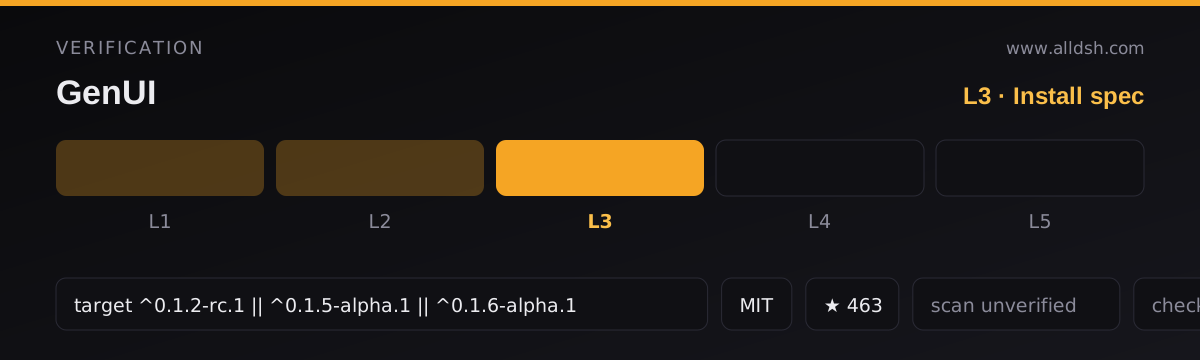
@changfenhuang/dsh-genui is a DeepSeek Harness plugin at version 0.10.0, published to public npm under the MIT licence. The repository lives at github.com/omdsh-dev/dsh-genui, while the package name uses a different scope — worth noticing when you match a profile entry against a package. Its package.json declares keywords dsh, deepseek-harness, generative-ui, plugin and ui, and states its purpose directly: interactive UI components rendered inline in assistant replies through a dsh-ui fence, with the fence-teaching host plugin, the browser renderer (the client half) and a bundled genui skill all shipped together.
Three things get installed. The host half is lib/index.js with its invariants in lib/invariant.js; the browser half is lib/client.js; and the on-demand engines are lib/assets/mermaid.js, lib/assets/three.js, lib/assets/echarts-core.js and lib/assets/echarts-full.js. The tarball also ships SKILL.md — the component and field catalogue — plus cordis.patch.yml, both READMEs, the changelog and the demo prompts. The dsh field declares a bundle patch and a web-platform client half with an empty inject list.
How the mechanism actually works
The model writes an interface description as JSON inside a fenced code block labelled dsh-ui. The fence body is a JSON document — the README’s example is a single object with a title and an items array, where each item carries a type such as stat, table, chart, progress, echart, plot or quiz. The browser-side renderer claims that language and draws it in place of a code block. The same specification can also arrive through a render_ui tool, which renders it as a card in the tool row: the README’s own division is that deliverable-style UI goes through the tool while answer-style UI goes through the fence.
Rendering has two channels, chosen automatically once the host activates the browser module. On newer harness builds that expose a fence-registry extension point, fences register through the host’s own streaming pipeline. On builds without it — including supported stock builds — the plugin watches the session DOM and mounts its own render tree, matching several block surfaces and, as a structural backstop, any element whose banner says dsh-ui and that contains a <pre>. The README states that components, interactions, panels and persistence behave identically either way, and that streaming works on the DOM channel too, so the first finished component appears before the whole reply is written.
An interaction is routed back to the model as an action event, not a tool call and not a chat message you type. Buttons, switches, inputs, dropdowns, checkboxes, radios, textareas and quizzes carry an action field; clicking or blurring sends that action back, and the model then updates the UI with a new fence. The README calls this the event loop, and notes same-name actions are debounced with a 300 ms trailing edge so rapid clicks merge and the last value wins. The README is explicit about where the line sits: state changes the UI can do by itself — grading, quiz checking, resets, expand/collapse, selection — happen locally and instantly with zero model round-trips, and actions are reserved for work that genuinely needs the model.
Components that ship
The README claims 30+ components: cards, tables, charts, forms, tabs, accordions, file trees, timelines and diffs among them. A capability map groups them by surface — data (stat, table, chart, progress), media (inline audio and video from browser-reachable http(s) or same-origin relative URLs, with posters, aspect ratios and visible failure states), exploration (plot curves whose parameter sliders redraw locally), feedback (a quiz that grades and explains locally), and workspace (/panel or panel: true, a persistent resizable dock above the composer that the model updates in place and can merge into incrementally with append: true). There is a dedicated echart node for full ECharts charts, and a mermaid integration with an auto-repair retry before it degrades to showing source. A spec guard normalises native field aliases deterministically before validation.
Security: what the source claims, and what it does not
This is the question a reader will ask, so here is the source’s answer and its edges. The README states that components are whitelisted — the model can’t smuggle in HTML/scripts, and that function expressions go through a standalone parser, never eval. It also states a secrets ban: GenUI must never ask for passwords, API keys, access tokens or recovery codes; a password input stays masked, is never persisted, and never enters form collection.
Beyond those sentences, the source does not describe a sandbox, a CSP, an iframe or origin isolation, a network allow-list, or any security audit or threat model. The whitelisting statement is a claim about the component set, not a published guarantee, and no third-party review is cited. Note one consequence the README implies rather than argues: media components fetch from “browser-reachable” URLs, so the rendered surface does not make the page network-inert, and the engines load from the plugin’s own self-registered HTTP routes. Whether action payloads, form fields or persisted state ever leave the browser is not stated — the honest reading is that the security properties rest on the whitelist, the parser and the documentation, and that you should treat model-generated UI with the same distrust you would extend to anything else the model emits. The package’s own metadata marks security unverified.
State, persistence and reload
The README says answers, submission locks and input values are saved per “session + content fingerprint”: refreshing or reopening restores them, re-rendering identical content keeps your state, new content starts fresh, and there is an LRU cap of 200 blocks. A quiz locks after grading, and “retake” resets locally. The session panel is a persistent dock that survives in place while the model keeps updating it.
Two things need separating from that. Persistence here means the UI state of a component you already have, not a saved artefact: the source never says components can be extracted from a reply, re-used as a template, saved as a file, or shared, and it never describes a component gallery you can browse. And cross-session persistence is deliberately not implemented — the roadmap rejects replay restoring tabs and switches, on the reasoning that replay-reset is the more correct default because the model has already updated the UI with a new fence.
Requirements
The package’s engines field requires Node ^22.19.0 || >=24.0.0, plus pnpm >=11.7.0 <12. The packageManager field pins pnpm@11.7.0. pnpm must be on your PATH because the harness’s plugin command depends on it; the README suggests corepack enable or a global install, then a fresh terminal. The harness floor is ^0.1.2-rc.1 || ^0.1.5-alpha.1 — declared as peer dependencies across the @deepseek-ai/dsh-* and @deepseek-ai/cordis packages, and repeated in the README: version 0.10.0 is stated as verified on DSH 0.1.5-rc.2 and on the 0.1.2-rc.1 minimum, while users on DSH <=0.1.1-rc.x are told to use dsh-genui 0.9.8. A web frontend is required, since the host owns client activation and must provide the slots and sessions services. React is a direct dependency at ^18.3.1 and a peer at ^18.0.0 || ^19.0.0.
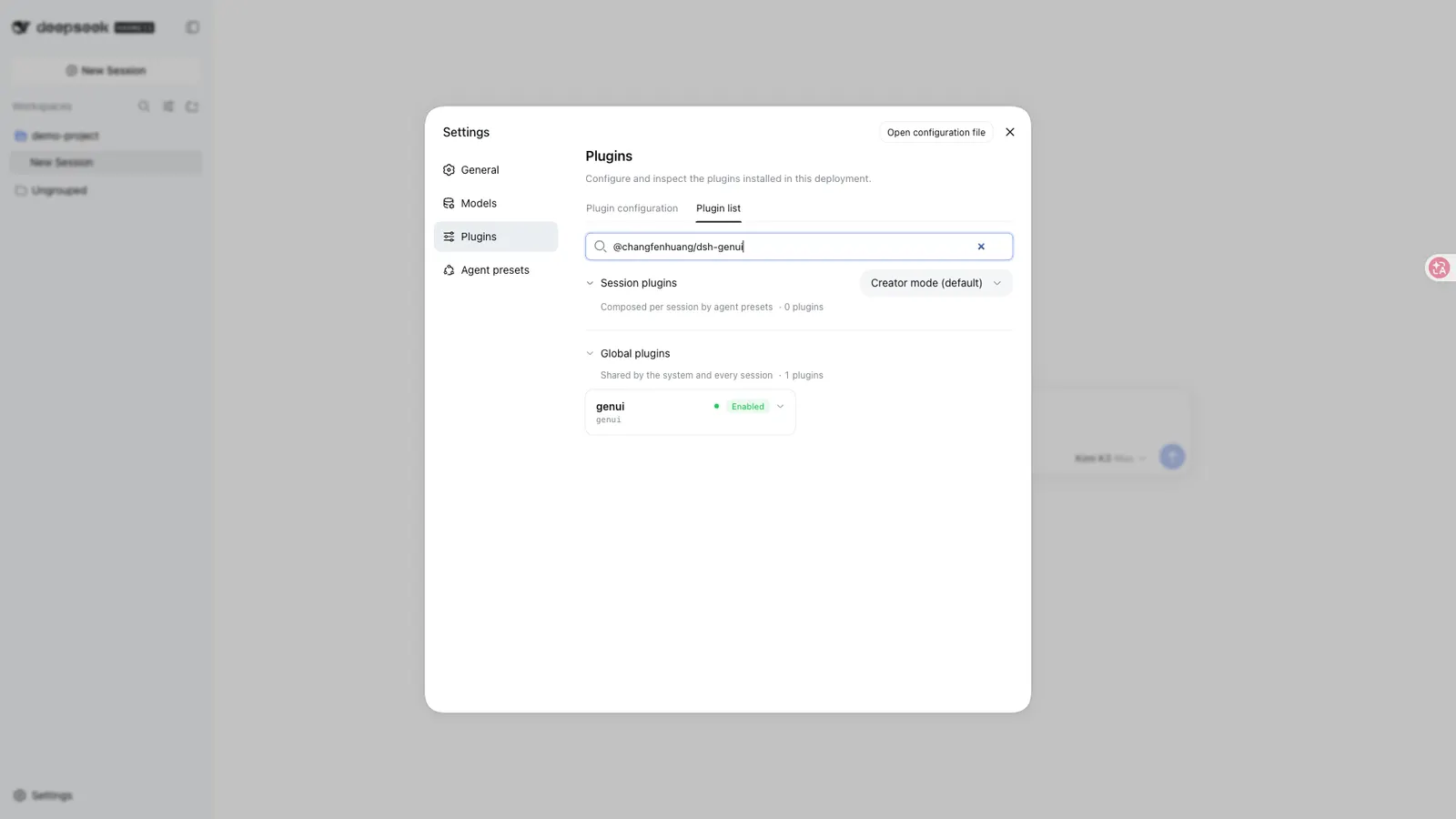
Installation is a public-npm add against the web profile, followed by restarting the web surface and hard-refreshing the browser. The README stresses that a downloaded client.js or a loader cache entry proves only that bytes arrived: successful activation always prints [genui] client active; fence-channel=registry|dom in the browser console, and if that line is absent you should fix package or profile identity rather than chase DOM attributes. It also warns against link: on a freshly cloned directory, because link: does not install the renderer’s own dependencies.
Known limits and version caveats
The spec guard’s ceilings are documented as 200 nodes and 8 nesting levels for a component tree, with bad nodes silently dropped, numbers clamped and strings truncated, so a pathological specification never crashes the UI. The session panel caps at 200 nodes and 200 appends, after which the model should send replace to rebuild. The roadmap states what the project has decided not to do: incremental patching (a fence costs 200–800 tokens, so resending is nearly free), cross-session state persistence, an MCP adapter, a standalone gallery page, and i18n — only six built-in strings exist. chart remains intentionally compact, supporting kind: 'bars' | 'line' | 'donut' with finite numeric values, and render_ui rejects invalid data rather than falling back silently. The engines are no longer inlined in client.js and load on demand from the plugin’s own routes; hosts without those asset routes degrade to source or load-error hints. On a host lacking the registry extension point, fence discovery depends on matching the host’s rendered DOM, and a one-time console warning fires when that DOM drifts. Nothing in the source states an operating-system requirement, a browser support matrix, telemetry behaviour, or a stars or download figure.
When to use it — and when not to
Use it when an answer is better shown than described: a sortable table, a small dashboard, a parameterised plot, a chart, a diagram, a short quiz, or a panel the model keeps refreshing as the conversation continues. The local-first design is the strongest argument for it — grading, resets and expand/collapse cost no round-trips, and only genuine “ask the model” moments send an action. If you already accept model output into your session, GenUI turns part of that output into something you can manipulate in place instead of reading as text.
Do not reach for it as a general-purpose app framework. It renders a whitelisted specification, not arbitrary HTML, CSS or JavaScript — a custom widget you wrote will not run inside a fence, and the README documents no plugin API for adding your own component types. It is a poor fit too if you need the interface archived or reused: there is no export, no gallery and no cross-session replay of interactive state. And if your harness is older than the declared floor, or pnpm is missing, the plugin will not activate at all — that failure shows up as a plain code block, not as an error dialog. Finally, if you are running a harness build whose client bundle is old, expect the on-demand engines to degrade to source hints until you update it.
FAQ
My reply renders as an ordinary code block. What should I check first?
Open the browser console and look for [genui] client active; fence-channel=registry|dom. If that line is absent, the client bundle never activated even if its URL returns 200 — the README says to align the profile dependency, package.json.name, cordis.patch.yml, the loader id and the configured bundle name. If it is present, inspect the fence label and body; hosts without the registry extension point fall back to the DOM channel automatically.
Can model-generated UI run scripts or render arbitrary HTML?
The README says no: components are whitelisted, and function expressions go through a standalone parser rather than eval. Be precise about the scope of that claim — the source states no sandbox, no CSP, no origin isolation, no network allow-list and no audit, and media components do fetch from browser-reachable URLs. Treat it as a documented whitelist, not as a security guarantee.
Do components survive a refresh, and can I save or re-use one?
State does survive: answers, submission locks and input values are keyed to session plus a content fingerprint, with an LRU cap of 200 blocks, so a refresh restores them. Saving is a different matter — the README describes no export, no component gallery, no libraries and no sharing path, and it explicitly declines cross-session state persistence.
Which harness and Node versions are supported?
Node ^22.19.0 || >=24.0.0 and pnpm >=11.7.0 <12 from engines, with pnpm on your PATH. The harness floor is ^0.1.2-rc.1 || ^0.1.5-alpha.1; 0.10.0 is stated as verified on DSH 0.1.5-rc.2 and the 0.1.2-rc.1 minimum, and DSH <=0.1.1-rc.x should stay on dsh-genui 0.9.8.
Do I need to prompt the model specially to get a fence?
Not usually, but sometimes yes. The README says new sessions pick the bundled genui skill up after a restart, and that on hosts with a public skill registry the plugin registers it automatically. If the model still answers in prose, the documented fallback is to simply say “output it with dsh-ui” — phrasing a request as a dsh-ui dashboard or panel is what the demos do.