What DSH Free Search is, and where it hooks in
DSH Free Search is a published npm package, dsh-free-search, currently at version 0.4.26, MIT-licensed, authored by DDDMUC. Its own README calls it a “DeepSeek Harness 免费搜索插件” — a free search plugin — and its stated reason to exist is specific: dsh’s default search provider depends on an official DeepSeek API key, so users who have no such key, or who route through a gateway such as opencode-go whose OpenAI-compatible endpoint does not support the web_search tool, watch built-in search fail and the agent report that it cannot reach the internet.
The integration point is the harness’s own extension seam. The README says the plugin “注册进 ctx.web seam” and, more precisely, that it implements the official WebSearchProvider interface — id, available() and search() — so that the built-in web_search tool picks it up automatically. That distinction matters: this is not a new tool the model has to learn to call. It is a provider plugged into a seam the harness already consults, and the README states it is designed to coexist with official plugins.
The package’s dsh block declares a bundle patch (cordis.patch.yml), a web-platform client that injects @deepseek-ai/dsh-client-runtime, a harness floor of >=0.1.1-rc.1, and a compatibility table whose known-good entries run from 0.1.1-rc.1 through 0.1.5-rc.2. Alongside that, the README documents three host-side tools beyond the native search row: advanced_search, platform_search and free_search_test. The webpage-fetch capability it advertises is the official dsh-web-fetch-http provider, not something this package ships — worth saying plainly, because the feature list reads as one block.
Engines, the default, and how you switch
Twelve engine ids are listed. Free: ddg, ddg-lite, bing, anysearch, searxng, exa, tavily, keenable, firecrawl. Paid: parallel, perplexity, deepseek-official.
The default is bing, described as the most stable and tuned for Chinese via a zh-CN market — not DuckDuckGo. DuckDuckGo is present as two variants, HTML and Lite, and the README flags both as subject to occasional anti-bot rate limiting. So any description of this plugin as “a DuckDuckGo backend” undersells and misstates it; the directory tagline was corrected to match the source.
Switching happens in three ways. The settings card has a Search engine dropdown whose change takes effect on save, and a Use Bing default button that stages a switch back to Bing. In chat, /free-search-engine opens a picker listing every engine, the same interaction as /model, with the current engine marked. Or you edit ~/.dsh/settings.yaml directly under a free-search: key, where provider: holds the engine id and lang:, bingMarket:, region:, searxngInstances: and the per-engine API-key fields sit beside it. A zero-dependency tools/ directory adds a Windows launcher and a headless PowerShell script for the same switch.
The fallback chain, and what “no API key” really means
The README’s headline claim is zero cost with no key and no registration. Read carefully, that claim is about the free engines and about the out-of-box experience — the package description itself says “Bing/DuckDuckGo/AnySearch/SearXNG/Exa/Tavily/Keenable/Firecrawl keyless; Parallel/Perplexity/DeepSeek with key”. Three of the twelve engines require a key: Parallel needs PARALLEL_API_KEY, Perplexity needs PERPLEXITY_API_KEY, and DeepSeek Official needs DEEPSEEK_API_KEY. Anyone generalising “no API key” to the whole engine list is overstating the source.
What makes the no-key path work is unified fallback. Any engine failure — free or paid, missing key, 401, rate limit, network error, anti-bot challenge — sends the search to the next engine. The order the README describes is the configured engine first, then other engines including exa, tavily, keenable and firecrawl even with no key configured, because those four carry keyless anonymous quota, then the remaining free engines such as Bing and AnySearch. The results carry a note naming the engine that actually served them, the README’s example being: Note: perplexity unavailable or failed, using exa. The README’s assertion is strong — “搜索永不直接失败” and, in English, “Search never fails outright.”
Two refinements are easy to miss. When a timeRange is present, engines that can honour a date filter are moved to the front of the chain, so a Bing default does not silently swallow the filter. And the engines are not equivalent in what they support: Bing and AnySearch have no time-filter parameter at all, while Tavily, Firecrawl, SearXNG and the DuckDuckGo pair only approximate a custom interval by mapping it to the nearest fixed tier (≤2 days → day, ≤14 days → week, ≤90 days → month, otherwise year). Only Exa, Keenable and Parallel apply a custom or absolute date precisely. A “search the last 3 days” request served by Tavily is effectively a one-day filter.
The settings surface, keys, and the extra tools
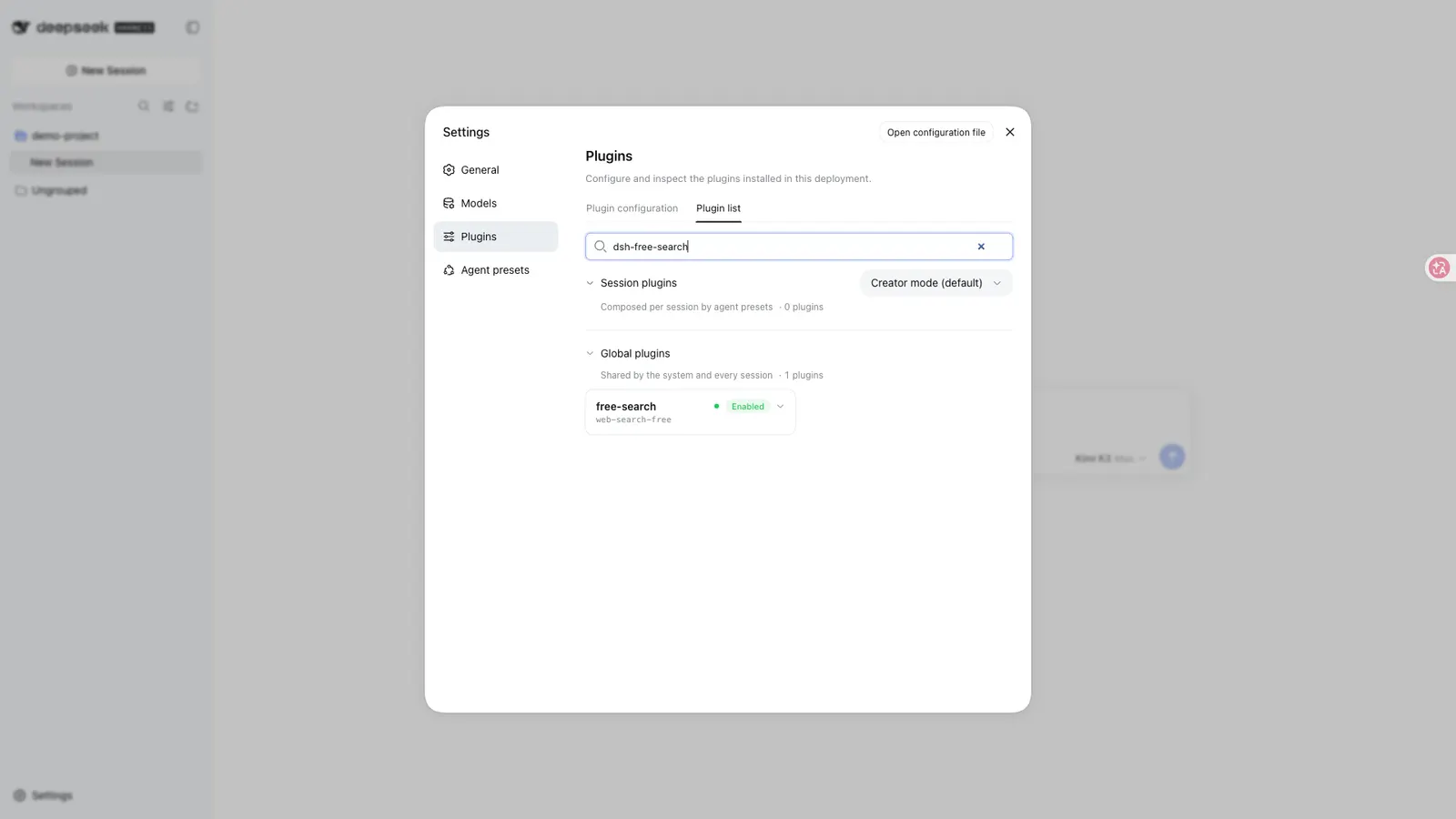
The README recommends installing through the harness’s own plugin command with the profile name you use, and then restarting dsh web. It is emphatic about one thing: @deepseek-ai/dsh-settings and @deepseek-ai/dsh-tools are declared as peerDependencies on purpose, because the runtime must see a single instance from the install tree — copying DSH core packages into a profile’s local node_modules can break the tool scheduler.
The card mounts into the official settings.plugin.item slot, and the README notes the reads and writes go through the plugin’s own bridge, so no dsh-web-ui dependency is required. Beyond engine choice, the card exposes API-key fields for Exa, Tavily, Keenable, Firecrawl, Parallel, Perplexity and DeepSeek, a Test engine button that queries the selected engine directly without the fallback chain, platform checkboxes that filter platform_search, a cache TTL slider from 0 to 5 minutes, and an EN/中文 toggle. Free engines get a green FREE badge and paid ones an orange API KEY badge; paid rows link to the vendor’s key page.
On key handling, the source supports two claims and no more. Input fields are password fields, and after saving, the UI shows only that a key is “configured” rather than echoing it. For storage, the README explicitly recommends putting paid-engine keys in the harness credential centre at ~/.dsh/.credentials.yaml, and states the resolution order as credentials centre, then settings page, then environment variable, with the settings-page fields kept for backward compatibility. What the source does not state is a file mode, an encryption scheme, or that keys are scrubbed from logs — so “stored safely” is not something this listing can assert, only “masked in the UI, and the README steers you to the credential centre.”
- Time filtering through
advanced_search, which accepts a fixed tier (day/week/month/year), a relative value (12h,3d,2mo,1y) or an absolute date (2026-07-01), can force a specificengine, and returns the same shape asweb_search. - Platform search through
platform_search, covering GitHub, V2EX, Bilibili, Reddit, Hacker News, Stack Overflow, Wikipedia and npm. The README says all of them use public endpoints with no key and no external dependencies. Reddit is called out as possibly blocked by anti-bot measures in some networks; Wikipedia switches between the Chinese and English domains with the interface language. - Engine testing through
free_search_test, which walks the engines and reports per-engine pass or fail with a reason. - Result caching: identical queries, including engine and time-filter arguments, hit an LRU cache of 50 entries for up to 5 minutes, configurable down to zero to disable. The stated purpose is protecting free engines from rate limits and conserving paid quota.
- System-prompt injection: the agent is told which engine is active and which engines require keys, refreshed when settings change.
- Update checking: the card shows the installed version and queries the npm registry for the latest, offering a jump when a newer one exists.
Requirements
- Node
>=20— from the package’senginesfield. The README’s proxy instructions specifically say Node 24 or newer forNODE_USE_ENV_PROXY. - A harness at
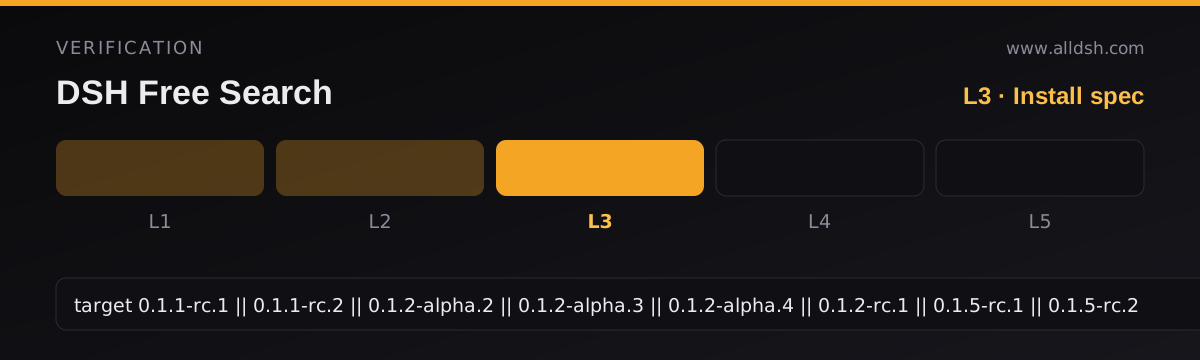
>=0.1.1-rc.1— from the package’sdsh.engines.dshfield. The compatibility table marks0.1.1-rc.1,0.1.1-rc.2,0.1.2-alpha.2through0.1.2-alpha.4,0.1.2-rc.1,0.1.5-rc.1and0.1.5-rc.2as compatible, andrc.7,rc.8,0.1.2-alpha.1and0.1.2-alpha.5asunknown. The listing records that compatible set verbatim asdshTarget; if you are on a build the table calls unknown, treat that as untested rather than broken. - A web platform and a peer client runtime —
dsh.client.platformisweband it injects@deepseek-ai/dsh-client-runtime, so the settings card and the popup switch assume the web GUI. - Network access, and a proxy for some engines in mainland China. Because Node’s
fetchignores the system proxy by default, the README asks you to setNODE_USE_ENV_PROXY=1plusHTTPS_PROXY/HTTP_PROXYon the dsh process — otherwise engines such as DuckDuckGo may simply be unreachable.
The README states no operating-system requirement. The bundled switcher tooling is Windows-oriented, but the plugin itself is described as pure JavaScript with one runtime dependency, @deepseek-ai/schemastery.
Known limits and caveats, in the source’s own terms
- Queries leave your machine. Every engine is an external HTTP endpoint — Bing, DuckDuckGo, AnySearch, a SearXNG instance, or the vendor APIs. The README’s architecture description places the network calls in the host process, and it describes requests and responses passing directly between that process and the engine; no intermediate relay of the search traffic is mentioned anywhere. Nothing in the source describes a first-party server that could collect your queries, but nothing describes a privacy posture either — there is no retention, logging or anonymity statement, and the
raw-searchdebug endpoint exists in the host for troubleshooting. Treat “does it leave the machine” as a definite yes, and “who else sees it” as undocumented. - Rate limiting and blocking are expected, not exceptional. DuckDuckGo is flagged for occasional anti-bot challenges that recover on their own; AnySearch’s anonymous quota is rate-limited; Reddit may be blocked outright in some networks. The README’s own framing is that the multiple free engines exist precisely so they can cover for each other. A “Compatibility” caution carried over from the earlier directory entry — that public backends are rate limited and can change without notice, and that a keyed provider is the move if search becomes critical — is consistent with, and weaker than, what the README itself says.
- Coverage is uneven, feature by feature. Bing and AnySearch ignore
timeRange. Four engines only approximate it.platform_searchreaches eight named platforms, not the open web, and is off for platforms you have not ticked. web_fetchhas no SSRF protection. The README warns in bold that the agent could in theory reach internal network addresses. And again: this fetch capability comes from the officialdsh-web-fetch-httpprovider, so the warning attaches to a component this plugin enables rather than ships.- Peer dependencies are load-bearing. Install it with the harness’s plugin command; do not vendor DSH core packages into a profile.
- Not stated: result deduplication or cross-engine ranking, any content filtering or bias policy, any telemetry disclosure, OS support, and whether search results are cached to disk or only in memory. The settings-page key fields are kept “for backward compatibility”, which suggests the credential centre is the intended path, but the source does not say the older path is deprecated or scheduled for removal.
When to use it — and when not to
Use it when the built-in search is failing for a reason the plugin was built to fix: no DeepSeek key, or a gateway whose endpoint does not expose web_search. It is also the reasonable pick if you want engine choice to be a setting rather than a code change, if you want a chat-side switch, or if you specifically need date-filtered search, which the fallback chain reorders itself to serve. The free tier is genuinely usable without configuring anything.
Do not treat it as a guarantee of search quality or of privacy. It routes to third-party endpoints with rate limits you do not control, it says nothing about what those endpoints retain, and its zero-cost claim rests on anonymous quota rather than on an agreement. If search sits in a critical workflow, the README’s own advice is to configure a key — its paid tier exists for exactly that. And if what you actually need is X/Twitter coverage or a hardened fetch path with SSRF guards, that is a different plugin’s job.
How this differs from modsearch. Both are free, MIT-licensed dsh search plugins with failover, but they are built differently. Modsearch is a skill plus a CLI that also takes shape as a native dsh bundle, its default is Firecrawl’s keyless tier, it exposes X search through Grok Build, it publishes per-engine key rotation and an SSRF-hardened fetch path, and it says outright that the repo takes no pull requests. Free Search makes no claim about X, publishes no security documentation for fetching — it warns that web_fetch has no SSRF protection — and ships a React settings card and an in-chat picker as its first-class interface. Choose on the intervening details, not on the shared “free search” label.
FAQ
Is DuckDuckGo the backend?
No — Bing is the default engine, and DuckDuckGo is one of two optional free variants. The README calls Bing the most stable and configures a zh-CN market for it. DuckDuckGo HTML and Lite are selectable, and both carry the README’s warning about occasional anti-bot rate limiting.
Do I ever need an API key?
Not to search: the default chain is built from engines that need no key, and exa, tavily, keenable and firecrawl are attempted even with no key because they have keyless quota. But three of the twelve engines — Parallel, Perplexity and DeepSeek Official — do require one, so the blanket claim “no key, ever, for every engine” is false. Keys raise quotas and stabilise results on the engines that accept them.
Where do my queries go?
To whichever third-party engine serves the request, over HTTP, from the dsh host process. The README documents the endpoints it calls and names none of them as a proxy for the others, but it makes no statement about retention, logging, or anonymity at those vendors. Assume your queries are visible to the engine that answers, and read each vendor’s policy if that matters to you.
Does search really never fail?
That is the README’s claim, and it rests on the fallback chain trying every engine in turn rather than stopping at the first failure. In practice the chain can still end without a usable engine if every free engine is refusing traffic at once, and a server-side breach of the fallback logic would not be visible to you — the result note naming the serving engine is the signal to watch.
Are the keys I type in the settings page stored safely?
The source supports two facts: key fields are password fields, and after saving the UI shows only that a key is configured rather than displaying it. Beyond that the README recommends placing paid keys in the harness credential centre ~/.dsh/.credentials.yaml, which it describes as the same place official LLM provider keys live, with the settings page and environment variables as lower-priority fallbacks. It does not describe file permissions, encryption, or log scrubbing, so this listing cannot vouch for the storage layer itself.