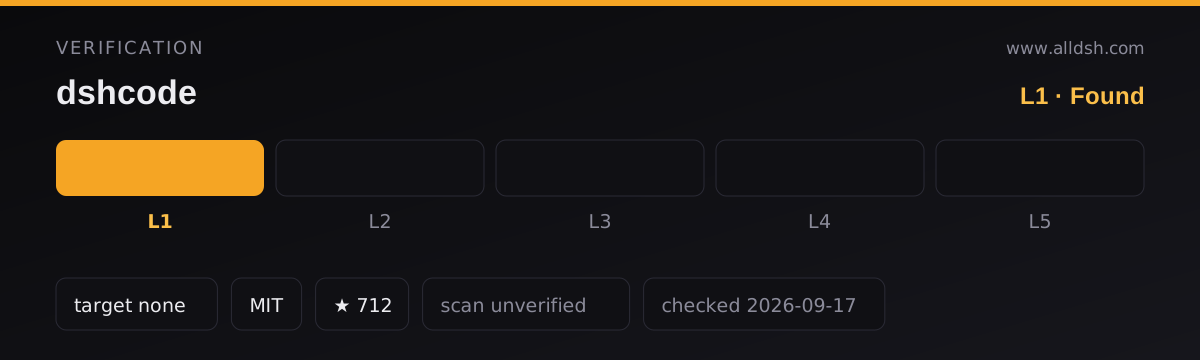
What DSHCode is
DSHCode is a free, open-source desktop AI-agent application for macOS and Windows. It packages the Web UI and the plugin runtime of DeepSeek’s open-source DeepSeek Harness project into an Electron application that installs like an ordinary program, so someone who installs a release build needs no Node.js, no terminal and no command line at all. It is a desktop distribution of the harness, not a second implementation of it.
The README is explicit about one thing that readers tend to assume otherwise: DSHCode is an independent community project. It keeps the upstream package names, copyright, architecture, documentation and the upstream Git remote so that the source is attributed correctly and upstream changes can keep being merged — but unless DeepSeek explicitly authorises it, it is not an official DeepSeek release, endorsement or certification.
What DSHCode does
Because the app embeds the harness instead of reimplementing it, the capability list is the harness’s capability list with a desktop shell around it. The README groups it like this:
- Agent core — a plugin-based framework with bash, filesystem, web search and fetch, terminal, LSP and subprocess tools, plus sandbox isolation and per-operation approval prompts.
- Interactive UI — inline GenUI cards: charts, tables, quizzes, 3D scenes, diagrams, forms and progress views.
- Skills — an installable skill catalogue that gives the agent task-specific workflows such as research, document writing and visual tooling.
- Orchestration — parallel subagent delegation, and Workflow runs that fan out across several agents in stages.
- Long tasks — Plan mode, in which you review and approve before execution; Goal objectives that continue across turns; and resumable sessions.
- Model experience and control — DeepSeek models through the official API, per-provider reasoning effort from off to maximum, a maximum output-token setting, multimodal toggles, and session logs complete enough that any run can be reconstructed.
- Personalisation — themes and skins, a selection-annotation workflow, command shortcuts, and a Chinese/English interface.
- Plugin management — install plugins from npm or from a Git repository, check for updates, and enable or disable them individually.
- Failure recovery — a plugin that fails to load is reported together with diagnostics, and you can disable it, start in safe mode, or have the agent repair it with the failure context.
- Archive management — search archived sessions, then restore or permanently delete them.
- Desktop integration — tray icon, system notifications, single-instance behaviour and a hardened Electron window.
Three of those deserve naming for attribution. The README credits dsh-genui, dsh-annotation and dsh-web-ui as the plugin implementations behind the built-in generative UI, the text-annotation flow, and the Web UI and skin collection. “Built-in” here means shipped with the desktop distribution; it does not mean written by the desktop shell.
The local service behind the DSHCode window
On every launch the app starts an HTTP service inside the Electron main process. The README is precise about how that service is bound, and the details matter if you already run things locally:
- It binds only
127.0.0.1, so it is not reachable from the network. - The port is assigned by the operating system as an ephemeral port, so the app does not occupy a fixed port and normally does not clash with other local services.
- Only a single application instance is allowed, and it loads only its own exact loopback address.
- Before the process exits it releases the harness tree, so closing the app also stops the service and frees the port.
That last point defines the shape of the product: it is a desktop application you open and close, not a background service you leave running.
The shell itself is deliberately thin. Product behaviour and the Web UI still come from the upstream packages, which is why the README says upstream updates can be integrated without maintaining a second interface. Read DSHCode as a packaging and integration layer rather than a fork with its own feature roadmap.
Downloading and installing DSHCode
Release assets are distributed as installers:
| Platform | Installer |
|---|---|
| macOS Apple Silicon | .dmg |
| macOS Intel | .dmg |
| Windows x64 | .exe |
Each release also publishes SHA-256 checksums (SHA256SUMS.txt), so a download can be checked against the published value.
After installing, you open DSHCode from the macOS Applications folder or the Windows Start menu. The app starts and stops its built-in Web profile by itself, and the README states that users of an installed build do not need to run terminal commands.
There is also a from-source path: clone the repository, build it, and for maintainers build desktop installers with the repository’s desktop packaging script, whose output lands in .artifacts/desktop/release/. The README describes a GitHub Actions workflow named Desktop that builds the macOS Apple Silicon, macOS Intel and Windows x64 installers, and says a desktop-v* tag publishes the full build matrix together with SHA-256 checksums to GitHub Releases.
Requirements
For an installed build you need macOS (Apple Silicon or Intel) or Windows x64, a DeepSeek API key, and network access, because DSHCode runs DeepSeek models through the official API. The README says the key is configured once, in the application settings.
For running or building from source, the requirements are the ordinary JavaScript toolchain. The repository’s package.json declares Node.js ^22.19.0 || >=24.0.0, pnpm@11.7.0 as the package manager, and MIT licensing. The README states that Node.js, the CLI and the terminal are needed only when running from source or building installers yourself.
The sources state no minimum operating-system version, no disk-space figure, and no account requirement beyond the API key.
Known limits and what the sources do not say
- Signing and notarisation. The README states that preview installers are not yet code-signed or notarised, so macOS Gatekeeper and Windows SmartScreen may warn before first launch; it gives the one-time override steps and attributes the warning to the missing paid signing certificate. Nothing in the sources promises a signed or notarised build, and no timeline is given, so treat the current status as “unsigned preview”.
- Platforms. The download table covers macOS Apple Silicon, macOS Intel and Windows x64. No Linux build is documented anywhere in the sources, so do not assume one exists.
- Telemetry, credential storage and data handling are not described. The README says nothing about what, if anything, the app reports, where your API key is stored, or how session data is handled on disk. Those are open questions rather than documented absences, and this listing does not settle them.
- Not a server. Because the harness tree is released when the process exits, the local service stops with the app. Nothing in the sources describes running it headless, as a background daemon, or on a remote machine.
- No auto-update path is described. The README documents how releases are published, but not an in-app updater for the desktop application.
- The feature list is the harness’s, not the shell’s. Where this listing attributes a capability, it is inherited from the upstream packages; the desktop shell contributes the window, the local service, the tray icon, notifications and single-instance behaviour.
- Licence and brand are separate things. The source stays under the upstream MIT licence, and redistributions must keep DeepSeek’s copyright and licence notices, with third-party notices bundled alongside. The README adds that the MIT licence is not a licence to DeepSeek’s trademarks or logo, and that DSHCode ships its own application icon.
When to use DSHCode — and when not to
Use it when you want the harness as an application. If your objection to the harness has been “I do not want to install Node.js or live in a terminal”, this distribution removes exactly that step: install, open, configure an API key once, and work in a desktop window with tray and notification integration. It is also a reasonable choice when you want a graphical plugin manager — install from npm or Git, check updates, enable or disable individually — and a safe-mode recovery path for a plugin that misbehaves.
Do not reach for it if any of the following is your actual requirement. If you need Linux, the sources document no such build. If you need a long-running background service on a port you control, this is the wrong shape: the app allows a single instance, takes an ephemeral loopback port, and stops its service when you close it. If you need an installer your organisation can deploy without operating-system security warnings, note that the README describes preview builds as unsigned and un-notarised. If you need official vendor support or a product guarantee from DeepSeek, this is an independent community project. And if you work from a terminal, on a remote host, or inside automation, the CLI path remains the one the sources describe for that; DSHCode does not replace it for all purposes.
FAQ
Is DSHCode an official DeepSeek product?
No. The README states that DSHCode is an independent community project. It deliberately keeps the upstream package names, copyright, architecture, documentation and upstream Git remote so that the source is attributed correctly and upstream changes can keep being merged, but it does not represent an official DeepSeek release, endorsement or certification unless DeepSeek explicitly authorises it.
Do I need Node.js, a terminal or the command line?
Not for an installed build. The README says install users get an ordinary application, and that Node.js, the CLI and the terminal are needed only when running from source or building installers yourself. The repository’s own package.json declares Node.js ^22.19.0 || >=24.0.0 and pnpm@11.7.0 for that source path.
Do I need an API key?
Yes. DSHCode runs DeepSeek models through the official API, and the README says the key is configured once in the application settings.
Does it occupy a fixed port, and could it clash with other local services?
It binds only 127.0.0.1 and lets the operating system assign an ephemeral port, so it does not hold a fixed port and normally does not conflict with other local services. Only one instance is allowed, and it loads only its own loopback address. When the process exits it releases the harness tree first, so closing the app stops the service and frees the port.
Is it code-signed and notarised, and does it send telemetry?
The README states that preview installers are not yet code-signed or notarised, which is why macOS and Windows may show a first-launch warning, and it documents the one-time override. On telemetry the sources say nothing at all — neither that data is collected nor that it is not — and they likewise do not describe credential storage or session-data handling. Treat all of that as undocumented.