What it does
Command Code Provider registers a commandcode provider route in DeepSeek Harness, backed by Command Code, a third-party paid relay service. It is an unofficial community integration, ported from pi-commandcode-provider (MIT), and the README is plain about the relationship: you need your own Command Code account, API key or subscription, Command Code’s terms apply, and the project is not affiliated with Command Code, Inc.
Everything below sits on top of that account. The plugin adds a live model catalog with plan annotations, a settings page with in-browser sign-in, multi-account rotation, a web_search backend, quota dashboards and a session cost estimate — across both the web UI and the terminal UI.
What you get
- Live model catalog in the picker — annotated with minimum plan, active deal or
FREEbadge, peak/off-peak state, image support and context window, free models first. The catalog is browsable without a key; chat requests need one. - Plan-aware picker — models above your subscription tier are hidden by default (toggleable), and an optional Model allowlist keeps only your chosen models visible.
- Reasoning effort and image input — models with selectable effort levels expose them in the picker; Vision-capable models accept images.
- In-browser OAuth sign-in — the settings page can start the same authorization flow
cmd loginruns, and the approved key lands in the local credential service. Manual paste andCOMMANDCODE_API_KEYremain as fallbacks. The flow needs the Host and your browser on the same machine (loopback callback); with a remote Host, paste the key. - Multi-account rotation — when one account hits its usage limit, requests switch to the next account automatically, with an optional pinned active account and per-model routing rules (first match wins). Read Known limits before enabling this.
- Plans & quota panel — an optional sidebar card (off by default) opening a dashboard with the billing period, the 5-hour and weekly windows as progress bars with reset times, monthly credit consumption and balances. Needs dsh
0.1.5-rc.1or newer; a hidden card runs no background usage poll. - Session cost estimate — published-rate
≈estimates beside the composer token counter, computed from durable session history; old requests are not repriced later. The README is explicit that these are estimates from an installed price snapshot, not provider invoices. - Web search — the dsh
web_searchtool is served by Command Code’s/alpha/web-searchendpoint with the same key and base URL as chat, on by default, with a toggle that restores whichever backend it displaced. - Terminal UI support — the same package serves a
dsh-tuiprofile with its own/settings→ Command Code page and a/commandcodeusage dashboard. Each dsh profile owns its plugin list, so the terminal needs a separate install.
How it fits into the harness
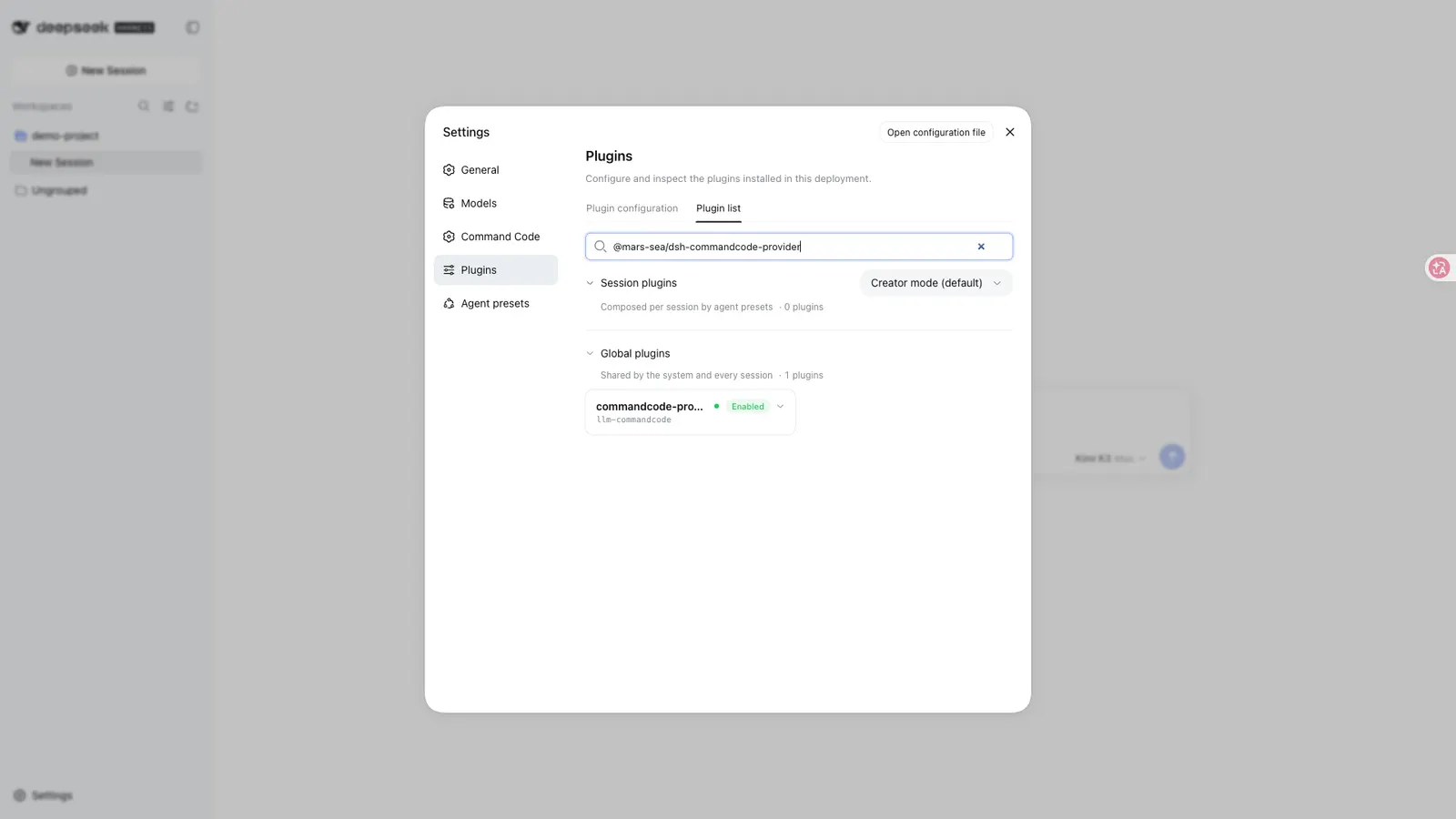
The package is a standard bundle: a cordis.patch.yml row registers the plugin, and the commandcode route appears under Settings → Models with its own key card carrying the key status, a paste field and the sign-in button. Configuration lives on the Settings → Command Code page or in $DSH_HOME/settings.yaml under llm-commandcode: — settings changes apply immediately, without a restart. Key resolution is layered: a literal composition-level apiKey, if set, wins over a signed-in credential, which wins over the COMMANDCODE_API_KEY environment variable and the official CLI’s ~/.commandcode/auth.json. The model catalog is cached at a configurable path.
Two transport details from the README’s notes are worth knowing. Historical reasoning is replayed on both provider transports so a DeepSeek thinking-mode tool loop keeps its chain of thought — without it the provider rejects the loop — and every tool’s parameter schema is normalized to the object root the provider requires, so a third-party tool with a hand-written or $ref-rooted schema no longer fails the whole turn.
Requirements
- Node
>=22, per theenginesfield. - Harness — the manifest’s
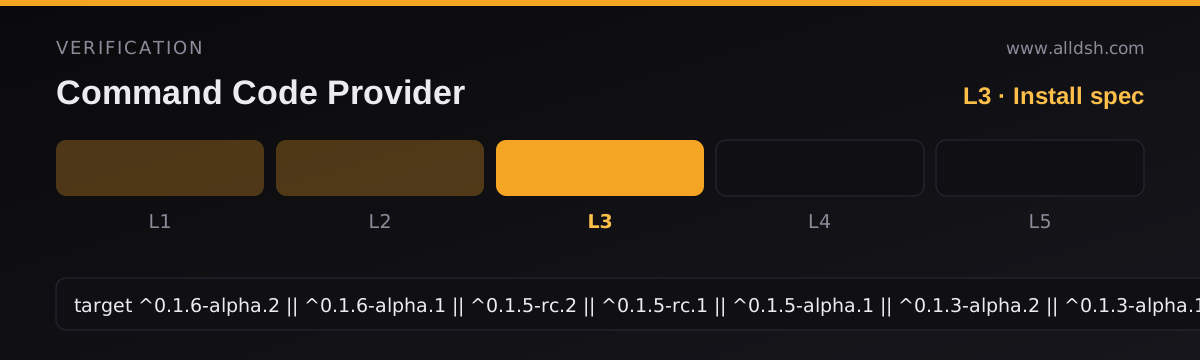
dsh.compatibility.dshrange is quoted verbatim in the frontmatter: eight releases mappedcompatible, from0.1.2-rc.1up to0.1.6-alpha.2. Do not assume support outside that list. - The quota panel needs dsh
0.1.5-rc.1or newer. Web search needs the deployment’s web capability (@deepseek-ai/dsh-web+@deepseek-ai/dsh-tool-web) mounted — without it, the plugin stays chat-only. - For the TUI, the engine must export
ToolCallIdfrom@deepseek-ai/dsh-llm(dsh0.1.2-alpha.3or later); the README says the module import fails on0.1.0-rc.6or0.1.1-rc.2and the TUI will not start. - The client platform is
web, injecting four client packages (dsh-client-connection,dsh-client-locale,dsh-client-ui-settings,dsh-api-remotes).react ^18.2.0and a long list of@deepseek-ai/*packages are peer dependencies supplied by the profile. - Install-time build:
package.jsondeclares aprepare: tsdownlifecycle script (the same command asbuild). Registry installs receive the prebuiltlib/; installing from a git or local source runs that build on install. - Old harness line: on the 0.5.0-era Harness, the README’s release-line table says to pin
@0.9.1exactly — that branch is no longer maintained.
Permissions and privacy
The README’s own statement: the plugin communicates only between your local dsh profile and your Command Code account; locally it touches the credential store and the models cache (plus ~/.commandcode/auth.json as a last-resort fallback), and on the network it calls only the Command Code API, with no telemetry. Treat that as the author’s disclosure — no independent audit is on record for this listing.
Known limits
- It fronts a paid third-party relay. Nothing works without your own Command Code key or subscription, and Command Code’s terms apply to everything routed through it.
- Automatic account rotation may strain those terms. A headline feature here is switching to another paid account the moment one hits its usage window. Whether rotating accounts to work around quota windows is acceptable under Command Code’s terms is a question the README does not address — read the terms yourself before configuring rotation.
- Image input is model-gated; switching to a text-only model in an image-bearing session is rejected by dsh.
- No
stopsequences — requests carrying one fail. - Long image-heavy sessions are worked around, not solved: the provider caps a single request at roughly 50 MB (undocumented), so the plugin replaces the oldest images with a short “image omitted” note and retries an over-large request once with a much smaller image budget before failing.
- Historical reasoning is replayed only for tool calls with a paired tool result.
- pnpm 11’s
minimumReleaseAgesilently resolves@latestto the previous release for the first 24 hours after a publish — pin an exact version if you want the newest build, especially in the TUI profile, where a stale install shows no Command Code page at all.
When to use it — and when not to
Use it if you already pay for Command Code, or intend to, and want it as a first-class dsh provider: the plan-aware picker, in-browser sign-in, quota panel and web-search wiring remove most of the manual setup a relay usually needs, and the TUI support is unusually complete for a community plugin.
Do not install it expecting a free model source — there is no service here beyond what your own Command Code subscription provides. Skip it if automatic quota-driven account rotation conflicts with your reading of the provider’s terms, if you depend on stop sequences, or if your harness sits outside the eight-release compatibility list and cannot be upgraded.
Install
For dsh 0.1.2-rc.1 and later:
dsh plugin --profile web add @mars-sea/dsh-commandcode-provider@latestOn the older 0.5.0-era Harness line, pin the last supporting release instead: @mars-sea/dsh-commandcode-provider@0.9.1. The terminal UI is a separate profile — repeat the add with --profile dsh-tui and an exact version. Restart the web app afterwards, then enter your key under Settings → Command Code (or click Sign in to Command Code there) and pick a commandcode model your plan includes.
Updates use the same tag you installed with (dsh plugin --profile web update @mars-sea/dsh-commandcode-provider@latest), each profile updates separately, and the web app needs a restart after an update.