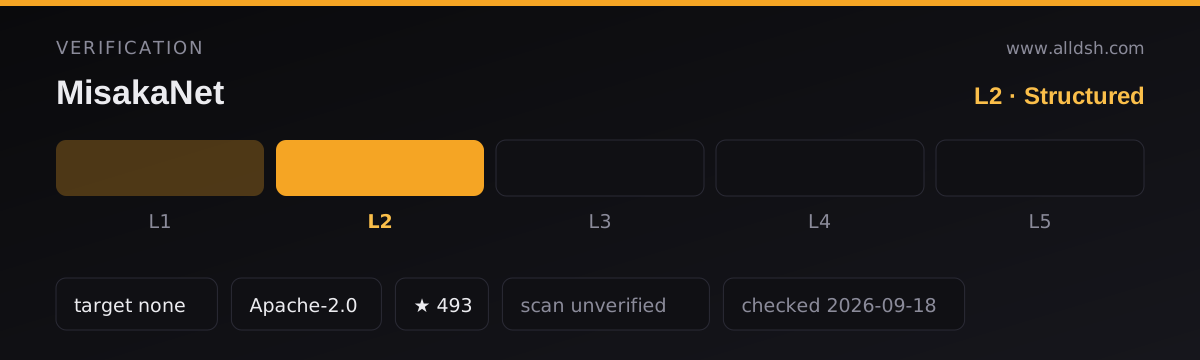
What MisakaNet actually is
MisakaNet is a failure-memory layer for coding agents: an agent hits an error, searches a corpus of failure-recovery lessons, reads the one that matches, and applies the documented fix instead of debugging the same problem from scratch. The README is explicit that the primary direct user is usually an agent, not a human — humans mostly benefit indirectly, through fewer stuck tasks and less manual intervention. It describes lessons as Markdown files shaped as problem → root cause → fix → verification, and repeatedly insists that a lesson is not a skill: a skill teaches an agent how to do something, a lesson teaches it what went wrong before.
The README’s own summary for the project is “Git-backed failure-memory for AI coding agents. Zero dependencies. Zero server. Zero database.” That slogan is true of one specific component, and the README contradicts it elsewhere. Everything below treats the slogan as marketing rather than as an architectural fact.
The stack, and the “zero dependencies” claim
The core local retrieval engine is genuinely dependency-light: the README says search is “BM25 keyword retrieval… Zero dependencies. Python stdlib only”, and the architecture note repeats that the core engine is “zero-dep (pure Python stdlib)” with no vector database, no embedding model and no server. That much is consistent.
The claim does not hold for the project as a whole, and the README says so itself:
- It ships
pip install misakanet(CLI) andpip install misakanet-core(library) paths, and notes optional extras aspip install misakanet[semantic|hub|feishu]. Thesemanticextra plainly exists because keyword search is not always enough. - One of the README’s own showcased lessons gives a verification command that imports a vector-store library:
python3 -c "import chromadb; c=chromadb.Client(); print(c.heartbeat())". A project whose core is BM25 over the standard library cannot simultaneously be “zero dependencies” and document ChromaDB as part of a lesson’s verification path. - The published DSH package declares a Node
enginesrequirement of>=20.0.0, awranglerdevDependency, asharpoverride, and an optional peer dependency on@deepseek-ai/dsh-mcp-client. None of that is Python stdlib. - There is a deployed remote endpoint backed by Cloudflare: the README’s diagram names a Cloudflare Worker, a D1 database holding lessons and redaction data, and KV for rate limiting. So “zero database” and “zero server” describe the local stdio path only.
Accurate framing: the local search engine is zero-dependency, pure-stdlib BM25 over Markdown files. The project has Python packaging, optional extras, an npm wrapper, and a hosted Cloudflare service. Do not repeat the slogan as a property of the whole system.
What you install, how it integrates, and where the lessons live
The README describes “two surfaces, one knowledge core”: a local stdio MCP server that is unlimited, and a remote HTTP MCP endpoint that is anonymous and rate-limited. For DeepSeek Harness specifically, the npm package is the entry point, and the package metadata is unusually candid about its limits:
- The package publishes
2.28.1and describes itself as a skill-only npm bundle. Itsfileslist isSKILL.md,skills/,index.js,index.d.tsandcordis.patch.yml, withdsh.bundle.patchpointing at that patch file. - The README states the bundle’s
mcp__misakanet__*tools are served by the repo’s Python MCP server, which ships only with agit+install. The npm bundle provides “the skill/CLI surfaces only”. For live tools from an npm install, the README’s own workaround is either to switch to the git install or to point an existingdsh-mcp-clientrow at the remote endpoint. - The advertised DSH tool names are
misakanet_search,misakanet_get_lesson,misakanet_submit_intake,misakanet_write_lesson,misakanet_preflight,misakanet_registerandmisakanet_me_events— seven tools, per the package description and README. - Separately, the README tells you to copy the skill into
~/.dsh/skills(or a project.dsh/skills) so agents can discover it, and mentions running the adapter scriptscripts/mcp_deepseek_adapter.pydirectly.
So a DSH user gets skill and CLI surfaces from npm, and live MCP tools only from a git install or via the remote endpoint. That gap is stated by the source; it is the single most important thing to know before installing.
How the lesson library is actually stored and searched
The lessons are files in the repository under lessons/, and the README calls lessons/ the “git source of truth”. They are grouped by domain — the README lists rag, devops, fanuc, docker, feishu, network, claude, hub and others — and example paths such as lessons/core/dco-auto-fix-workflow.md and lessons/contrib/pip-install-timeout-ssl.md show a core/contrib split.
For local use the corpus is not fetched at query time: you clone the repo and BM25 runs over the local Markdown files, which is why the local path is unlimited and works offline. The remote endpoint is a different corpus served from D1, deployed from the repository on release. Contributions arrive three ways: pull requests that pass the project’s CI (the README mentions 50 workflows and DCO sign-off), a GitHub issue form for a “5-line failure note”, and anonymous MCP intake, which files a maintainer-visible GitHub issue labelled intake, mcp-intake and pending-review. The README states intake is not auto-published and that maintainers review accepted contributions and convert them into draft lessons.
The README’s headline count is “390+” lessons in the intro and “385+ verified failure-recovery lessons” in the Glama section — two different figures in the same document. Treat any specific corpus size as approximate and volatile rather than as a verified number.
The evidence-level system, and who assigns it
The README rates lessons on a five-level scale:
| Level | README’s meaning | README’s stated source |
|---|---|---|
| E0 | Community reported | Intake, issues |
| E1 | CI verified | Automated tests |
| E2 | PR merged | Code review |
| E3 | Maintainer verified | Human review |
| E4 | Production proven | Real-world usage |
Who assigns these? The source indicates automation assigns E1 (it comes from CI) and that human review sits behind E2 and E3, with E4 resting on “real-world usage” that the README does not define or instrument. What it does not state is any independent auditor: there is no third party named, and no description of how a level is contested or downgraded. The README’s own gloss “Verified by humans, PRs, or agents” also implies agents can be a verification source.
Read the levels as an internal, project-assigned provenance label, not as external certification. E0 means only that someone reported it; E1 means a machine check passed; E2 means a PR was reviewed and merged; E3 means a maintainer vouched for it; E4 is the least operationally defined. The README’s security section reinforces this posture: “Lessons are community-contributed — review before run.”
Requirements and accounts
- Python 3.10+ for the local MCP server, CLI and library, per the README’s badge and quickstart.
- Node 20+ for the npm bundle, per the package’s
enginesfield. The package also declares an optional peer dependency on@deepseek-ai/dsh-mcp-clientat>=0.1.0-rc.8 <0.2.0. - No account is required for the advertised default paths. The README stresses “No GitHub account. No email. No Bearer token. No browser” for remote search and intake. Registration is optional:
misakanet_registerreturns anode_idand atokenfor unlimited remote searches, because anonymous remote access is capped at 5 free reads per day per IP. - Network access is needed for anything remote, for the initial clone, and for package installs. The README documents
HTTPS_PROXY/HTTP_PROXYsupport for corporate firewalls. - A server and a database do exist — but on the project’s side, not yours. The remote endpoint runs on Cloudflare’s Worker + D1 + KV. You do not run them; the local path needs neither.
- Nothing here is a hard DSH-plugin requirement beyond Node: the skill/CLI surfaces are described as working in any profile.
Known limits, and what it explicitly is not
The README publishes a “What this is NOT” table and points at a docs/LIMITATIONS.md for “known constraints and non-goals”. Stated limitations:
- Not a general-purpose memory system, not an agent runtime or framework, not a vector database or RAG system, not a cloud service requiring signup, not a skill marketplace. Retrieval is BM25 keyword search, so synonyms and paraphrase are not handled semantically unless you install the optional
semanticextra. - Lessons are community-contributed and unvetted at run time. The README’s warning is unambiguous: “Always sandbox your Agent before executing retrieved commands.” CI scans Markdown for dangerous patterns such as
rm -rf,curl | shand backtick injection — a pattern scan, not a correctness or safety guarantee. - Corpus size and quality vary by domain, and the README names unsolved “failure families” that show up on a public demand board, which is an admission that coverage has holes.
- The DSH npm bundle ships no live MCP tools, as covered above.
- Remote anonymous access is quota-limited (5 reads/day/IP), and registration is the only escape hatch the source describes.
- The README’s benchmarks (llama-3.2-3b going from 21% to 43% hit rate, llama-3.3-70b from 42% to 73%) are the project’s own weekly measurement, on its own scenarios, via Cloudflare Workers AI. They are not independent evaluation, and the README dates each run.
Privacy, trust, and what is fetched or uploaded
- Fetched: remote search hits
misakanet.org/mcp; the npm install pulls a package from the registry; a git install clones the repository. The README does not document an end-to-end privacy policy beyond the handling notes below. - Uploaded: only via intake —
misakanet_submit_intakesends a redacted problem/error description and turns it into a public GitHub issue labelledintake,mcp-intake,pending-review. The README says twice, in different sections, not to send secrets or raw private logs. There is no described way to un-publish something you already put in a public issue. - Reviewed before use: yes, per the README — intake is explicitly not auto-published, and maintainers review it before turning it into a lesson. Community PRs pass CI gates before merge. Note that this review is the project’s own; no external review body is named.
- Telemetry: the README states “No prompt leaking, no raw logs stored”, and for the Glama route that “Every call is logged in your Glama analytics” — that logging belongs to Glama, not to MisakaNet. The README makes no general telemetry claim for the hosted endpoint either way; do not infer “no telemetry” from the absence of a statement.
- Credentials: the only token discussed is the registration token for unlimited remote search. Debug logging is off by default (
MISAKA_DEBUG=1for auth errors,2for request/response logging) and debug context is “stripped by default; only shown when enabled”. The README does not describe token storage, revocation, or rotation.
When to use it — and when not to
Use it if you want your agent to stop re-deriving fixes for errors someone has already solved, and you value an auditable corpus — plain Markdown in git, diffable, forkable, searchable offline. It fits best when your failures cluster in the domains the corpus actually covers (CI, pip/Python packaging, Docker, tokens and credentials, MCP, WSL/encoding) and when the agent, not you, is the main consumer. The local stdio path is the strongest configuration: unlimited, offline, stdlib-only retrieval.
Do not use it as a general memory layer, a task runtime, or a RAG stack — the README says all three are out of scope. Do not treat an evidence level as a security clearance: E2 or E3 means someone reviewed it, not that the command inside it is safe to run unprompted, and the README tells you to sandbox before executing retrieved commands. Do not install the npm package expecting mcp__misakanet__* tools to appear; that needs the git install or a remote dsh-mcp-client row. And do not repeat the “zero dependencies” slogan as a system-wide property — it describes the local search engine, and the README’s own examples contradict the broader reading.
FAQ
Is MisakaNet really dependency-free?
Only its local search engine is. The README states the core BM25 engine is pure Python stdlib with no vector database or embedding model, but the same README documents pip install misakanet, misakanet-core and optional [semantic|hub|feishu] extras, a DSH package requiring Node 20+ with a wrangler devDependency, and a lesson whose verification command imports ChromaDB. The slogan is accurate for one component and misleading for the project.
Who verifies the lessons, and what does a level like E3 actually mean?
The project does, internally. E1 comes from the project’s own CI; E2 means a PR was reviewed and merged; E3 means a maintainer verified it; E4 rests on undefined “real-world usage”; E0 means only that it was community-reported. No independent third party is named anywhere in the sources, so read the level as a project-assigned provenance label rather than certification — and remember the README’s own warning to sandbox before running retrieved commands.
Are lessons stored locally, or fetched from a server?
Both, depending on surface. The local path clones the repository and searches the lessons/ Markdown files with BM25, entirely offline — the README calls lessons/ the git source of truth. The remote HTTP endpoint serves a corpus from Cloudflare D1, deployed from the repo on release. For DSH, the npm bundle’s tools require a git install or a remote dsh-mcp-client row, because the npm package is skill-and-CLI only.
Does it need Python, an account, or a database?
Python 3.10+ for the local server, CLI and library, and Node 20+ for the npm bundle. No account is required for anonymous search or intake; registration is optional and only lifts the 5-reads-per-day-per-IP remote quota. You run no database and no server — the Cloudflare Worker, D1 and KV belong to the project.
Does it upload my logs or send telemetry?
It does not send raw logs, and the README says no prompt leaking and no raw logs stored. What does leave your machine is intake content you choose to submit, which becomes a public GitHub issue after maintainer review — so send nothing secret. The README makes no general telemetry claim about the hosted endpoint, and the Glama integration route logs calls in Glama’s own analytics.