One listing, two repositories
Most entries in this directory describe a single repository. This one describes a DSH integration whose code, licence and release cadence live in a second repository, so that split is the first thing to get right.
repo: and install: above point at whiteguo233/OpenBiliClaw — the main project. It is a local-first, cross-platform, “self-evolving” content-discovery agent shipped as a Python backend plus a Manifest V3 browser extension, an openbiliclaw command-line tool, desktop installers and a mobile web view. It keeps behaviour, profile and history in a local SQLite database, and it is licensed MIT. Its README mentions the DSH plugin in a single paragraph and does not document the plugin’s install command, version or manifest.
The DSH integration is a separate repository, whiteguo233/dsh-openbiliclaw, published as the npm package @openbiliclaw/dsh-plugin (v0.4.0) under BSD-3-Clause. It is not a second copy of the agent: it is a client that talks to a running backend over HTTP and WebSocket, defaulting to http://127.0.0.1:8420, and it requires that backend to be running. The plugin’s own README states the boundary plainly — it does the consumer side only, and crawling, platform-source management and account sync deliberately stay in the main project. If you read only one of the two repositories, you will misread the other.
What the plugin adds to the harness
- A human-facing drawer. A button in the DSH left sidebar (
sidebar.footer.action) opens a right-hand slide-out panel (shell.overlay) with five views: recommendations, library, dialogue, profile and settings. The component table also lists a message drawer. The panel reuses the browser extension’s pink/blue palette and follows the DSH theme in dark mode. - Recommendations with a full-width delight hero card, an infinite scroll that prefetches roughly 800px before the bottom, reshuffle/append/refresh, in-card feedback, and an activity feed of probes, delights and save events.
- A library for watch-later and favourites, sharing one local list with the main project, with per-item and bulk sync results, a 30-day history split into opened / seen / removed, and one-click restore of removed saves.
- Dialogue as a Socratic loop, with interest and avoidance probe cards whose states (confirm, reject, chat, defer) feed back into the profile.
- A profile view carrying MBTI, core traits, deep needs, an interest tree, and a “what A-B recently remembered” cognition card.
- A settings surface aligned with the browser extension’s backend settings: models and fallback chains, embedding, scheduling and updates, advanced P1/P2/P3 multimodal toggles, connection address, proxy, LAN password and logs.
- 22
openbiliclaw_*agent tools —recommend,reshuffle,get_delight,submit_feedback,chat,next_probe,get_profile,list_saved,save_local,get_runtime_statusand more — plus anopenbiliclaw-adapterskill registered from the backend’sSKILL.md. The drawer and the tools read and write the same backend state, so a save made in the panel is immediately visible to an agent.
Requirements
- The OpenBiliClaw backend must already be installed and running, with Agent Bridge v2 enabled. The plugin reaches it over HTTP + WebSocket at
http://127.0.0.1:8420by default; the address is configurable in the panel’s settings, and the README notes it should not carry an/apisuffix. - A
workdirpointing at the backend project root. The plugin resolves the bridge CLI through<workdir>/.venv/bin/pythonby default, so the backend’s virtualenv has to exist and the adapterSKILL.mdhas to be present.pythonBin,skillPath,timeoutMs(default 300000) andstdoutMaxBytes(default 2000000) can override the defaults. - DSH
0.1.5-rc.1or newer, with the matchingdsh-*peer ABI and@deepseek-ai/cordis ^4.0.2. The README warns against mixing older DSH toolkits (0.0.1, or anything before0.1.x) into the same profile. - For the backend itself: Python 3.11+ and
git— the two dependencies its install script states. The main README states no Node version and no rootpackage.jsonfor the main repository;npmappears only in the instructions for building the browser extension. - Logging into content platforms happens in your own browser. The README does not require a project account.
The install: command here installs the backend, not the plugin
This matters and the sources are explicit about it. The command above runs the main project’s shell script, which clones the backend, walks a terminal wizard, installs dependencies, starts the backend and health-checks it. It is a prerequisite, not the whole setup, and it installs nothing into DSH.
Installing the plugin is a separate step in the other repository. The plugin declares dsh.bundle, so the README says it can be handed to the harness’s own plugin-add path or a plugin market; alternatively it publishes to npm as @openbiliclaw/dsh-plugin (with the pnpm equivalent). Either way you then declare a configuration row that points workdir at your backend checkout. One detail from the README is worth repeating because it silently fails otherwise: in current DSH versions a new row must sit under a top-level insert: in cordis.patch.yml, because a bare id row is treated as an override of an existing row and skipped when none exists. Afterwards, restart the DSH Web process and refresh the page. Locally, the README also documents copying the repository into the profile’s node_modules directory instead.
Licensing, security and data handling
- The licence is split. The main project is MIT — which is what this listing’s
license:field records — while the DSH plugin package is BSD-3-Clause. If an organisation cares about terms, check both, and note that this directory’s singlelicense:field cannot represent the pair. - This is an experimental prerelease. The README describes the desktop builds as unsigned and ad-hoc signed, not notarized, with routine macOS “unverified developer” blocks and Windows SmartScreen prompts; Safari builds are ad-hoc unless Apple credentials were configured at release time. The Flutter mobile client is described as a new-feature preview that has not been tested long-term. Signing is per artefact rather than uniform: the README documents Developer ID signing plus notarization for macOS when Apple credentials were configured at release time (ad-hoc otherwise), Mozilla AMO unlisted signing for the Firefox extension, a signed Android APK and a self-signed iOS IPA. Check the specific artefact you download instead of assuming one signing story covers them all.
- Session cookies are reused; platform passwords are not stored. The browser extension syncs existing logged-in sessions to the backend (for example X needs
auth_tokenandct0, Reddit areddit_session), and the README says the project neither stores your platform password nor bypasses logins you could not perform yourself. - The
.obcbackupexport is explicitly unencrypted. The README says it may contain model and source API keys, cookies, profile and history, that it excludes the source machine’s API auth (password, session, device key), and that it should only move between trusted devices. - Data egress is your configuration. Core data stays in local SQLite, and the project states it does not send data to developer-operated servers and has no OpenBiliClaw cloud account. If you configure a cloud LLM or embedding provider, the relevant content goes to that provider. The README does not discuss telemetry as a category at all, so do not read that silence as a broader privacy promise: the only egress commitment it makes is the one above, about developer-operated servers.
Coverage and known limits
- 13 content sources exist, and only Bilibili is enabled out of the box. The README lists Bilibili, Xiaohongshu, Douyin, YouTube, X, Zhihu, Reddit, Linux.do, Bangumi, V2EX, Weibo, GitHub and the generic web, then states that discovery ships with Bilibili alone and that the others must be switched on explicitly in settings. Do not assume a fresh install covers all thirteen.
- The plugin is consumer-side only, by design. Platform-source and crawl configuration, source status, pool ratios, external account sync and the extension’s device pairing are all excluded. The drawer’s library view exposes save and sync entry points, but the stated boundary puts platform configuration in the main project.
- The agent integration in the main repository is a workspace skill plus a versioned Agent Bridge — not MCP. The word does not appear in either README. The listed host targets are OpenClaw, Hermes, WorkBuddy, Claude Code, Codex CLI and Cursor; DSH is reached through the separate plugin.
- This plugin does not replace the standalone OpenBiliClaw web UI. The browser
/weband mobile/msurfaces, the extension and the DSH drawer are parallel clients of the same local API. - The two repositories move independently. The plugin depends on a backend that is versioned and released separately, and the plugin README pins a DSH ABI. Expect to keep three things aligned: DSH version, plugin version and backend version.
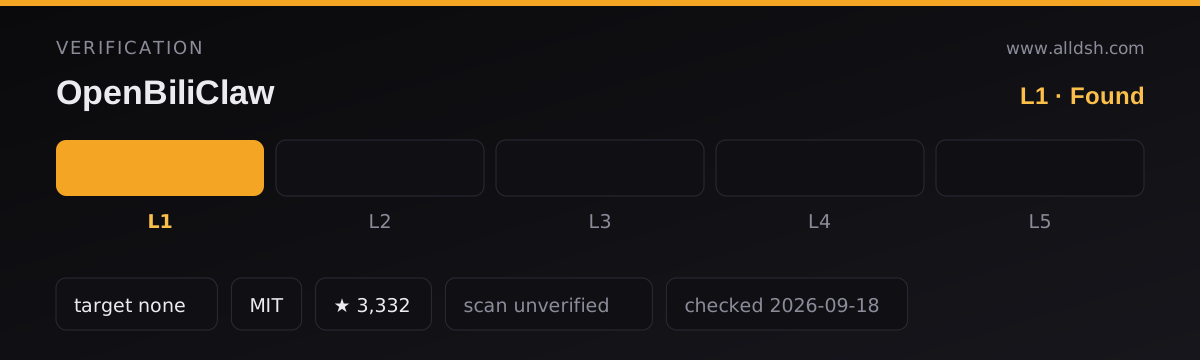
- Not stated anywhere in the sources: a star count, a single consolidated signing summary, a “no telemetry” guarantee, a Node version for the main project, or a root
package.json. The README also records contradictions of its own about platform bookmark sync maturity, so treat per-platform sync claims conservatively.
When to use it — and when not to
Use it if you already run the DSH web GUI and a working OpenBiliClaw backend, and you want the consumer side of that agent inside the harness: a sidebar drawer for recommendations, your library and your profile, plus agents in the same session that can pull recommendations, answer probes and write feedback into the same closed loop. The shared backend state between the drawer and the tools is the real reason to install this rather than simply opening the main project’s web UI in a second tab.
Do not reach for it if any of the following is true. If you have not deployed the backend yet, the plugin has nothing to talk to — start with the main project. If you want a single-command install, this pair is not that: you install the backend, install the plugin, wire up workdir, and restart. If you expect the plugin to configure sources, manage crawling or handle account sync, that work is explicitly out of scope. If you need signed and notarized desktop software, the project’s own README calls the desktop builds an experimental prerelease. If you are pinned to a DSH version below 0.1.5-rc.1, or your profile still carries older DSH toolkits, install it into a clean profile instead.
FAQ
Is the DSH plugin the same project as OpenBiliClaw?
No. OpenBiliClaw is the main project — the Python backend, the browser extension, the CLI and the installers — and it is MIT-licensed. The DSH integration is a separate repository, whiteguo233/dsh-openbiliclaw, published as @openbiliclaw/dsh-plugin and licensed BSD-3-Clause. This listing’s repo: and install: fields point at the main project because that backend is the prerequisite.
Do I have to run the backend before the plugin does anything?
Yes. The plugin is a client. It speaks HTTP and WebSocket to the backend, defaulting to http://127.0.0.1:8420, resolves the Agent Bridge CLI through the backend’s virtualenv, and requires Agent Bridge v2 to be enabled. Without a running backend the drawer and the agent tools have nothing to read or write.
Does the command in this listing’s install: field set up the DSH plugin?
No. It installs the backend — cloning the main repository, installing dependencies, starting the service and health-checking it. The plugin is installed separately, through the harness’s plugin-add path, a plugin market, or the published npm package, followed by a configuration row that points workdir at the backend and a restart.
Which licence applies to which part?
MIT for the main project, which is what this listing’s license: field records, and BSD-3-Clause for the DSH plugin package. The directory field cannot carry both, so verify the plugin repository directly if the distinction matters to you.
What should I not assume about privacy?
That “local-first” means nothing ever leaves the machine. Core behaviour, profile and history stay in local SQLite and the project says it does not send data to developer-operated servers, but content is sent to whichever cloud LLM or embedding provider you configure, the extension reuses your logged-in sessions, and the .obcbackup export is explicitly unencrypted. The README does not address telemetry as a category.